ineo+ 353/253/203 1-58
Setup items by operation
1
1.18 Importing images using the TWAIN scan
Specify settings for using this machine as a scanner.
Using the TWAIN driver enables this machine to be used as a scanner. This machine can be controlled from
a computer connected to the network, and the scanned data can be imported into an application on the
computer to be processed.
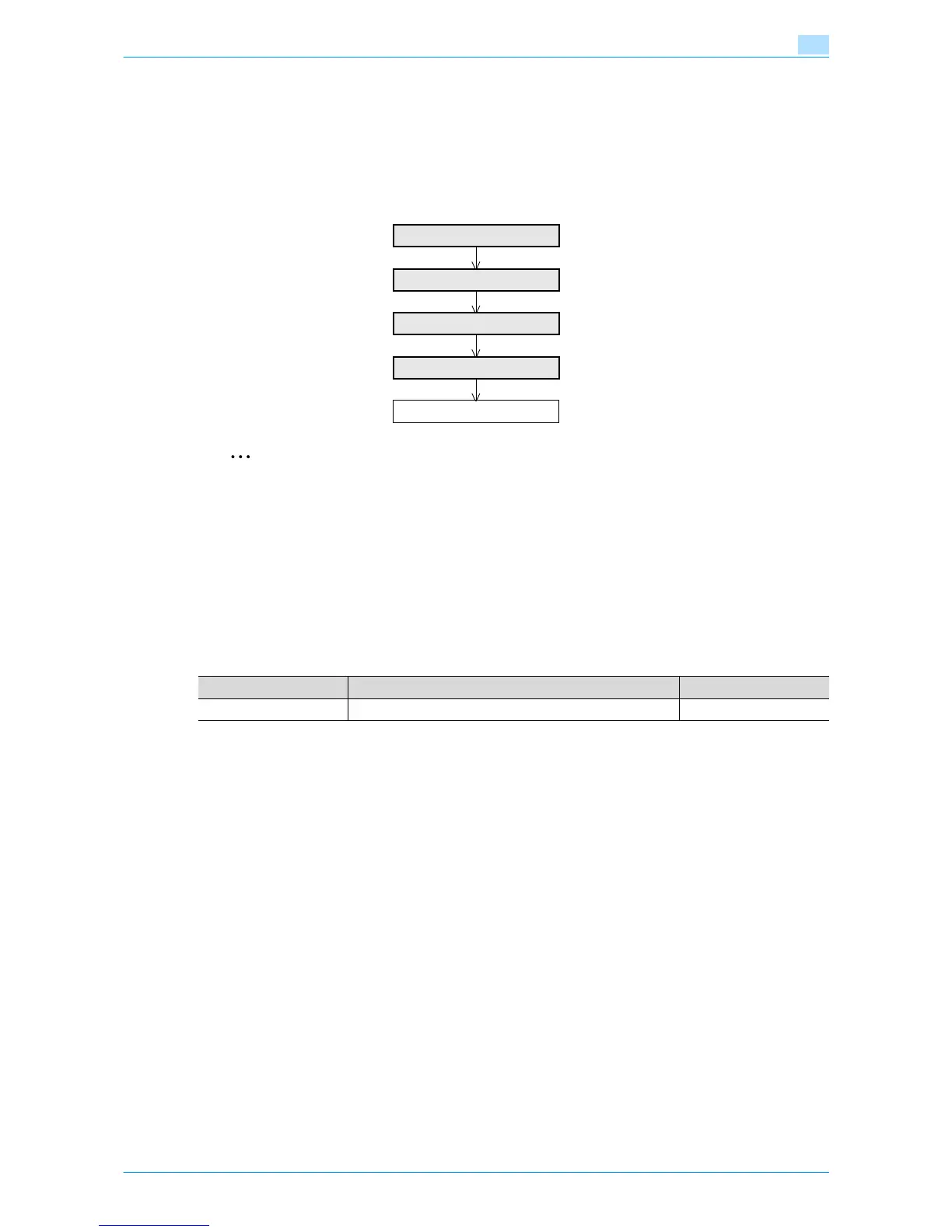
Specify the settings according to the following flowchart.
2
Note
For details on installing the TWAIN driver, refer to the TWAIN driver manual on the Driver CD-ROM.
1.18.1 TCP/IP Settings
Specify settings to use this machine in a TCP/IP network environment.
For details, refer to "Specifying general settings for TCP/IP-based communication" on page 1-2.
1.18.2 SLP Setting
In Administrator mode of Web Connection, select the Network tab - "TCP/IP Setting" - "TCP/IP Setting".
Specify the following setting.
TCP/IP Settings
SLP Setting
TCP Socket Setting
Network TWAIN
Finish
Item Definition Prior confirmation
SLP To search for this machine using TWAIN, select "Enable".










 To Next Page