ineo+ 353/253/203 1-160
Setup items by operation
1
1.48.3 Registering or editing a program destination
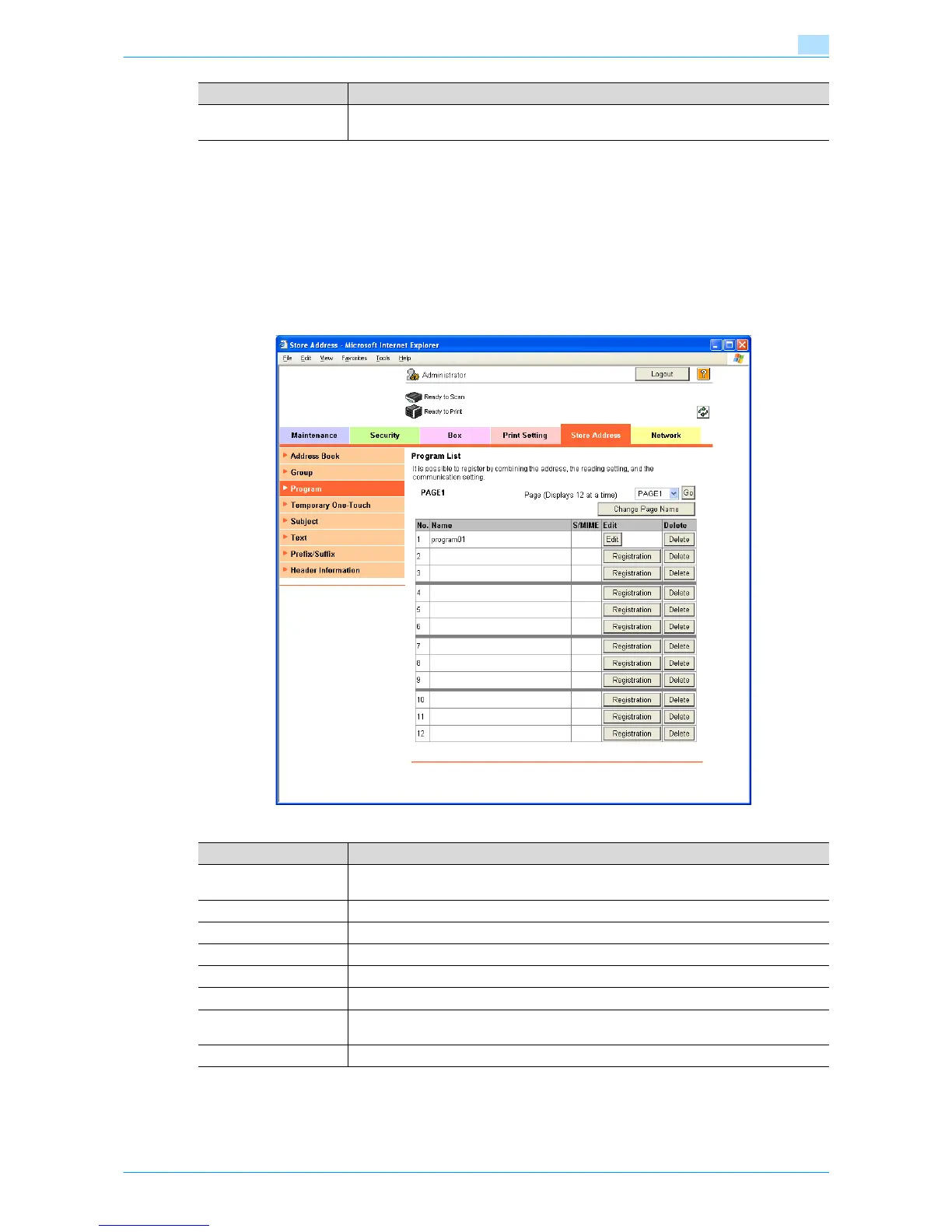
Register a new group destination or change program destination settings.
Program destinations can be registered by combining address information, communication information, and
original information.
Program address
In Administrator mode of Web Connection, select the Store Address tab - "Program".
Specify the following settings.
Limiting Access to Desti-
nations
Specify the group that is allowed to access a destination and reference allowed level.
Item Definition
Item Definition
Page (Display 12 at a
time)
Select the page, and then click [Go] to display the list of destinations of the selected page.
[Change Page Name] Renames the page.
No. Displays the registration number.
Name Displays registered names.
S/MIME Displays whether or not the certificate is attached.
[Registration] Registers the program destination.
[Edit] Edits the registered program destination. The settings are the same as ones available dur-
ing registration.
[Delete] Deletes the program destination.










 To Next Page