ineo+ 353/253/203 1-99
Setup items by operation
1
!
Detail
If "Password Rules" is enabled, no password containing less than eight characters can be registered.
If you have already registered a user password containing less than eight characters, change it to one
using eight characters before enabling "Password Rules". For details on the password rules, refer to
the User’s Guide [Copy Operations].
For details on limiting access to destinations, refer to "Limiting accessible destinations by user" on
page 1-142.
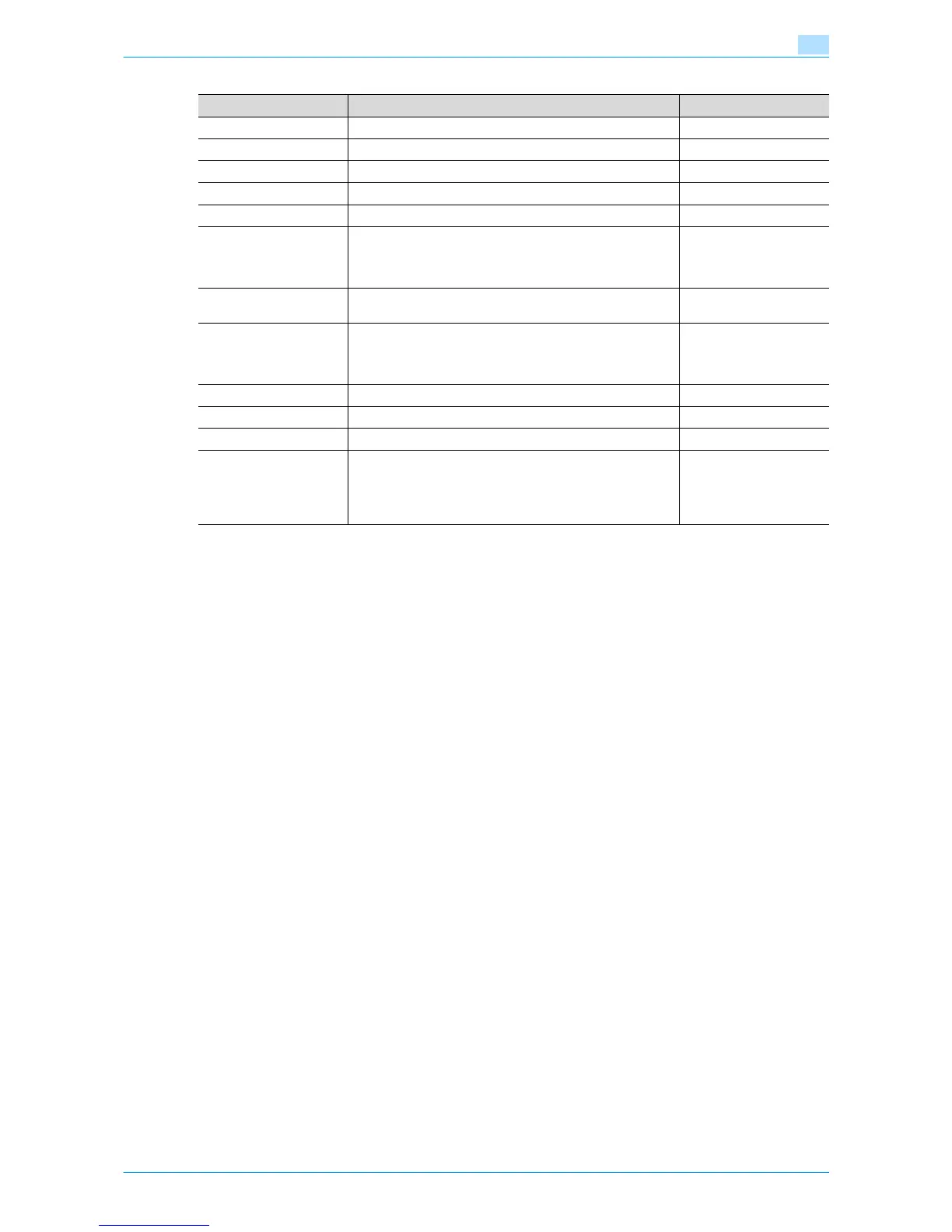
Item Definition Prior confirmation
No. Enter the registration number.
User Name Enter the user name.
E-mail Address Enter the E-mail address.
User Password Enter the password.
Retype User Password Enter the password again.
Account Name Register the account to which the user belongs. Before se-
lecting the account name, register the account. When syn-
chronization of the user authentication and account is
specified, this item appears.
Specify Icon From [Search from List], specify an icon for the user to be
registered.
Function Permission Specify whether to allow copy operations, scan operations,
saving to external memory, fax operations, printing, user box
operation, print scan/fax from user box, and manual destina-
tion input.
Output Permission (Print) Specify whether to allow color or black output when printing.
Output Permission (TX) Specify whether to allow sending color images.
Max. Allowance Set Specify whether to limit the max. allowance of output.
Limiting Access to Desti-
nations
Specify the destination access right of users to be registered
When "Reference Allowed Group" is selected, click [Search
from List], and then select a reference allowed group from
the list. When "Access Allowed Level" is selected, specify a
level.










 To Next Page