OPERATOR’S MANUAL
Control Point
®
11001-1489-201702 Rev B
START-UP AND FAMILIARIZATION / 17
5. The Console automatically closes all system actuators and performs
self-tests, including system configuration and application data during
start up. If an error occurs at power up or during operation, an
appropriate error message displays with recovery information for
approximately 4 seconds.
6. Turn the Console off by pressing and holding the Console button until a
beep and text on the screen disappears (approx. 3 seconds); and then
release. Power is removed when the screen goes dark. To restart,
repeat step 2.
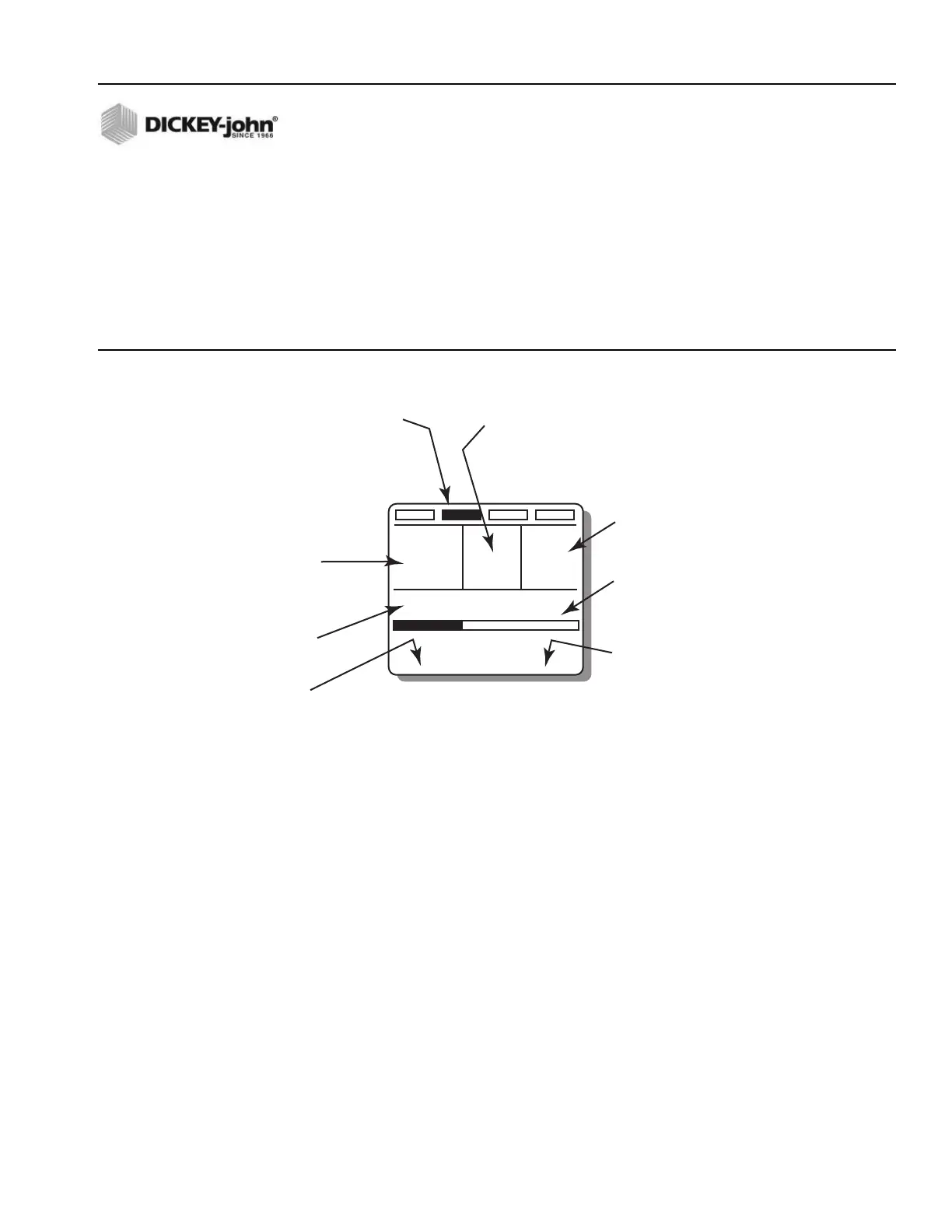
Figure 9
Operate Screen Display
OPERATE SCREEN DISPLAY FUNCTIONS
The upper display includes three windows for Granular, Liquid, and true
(actual) Ground Speed data. Status of the booms graphically display at top.
Below the windows, error messages appear briefly for system errors and an
audible alarm. The display bottom shows the Spread Width Bar indicating
percentage of spinner activity via a black bar. The current date and time is
also displayed at the bottom of the screen.
1. If the Granular and Liquid ON/OFF switches are turned off and back
on, the window for each product reads OFF and then returns to the
material and target (APR) values again.
NOTE: Large font on the Operate
screen indicates the control is
active. Small font indicates the
control is not active.
Ground speed is independent of product application and therefore
displays only when the vehicle is moving. Product application begins
with vehicle motion if the Master Switch is in the AUTO position. The
actual APRs display almost twice the size of the target APRs (refer to
Figure 7).
2. The target rate of either product channel can be changed by pressing
the respective INC/DEC +/- switch on the Switch Module. The value
increments or decrements with an audible beep for each step. If the
SALT LIQUID 1 MPH
0
LBS / MILE GAL / TON
APPLICATION RATE ERROR
SPINNER
SPREAD WIDTH 100%
9 : 15 AM
500 4.50
0%
26 AUG 06
Granular Channel Window
• Displays target application rate
(APR) with vehicle stationary,
actual application rate when
spreading material.
• Displays OFF when
Granular ON/OFF switch
is turned to OFF.
Liquid Channel Window
• Displays target application rate (APR) with vehicle
stationary, actual application rate when spraying liquid.
• Displays OFF when Liquid ON/OFF switch
is turned to OFF.
Current Time
• Maintains/retains current time.
Current Date
• Maintains/retains correct date.
Error/Alarm Zone
• Displays message to
instruct operator action.
Ground Speed Window
• Indicates rate of travel
at all times.
Four Boom Section indicators
• Black indicates active boom section.
• 0 in first boom indicates pressure sensor
reading zero at this time and non-active.
• No boom indicators mean channel is set
as pre-wet.
Spread Width Bar
• Black indicates spinner operation
and spread width in percent. Value is
adjusted using the Spread Width
knob on the Switch Module.
0



 To Next Page