EasyManua.ls Logo

Dickey-John Control Point - Service Menu

Dickey-John Control Point
109 pages
Print Icon
To Next Page IconTo Next Page
To Previous Page IconTo Previous Page
Loading...
OPERATOR’S MANUAL
Control Point
®
11001-1489-201702 Rev B
32 / KEYBOARD PROGRAMMING
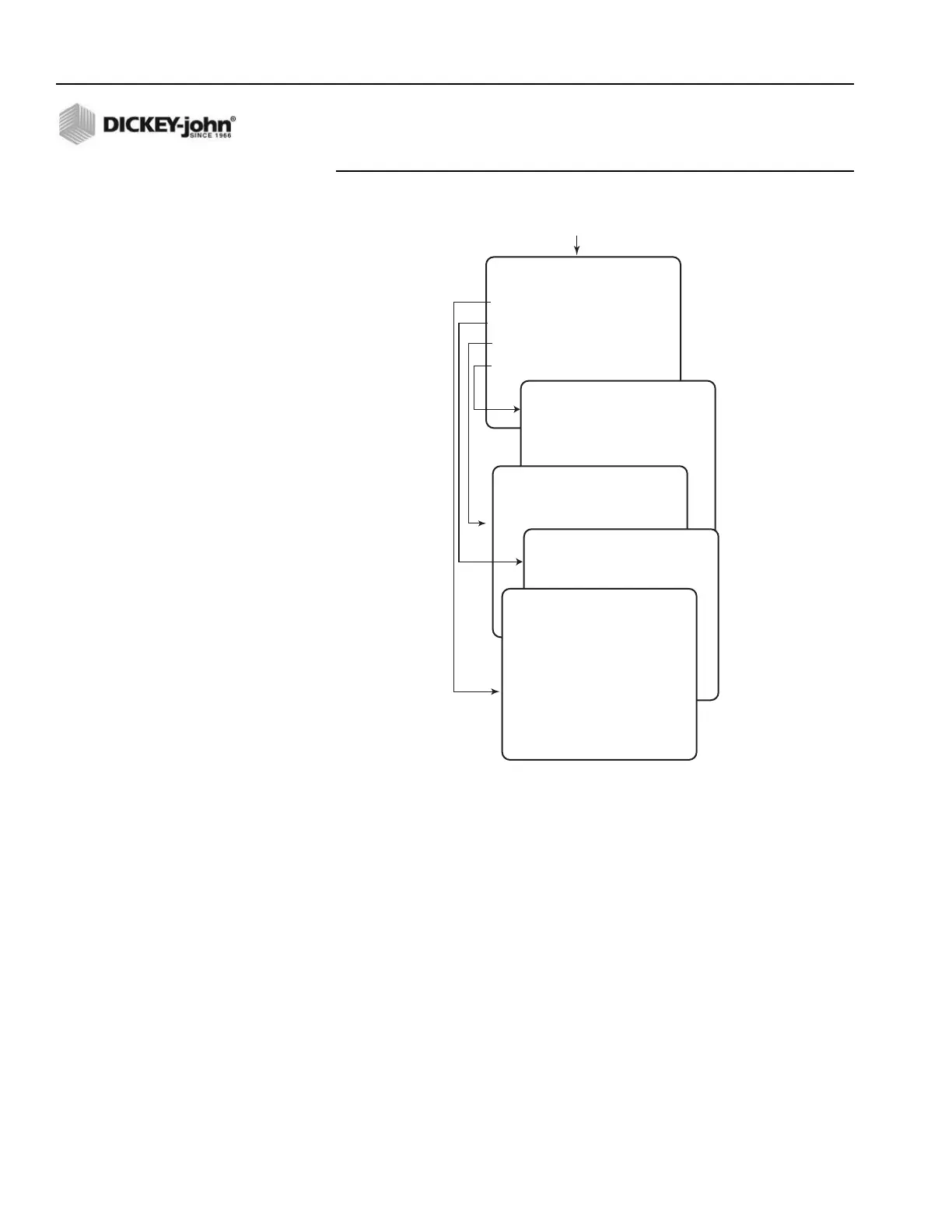
Figure 22
Configuring RS-232 port
SERVICE MENU
6. Select F12 to return to the Misc Menu and select the SERVICE MENU
screen pressing the 5 key, refer to (Figure 23).
RS232 CONFIGURATION
SELECT A MENU ITEM
1 BAUD RATE 19200
2 DATA BITS 8
3 PARITY NONE
4 MODEM SETUP
Select Item 4
from F12 Function Screen
MISC Screen
MODEM SETUP
ENABLE YES
CHANNEL 15
PC ADDR 4D00264D
TRUCK 4004D26F
TRUCK ID 110011391
PARITY SELECT
NONE
EVEN
ODD
DATA BIT SELECT
7
8
BAUD RATE SELECT
1200
2400
4800
9600
14400
19200
28800
38400
57600

Table of Contents

Related product manuals