35
DiGiCo SD12
2-35
2.3 DMI-DANTE Cards
A DMI-Dante card in SD12 provides 64 input and 64 output channels at 48KHz and 32 input and 32 output channels at 96KHz.
It is provided with Primary and Secondary (backup) Gigabit Ethernet ports for connection to the Dante network.
All control and conguration of the Dante interface is done externally by the Dante controller software. A separate control computer must
be provided to do this.
In SD12, the Dante network can be set to use the console as the network system clock (in the Dante Controller software) or the Dante
card can be selected as the console clock source.
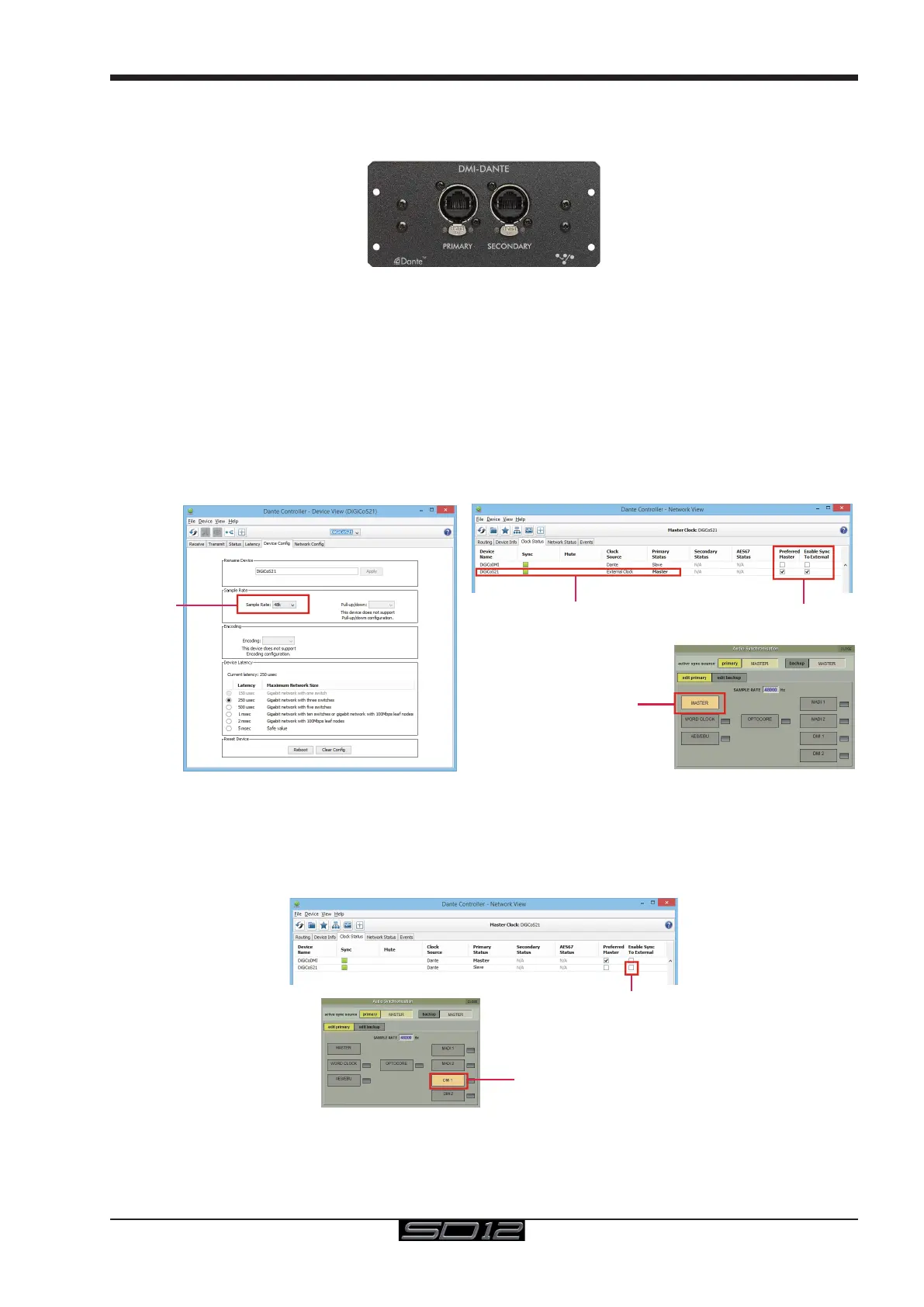
In the picture below, the Dante Controller software displays two DiGiCo DMI Dante devices.
The second device in the list is installed in an SD12 and has been manually labelled "DiGiCo SD12".
In the Dante Device Cong tab the SD12 DMI-Dante card must be set to match the SD12 sample rate at 48KHz or 96KHz
Example 1 - Console is Master clock for Dante Network
In the Dante Clock Status tab, the SD12 DMI-Dante card is set to Sync To External and Preferred Master.
This setup enables the DMI-Dante in the SD12 to take its Audio Sync Source from the console itself and in turn provide sync to the rest
of the Dante network. The console would typically be set as Audio Master in the Main Menu > Audio Sync panel
Set Preferred Master
&
Sync To External
Display Preferred Master
&
Sync To External
Sample Rate
SD 12 Master Audio Sync
Example 2 - Dante Network is Master clock for console
If the console is required to use the Dante network as its sync source the following settings should be applied.
Enable Sync to External = OFF
Sync To External = OFF
S21 External DMI Sync



 To Next Page