37
DiGiCo SD12
2-37
2.5 DMI - Waves - Hydra Cards
DMI Waves has 64 Inputs an 64 Outputs at both 48KHz and 96KHz - there is no control from the console, just simple routing of audio
inputs and outputs.
Conguration of this card on the Waves network is done with Waves own software and Control Panels - please refer to Waves own
documentation for SoundGrid Studio and or Waves MultiRack
DMI Hydra has 56 inputs and 56 Outputs and only functions when the console is at a sample rate of 48KHz - there is no control from
the console, just simple routing of audio inputs and outputs.
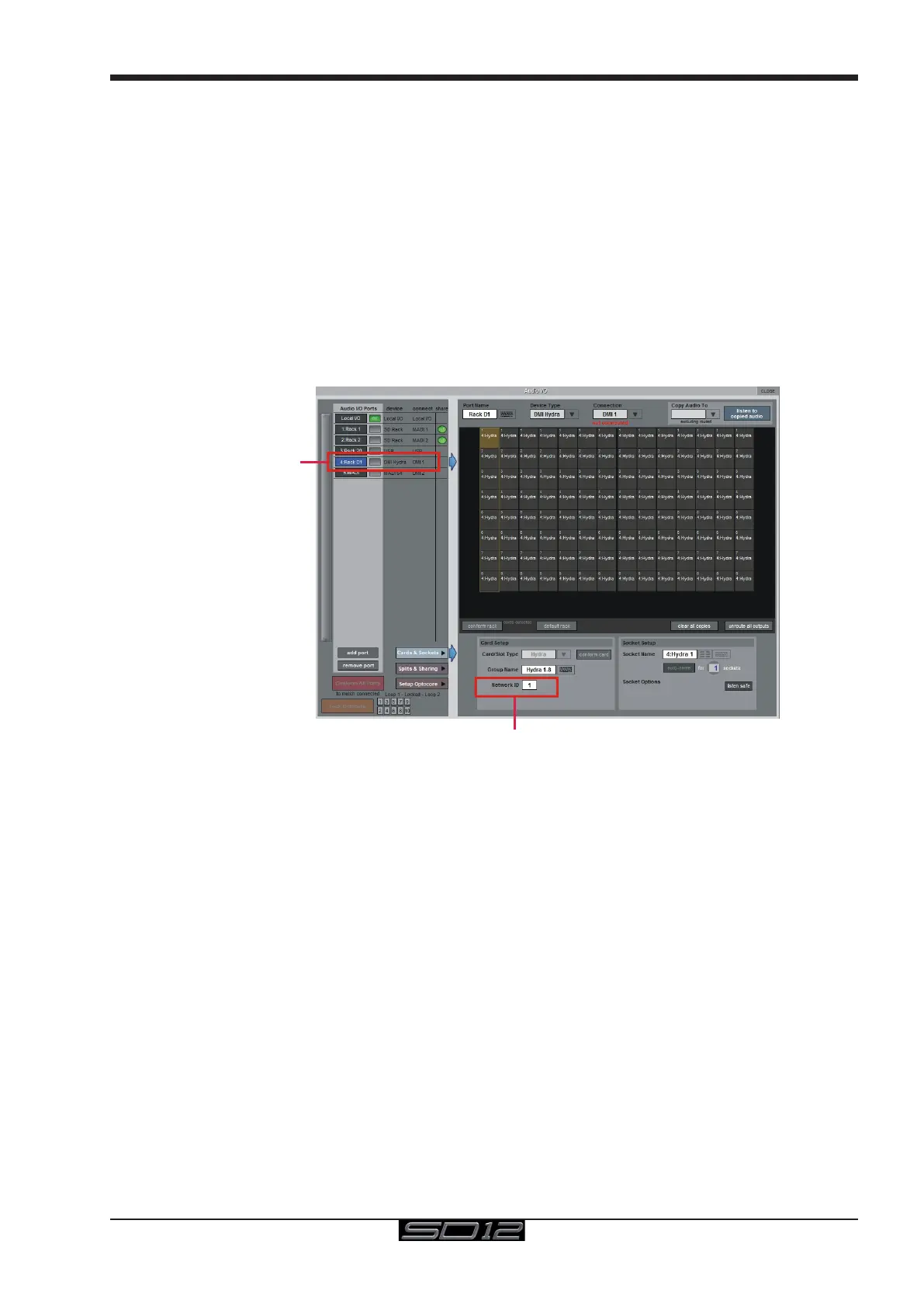
The ID of the card on the Hydra network can be changed from the console by selecting the Hydra DMI Port in the Setup>Audio I/O
panel, entering a new number using the on screen keyboard and the power cycling the console
Conguration of this card on the Hydra network is done with Calrec's own software and Control Panels - please refer to Calrec's own
documentation for details
IMPORTANT NOTE: If a DMI Hydra card is used in the SD12, the console MUST be set to Clock Master.
The Hydra DMI cannot be used as a clock source for the console itself.
Set Hydra ID
Select Hydra DMI



 To Next Page