13
SD12 - Getting Started
1-13
1.3.5 The Master Faders ..................................................................
By default, the left hand fader of the two in the bottom right corner of the worksurface is assigned to the Master buss, which is the lowest
stereo group output by default.
Also by default, the right hand fader is assigned to Solo Buss 1
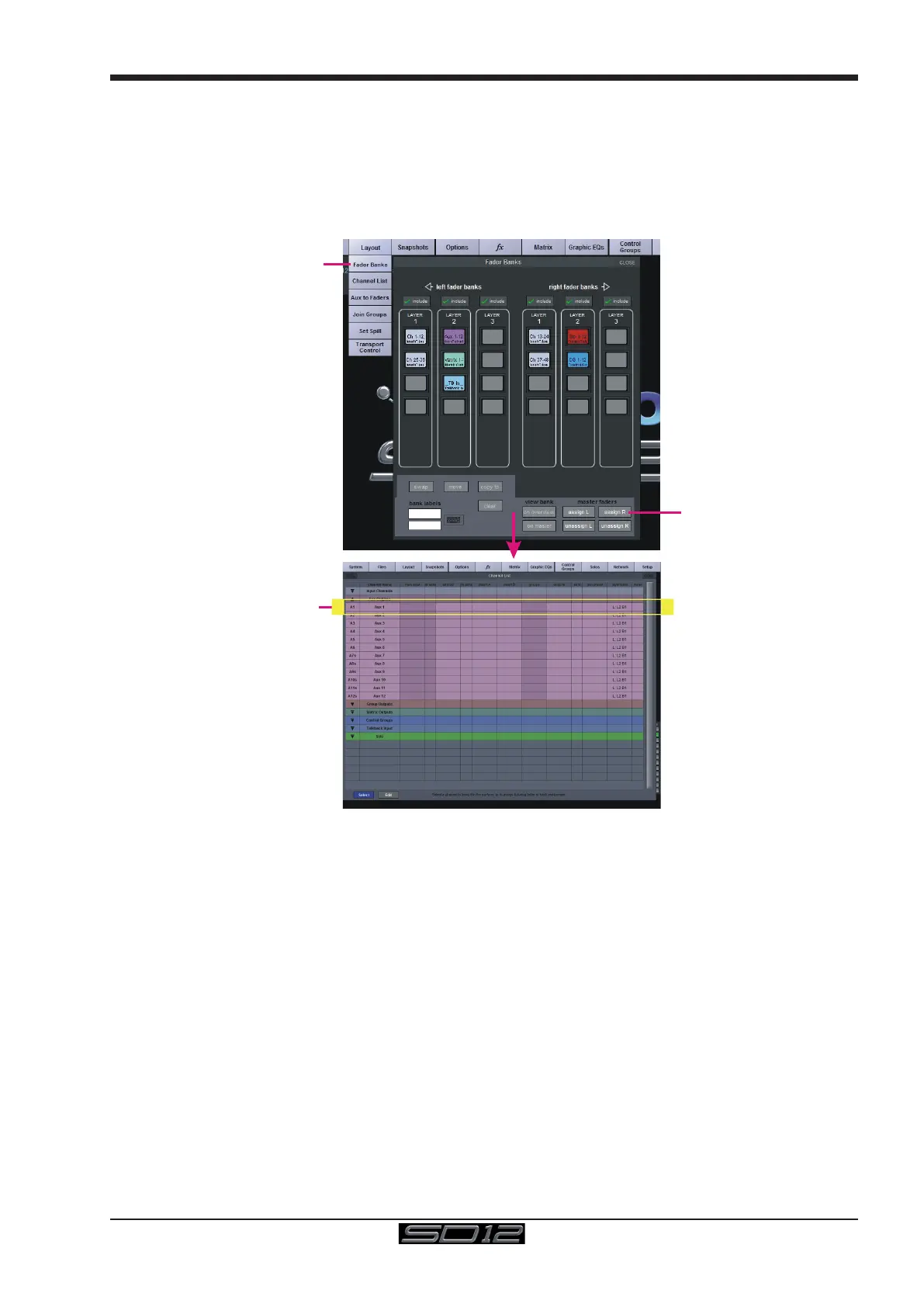
In addition, these faders can be reassigned to control any input channel or buss of your choice using the Layout>Fader Banks panel
Press the Assign L or Assign R buttons and the Channel List will be displayed.
Select a channel by touching its entry in the Channel List and it will be assigned to the relevant Master Fader
These faders can also be unassigned (set to empty) by pressing the Unassign L or Unassign R buttons
Layout >
Fader Banks
Select
a Channel
Assign
Master
Faders



 To Next Page