SD12 - Getting Started
1-8
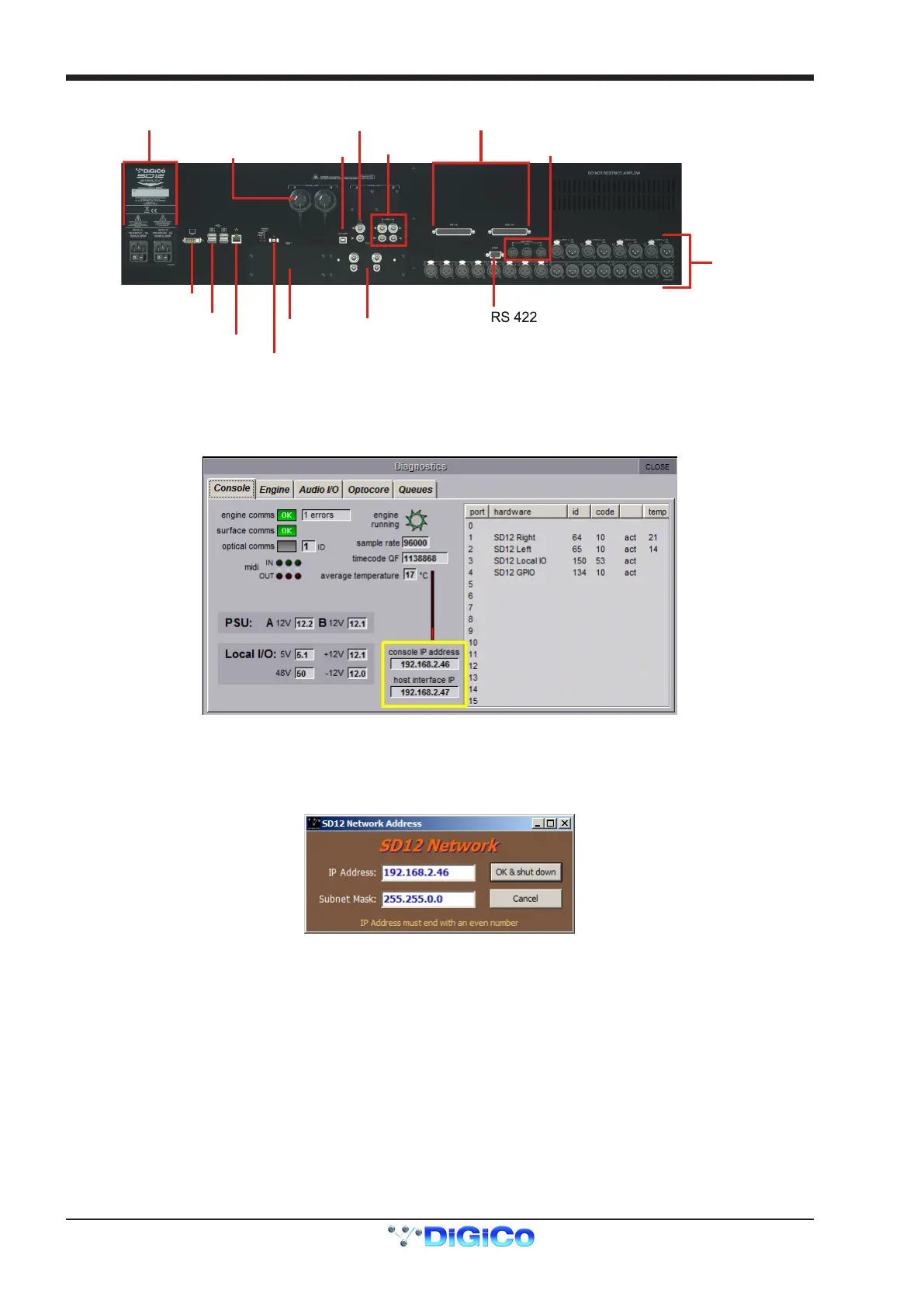
Rear Panel
USB Audio
Optocore
(Optional)
MADI I/O
DMI Slot 1
DMI Slot 2
DVI O/View Output
Console Ethernet
PC Reset
4 x Console USB
8 AES I/O
GPI/O
MIDI IN/OUT/THRU
Dual PSU Word Clock I/O
8 Mic/Line In
8 Line Out
IP Addresses on an SD12
The SD12 Engine board contains 2 devices that require an IP address. The Console PC and the Host Interface controller.
Both devices' IP addresses are displayed in the console diagnostics tab.
NOTE: These IP addresses will be set to appropriate values when the console is shipped and they should not be
changed in normal operation.
The IP Addresses for these devices can however be set using SD12Network.exe located in the D:\SD12 folder. A shortcut to this pro-
gram is available in the Windows start menu.
This program allows the user to enter a single IP and subnet mask. This is the IP for the Console PC and the application will automati-
cally set the Host Interface controller's IP to the correct sequential Address.
Once the required IP or Subnet has been entered, a console power cycle is required for the change to take effect. Pressing the OK and
Shut Down button will initiate the Shut Down Procedure.



 To Next Page