Removing and Replacing FRUs 3–9
3.2.1 Interconnect Cable Removal
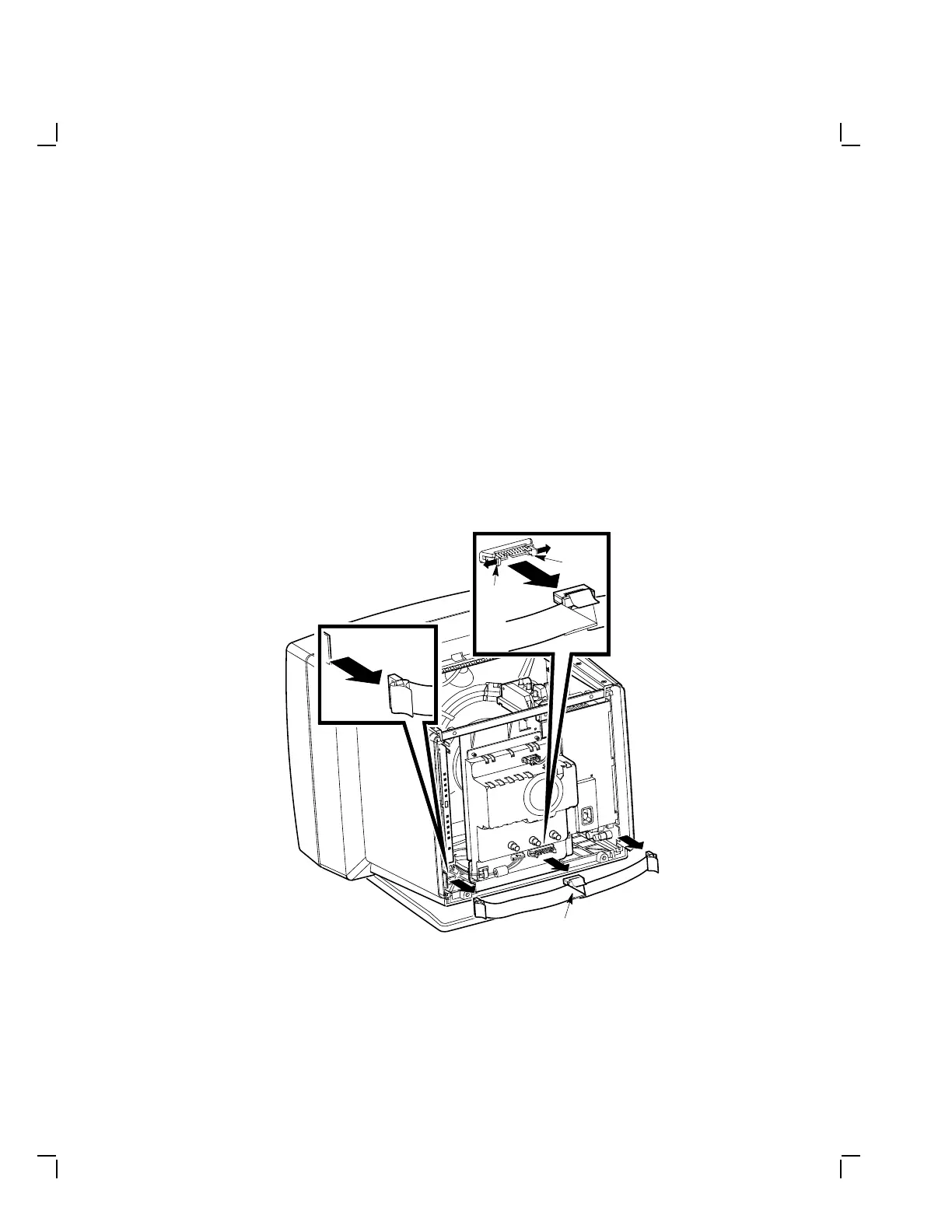
Remove the interconnect cable as follows:
1. Remove the rear cover (Section 3.1.1) and the top cover (Section 3.1.2).
2. Disconnect the interconnect cable (P1) from the power supply module
by pulling the connector off the module (J1).
3. Disconnect the interconnect cable (P2) from the connector (J2) on the
video casting assembly by pressing the plastic tabs outward and then
removing the cable.
4. Disconnect the interconnect cable (P3) from the connector (J3) on the
deflection module by pulling the connector off the module (Figure 3–8).
MA-1043-89.DG
Interconnect
Cable
Plastic
Tab
Plastic
Tab
Figure 3–8 Removing the Interconnect Cable


 To Next Page