Removing and Replacing FRUs 3–19
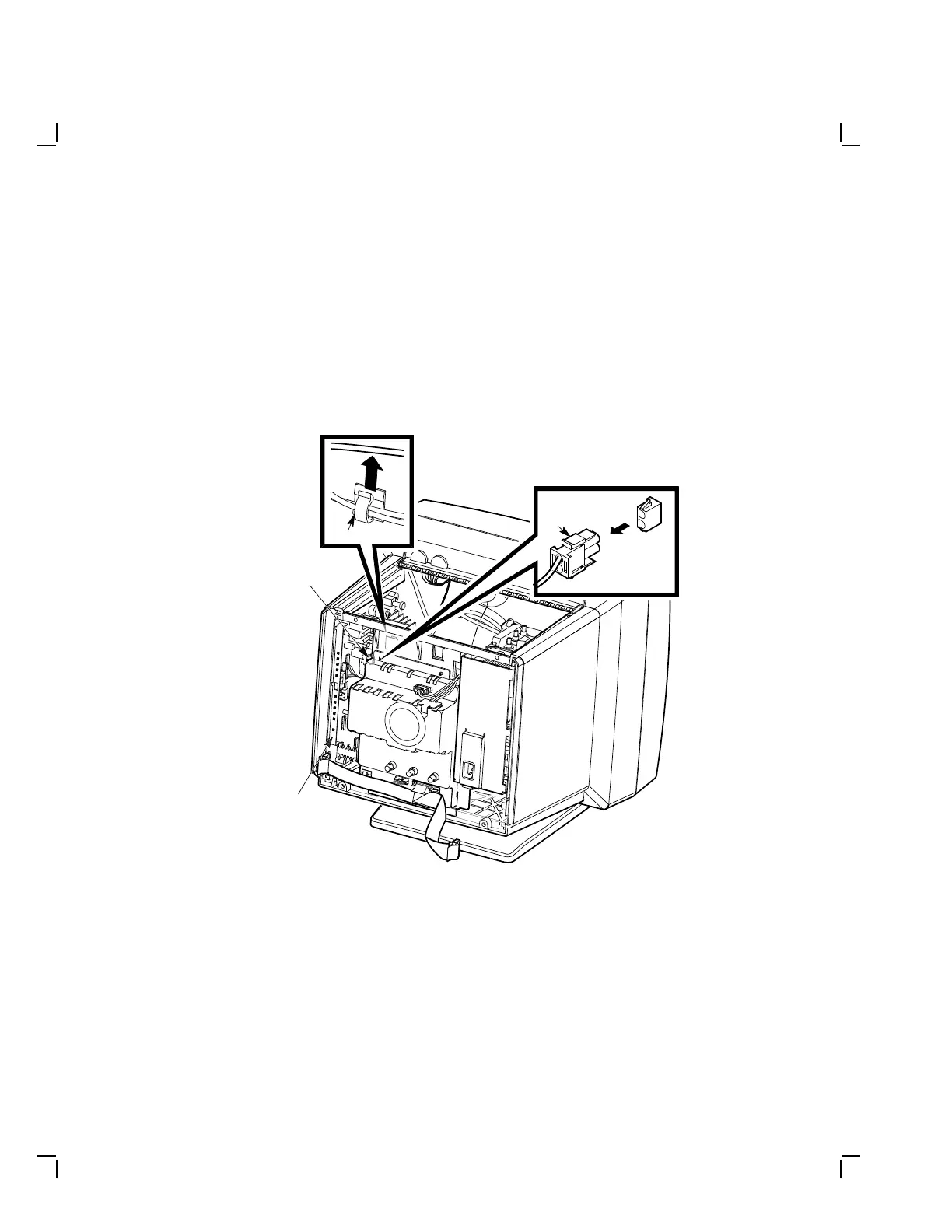
3. Disconnect the 1-wire, 2-pin dynamic focus cable (P8) from the
deflection module by pressing the tabs on the connector (J8)
(Figure 3–16).
4. Remove the 1-wire, 2-pin dynamic focus cable from the cable clamp on
the inside wall of the video area.
5. Move the 1-wire, 2-pin dynamic focus cable over the yoke to the power
supply side.
MA-1049-89.DG
Deflection
Module
Cable Clamp
1-Wire, 2-Pin,
Dynamic Focus
Cable
1-Wire, 2-Pin,
Dynamic Focus
Cable
Figure 3–16 Removing the Dynamic Focus Cable


 To Next Page