4–12 Aligning the Video Monitor
13. Use the red, green, and blue central rectangle patterns for the gain
adjustments.
14. To adjust gain, use the radiance meter (Section 4.3). Adjust the gain
controls (Figure 4–9) for the following values:
Red screen R.GAIN
.095
Green screen G.GAIN .120
Blue screen B.GAIN .110
To verify that the color adjustments are correct, display the 4-bar or 8-bar
color pattern (Appendix A) from the host. Turn the contrast down slowly.
All colors should fade equally. If one or more colors seem to dominate,
repeat steps 1-13 with attention to the sensitive adjustments in steps 5, 9,
10, and 11.
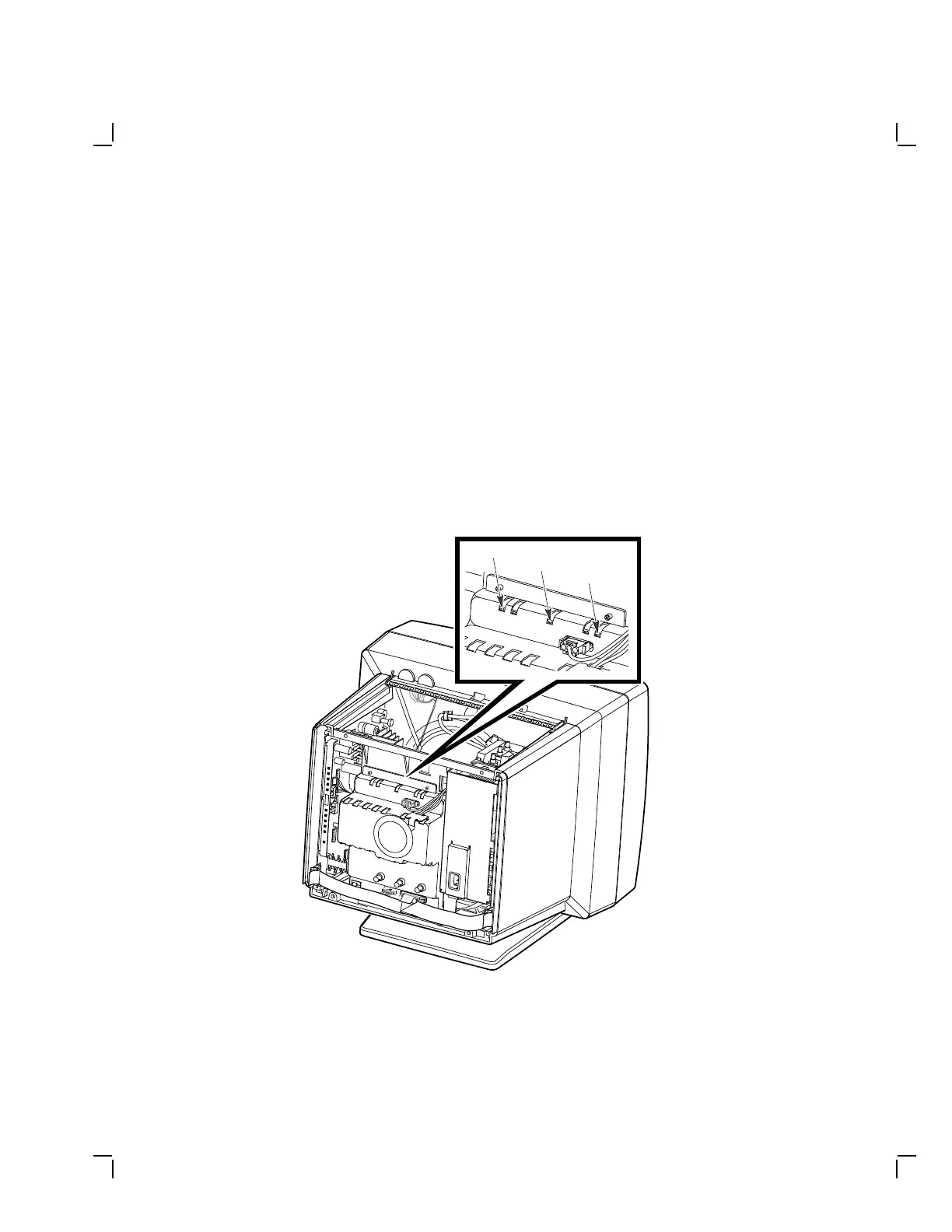
MA-1353-89.DG
Blue Gain
Green Gain
Red Gain
Figure 4–9 Blue, Green, and Red Gain Controls


 To Next Page