Aligning the Video Monitor 4–15
NOTE
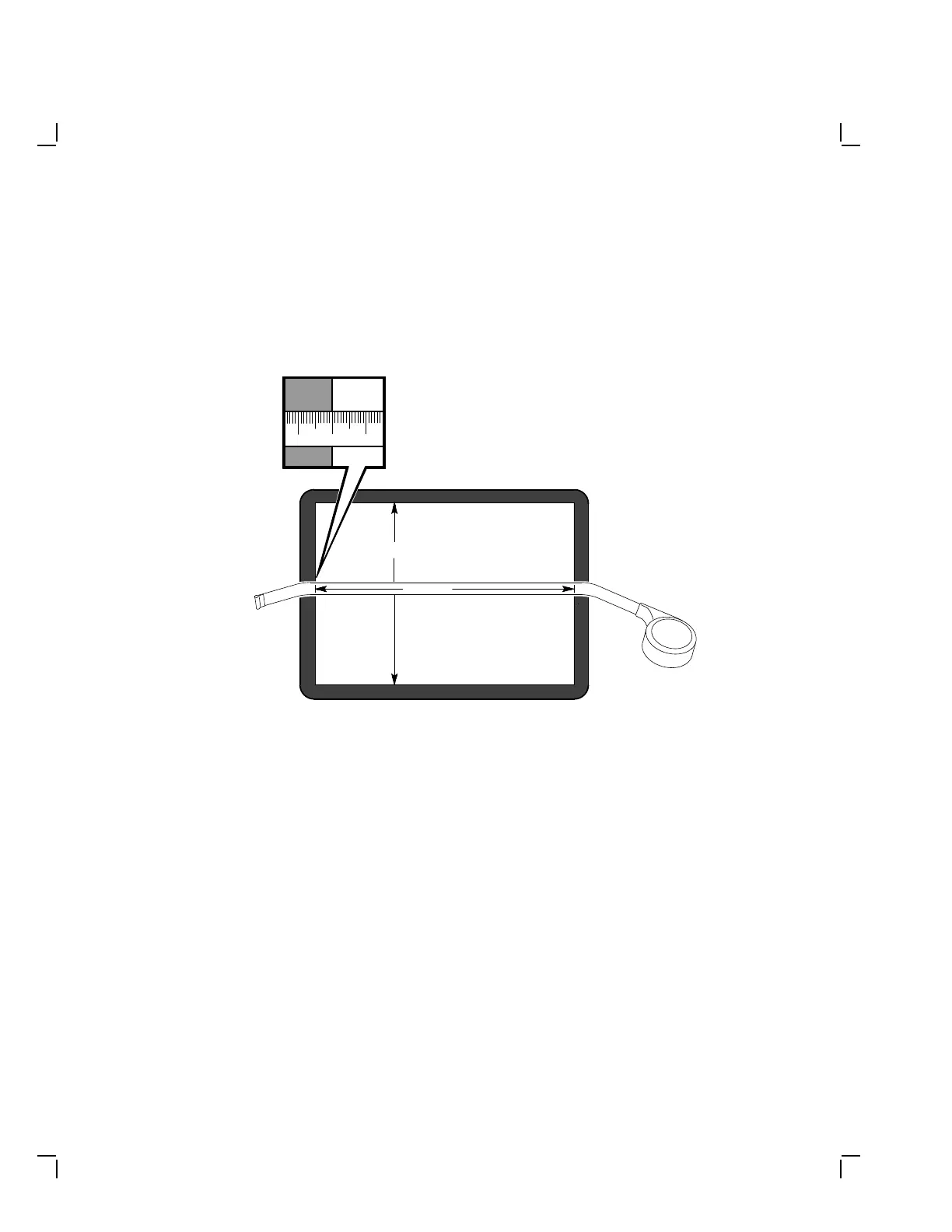
In the following steps, use a metric measuring tape (PN 29-
25342) to measure the dimensions of the screen display. To
avoid scratching the screen with the tape’s metal clip, start the
measurement at 10 cm on the measuring tape. See Figure 4–11.
MA-1256-89.DG
10 119
273 mm
342 mm
Figure 4–11 Using the Metric Measuring Tape


 To Next Page