4–16 Aligning the Video Monitor
4.5.1 Vertical Linearity (VLIN)
Check and adjust vertical linearity as follows:
1. Verify that the horizontal and vertical centering user controls on the
top of the monitor are in the center position of the thumbwheels.
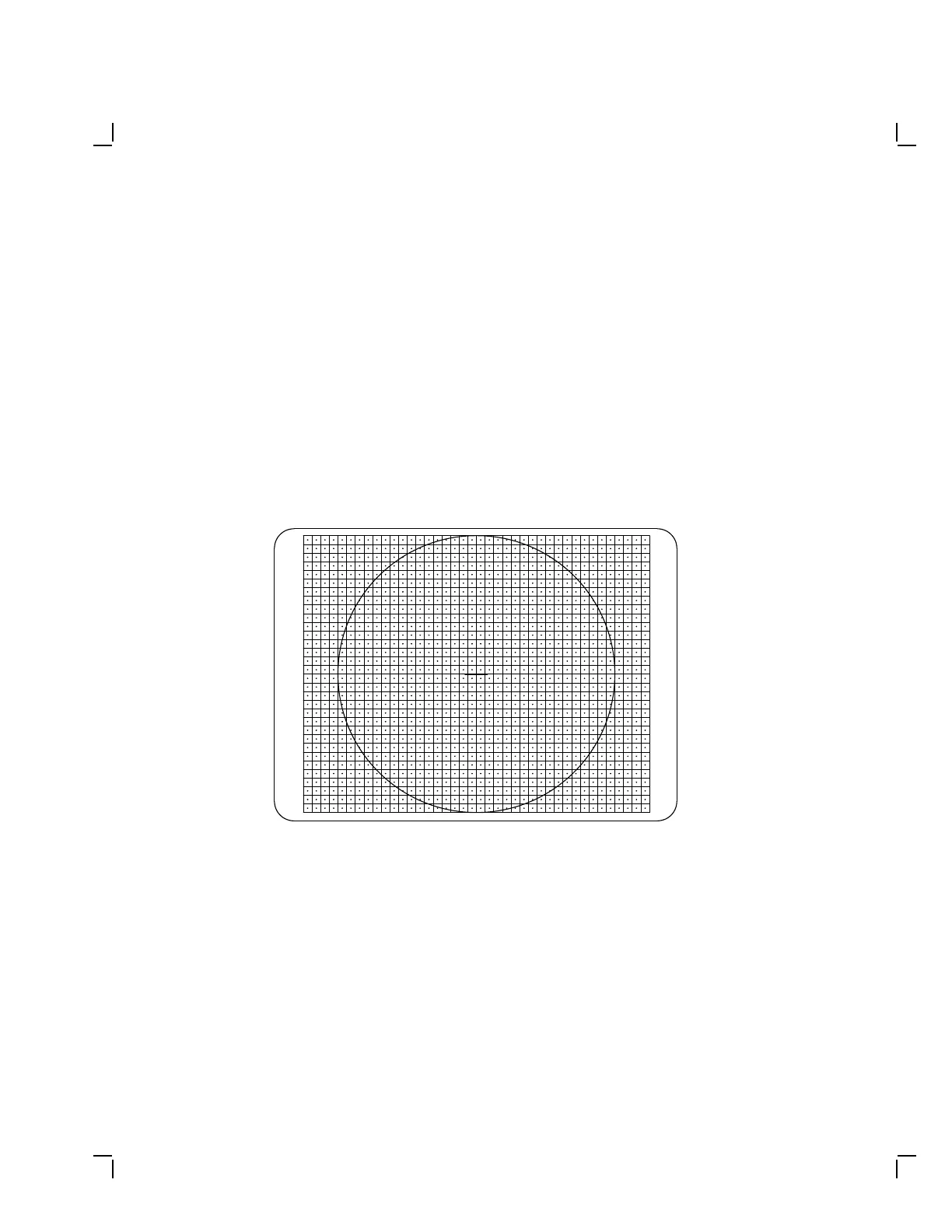
2. Display the circle-crosshatch pattern (Figure 4–12).
3. Check to see if 3 or 4 rows at the top of the screen are of equal height
with 3 or 4 rows at the bottom of the screen. If not, go to the next
step.
4. Turn the VLIN adjustment (Figure 4–13) until the squares seem to be
of equal height on the screen.
MA-X0889-88
Figure 4–12 Circle-Crosshatch Pattern


 To Next Page