4–4 Aligning the Video Monitor
4.3 Using the Radiance Meter
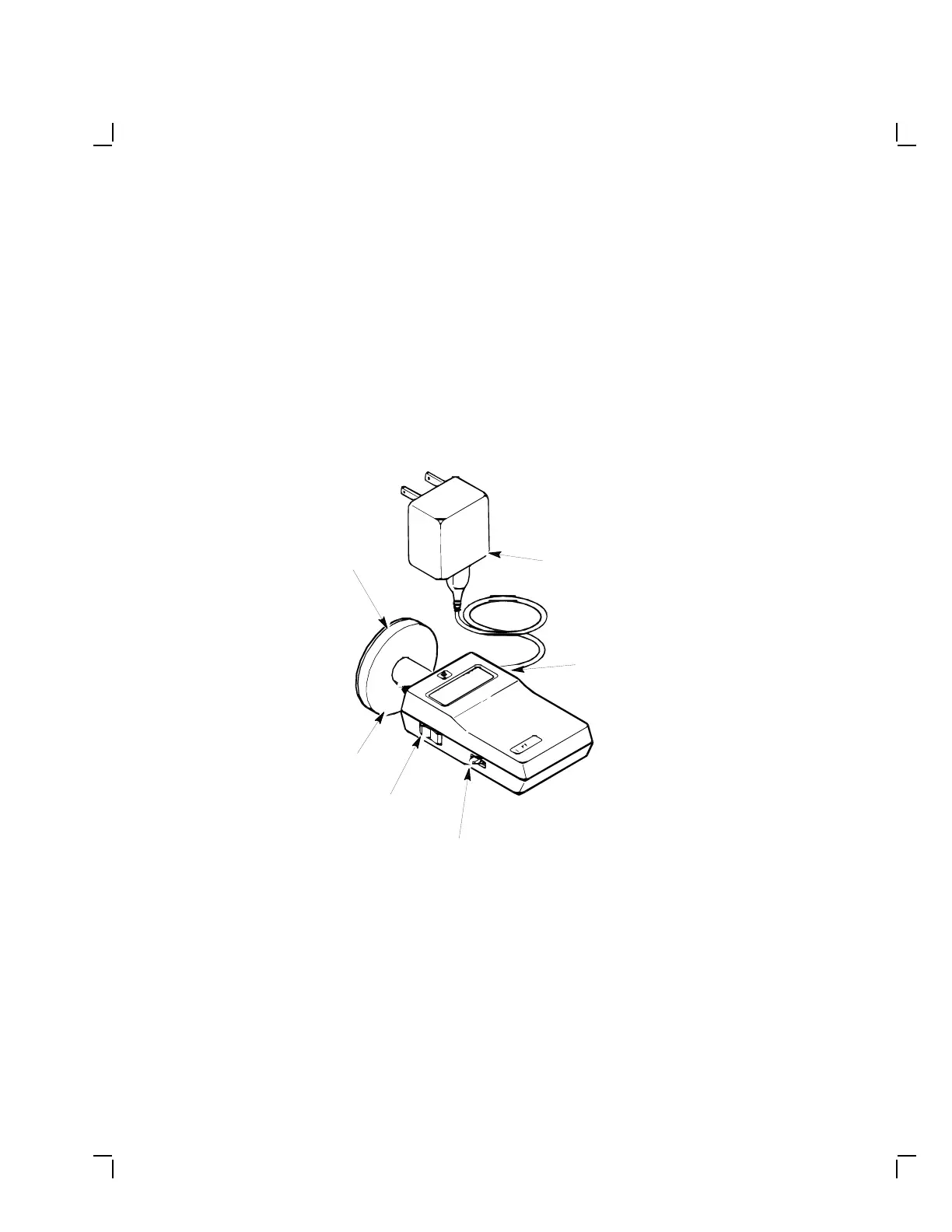
Use the radiance meter as follows:
1. Remove the protective cap from the radiance meter sensor head and
connect the occluder to the radiance meter (Figure 4–2).
CAUTION
Avoid excessive force when tightening the occluder or you may
damage the radiance meter. Do not touch the exposed filter
after the protective cap is removed.
Occuluder
MA-0647-90.DG
AC Adapter
Connector
Sensor
Head
Power
Switch
Range
Switch
AC Adapter
Figure 4–2 Radiance Meter


 To Next Page