Aligning the Video Monitor 4–5
2. Connect the ac line adapter to the radiance meter and plug it into a
wall outlet. Ensure that the radiance meter is in calibration.
3. Turn on the power switch.
NOTE
Do not use the POWER ON W/BACKLIGHT position when you
are using the radiance meter with batteries.
4. Set the range switch to the second position from the top (1.999).
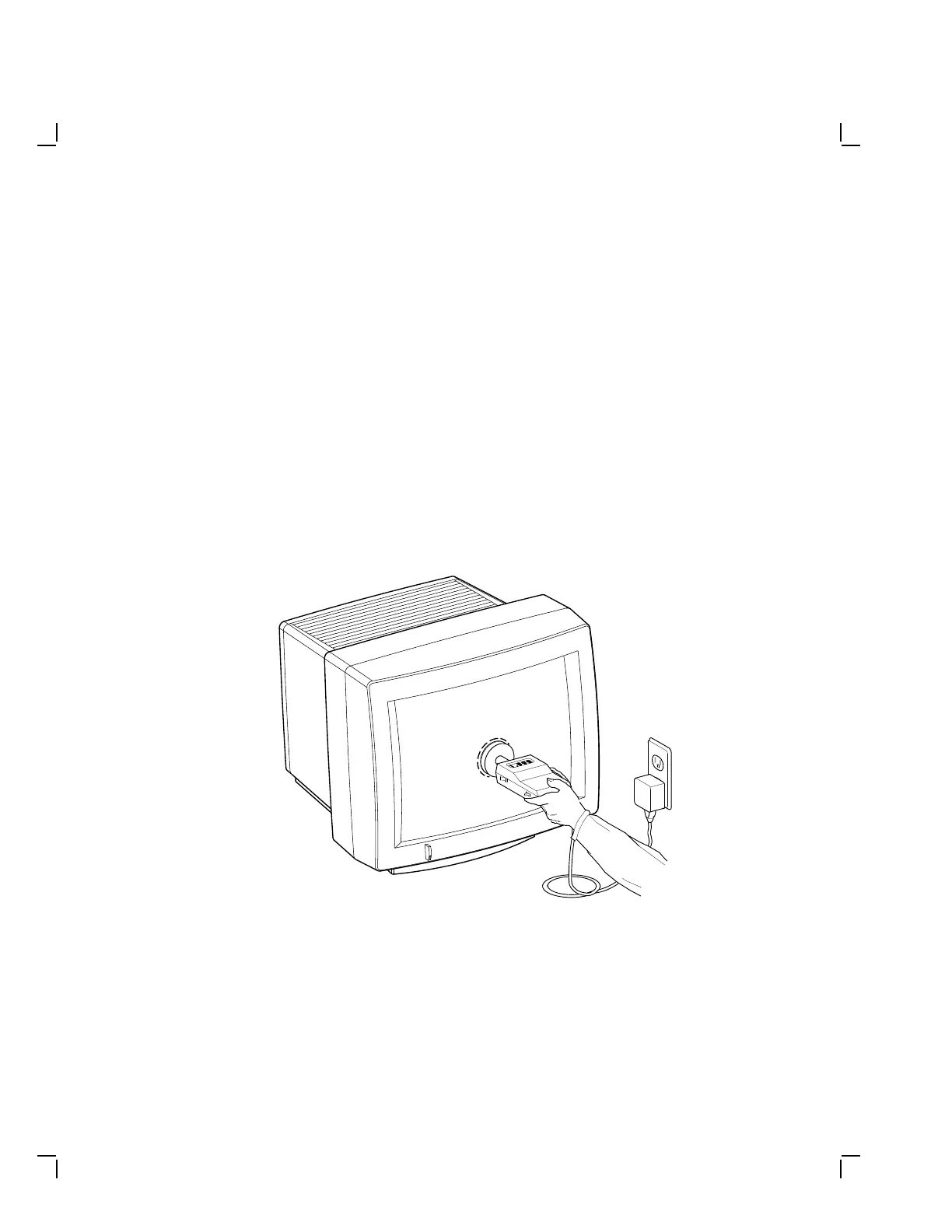
5. Place the occluder firmly against the center of the screen (Figure 4–3).
Use a red china pencil and draw a circle around the occluder.
NOTE
You must take all meter readings with the meter centered in
this arc or circle.
MA-1350-89.DG
Figure 4–3 Using the Radiance Meter


 To Next Page