3–28 Removing and Replacing FRUs
Replace the power supply module as follows:
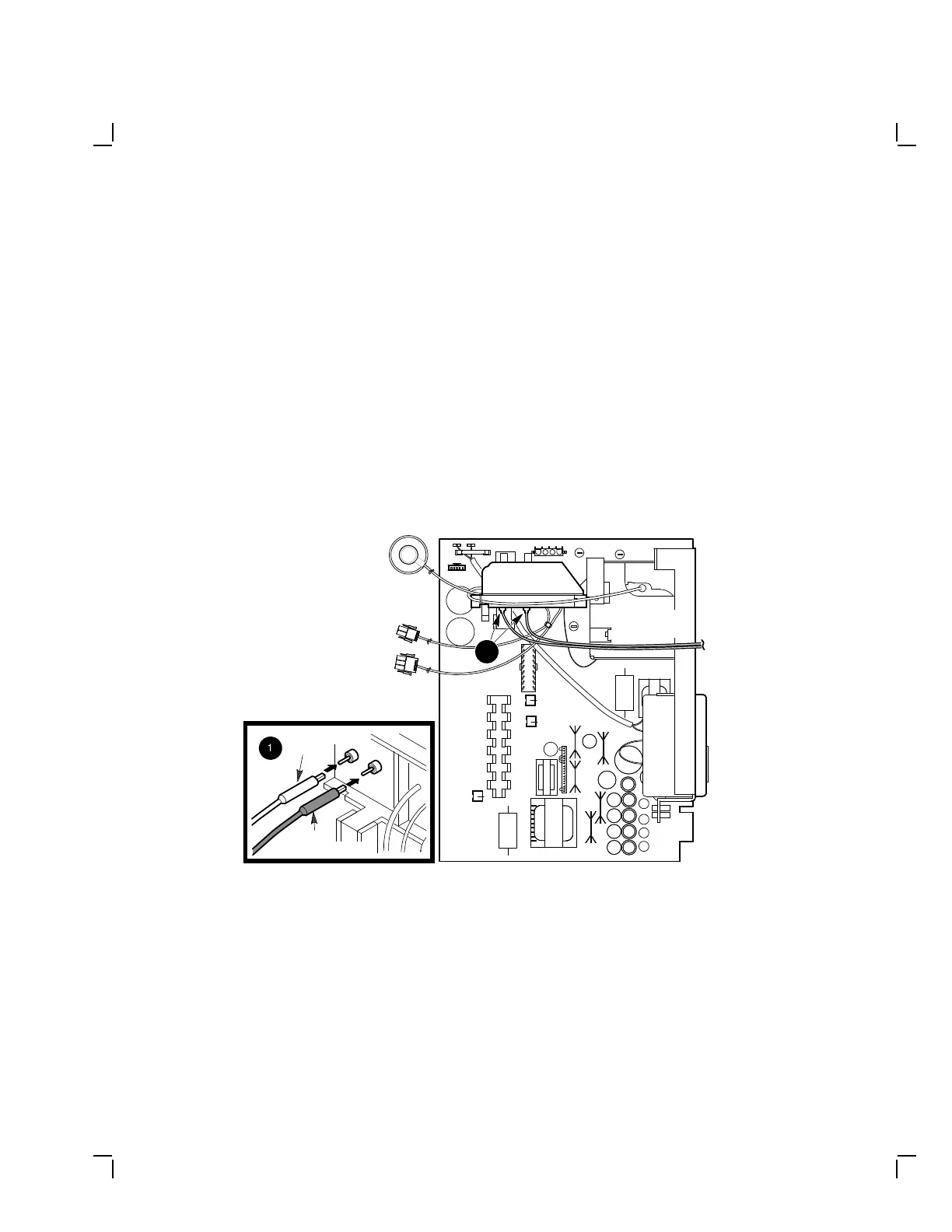
1. Pull back the rubber boot on the white wire for focus 1 to expose the
connector (Figure 3–25).
2. Connect the white wire for focus 1 until you see it snap into place.
3. Push forward the focus 1 boot sleeve.
4. Pull back the rubber boot on the black wire for focus 2 to expose the
connector.
5. Connect the black wire for focus 2 until you see it snap into place.
6. Push forward the focus 2 boot sleeve.
MA-1047-89.DG
1
1
White Focus 1
Wire
Black
Focus 2 Wire
To Video
Casting
Power Supply Module
Figure 3–25 Attaching the Focus Wires to the Power Supply


 To Next Page