Aligning the Video Monitor 4–17
MA-0246-90.DG
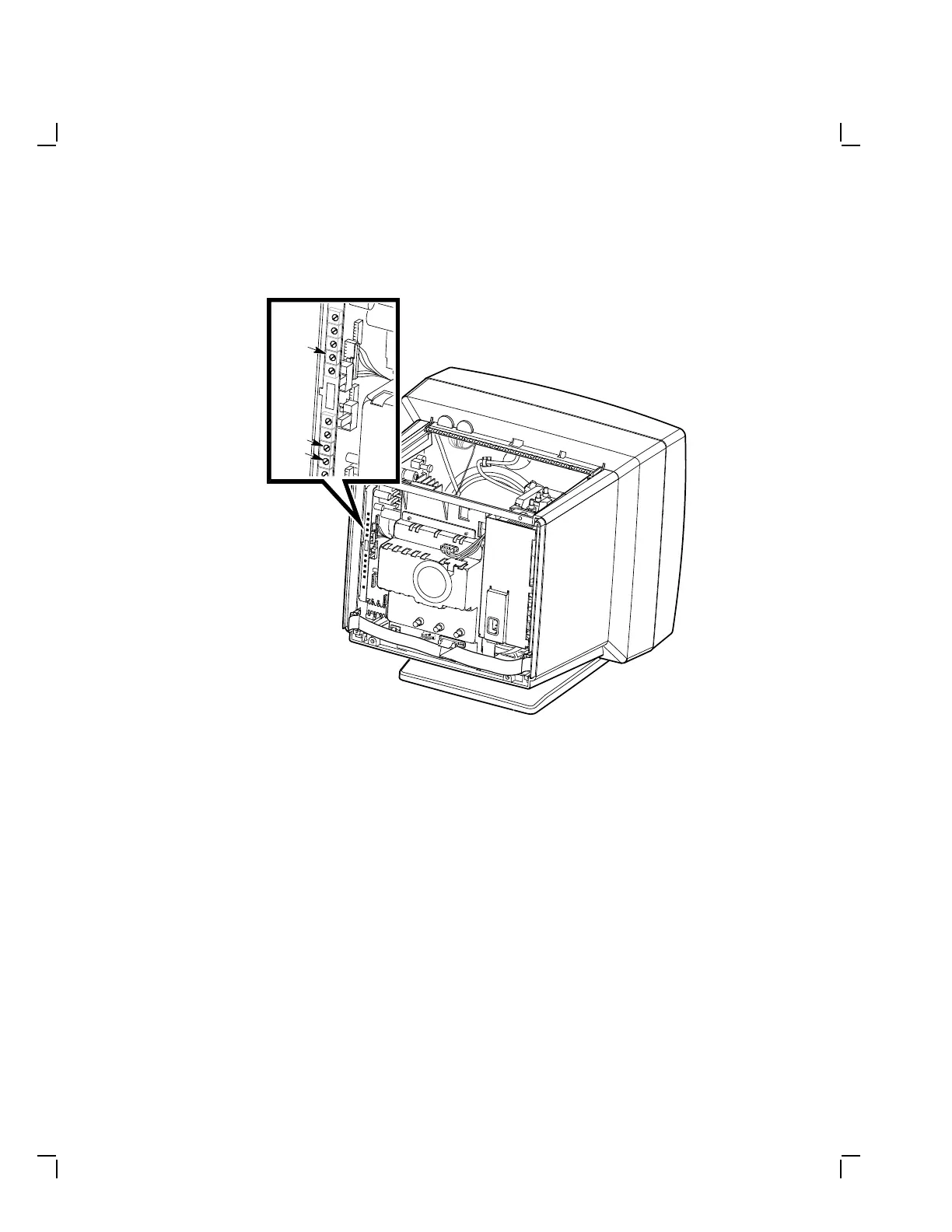
VCen
VHold
VLin
Figure 4–13 VCEN, VHOLD, and VLIN Controls
4.5.2 Vertical Centering (VCEN)
Check and adjust the vertical centering as follows:
1. Verify that the vertical centering user control is at the mid-point
position.
2. Display the circle-crosshatch screen.
3. If the screen display appears equally centered between the top and
bottom bezel, it is normal. If the display does not appear equally
centered, go to the next step.
4. Turn the VCEN control (Figure 4–13) until the display appears
equally centered between the top and bottom bezel.


 To Next Page