Removing and Replacing FRUs 3–13
NOTE
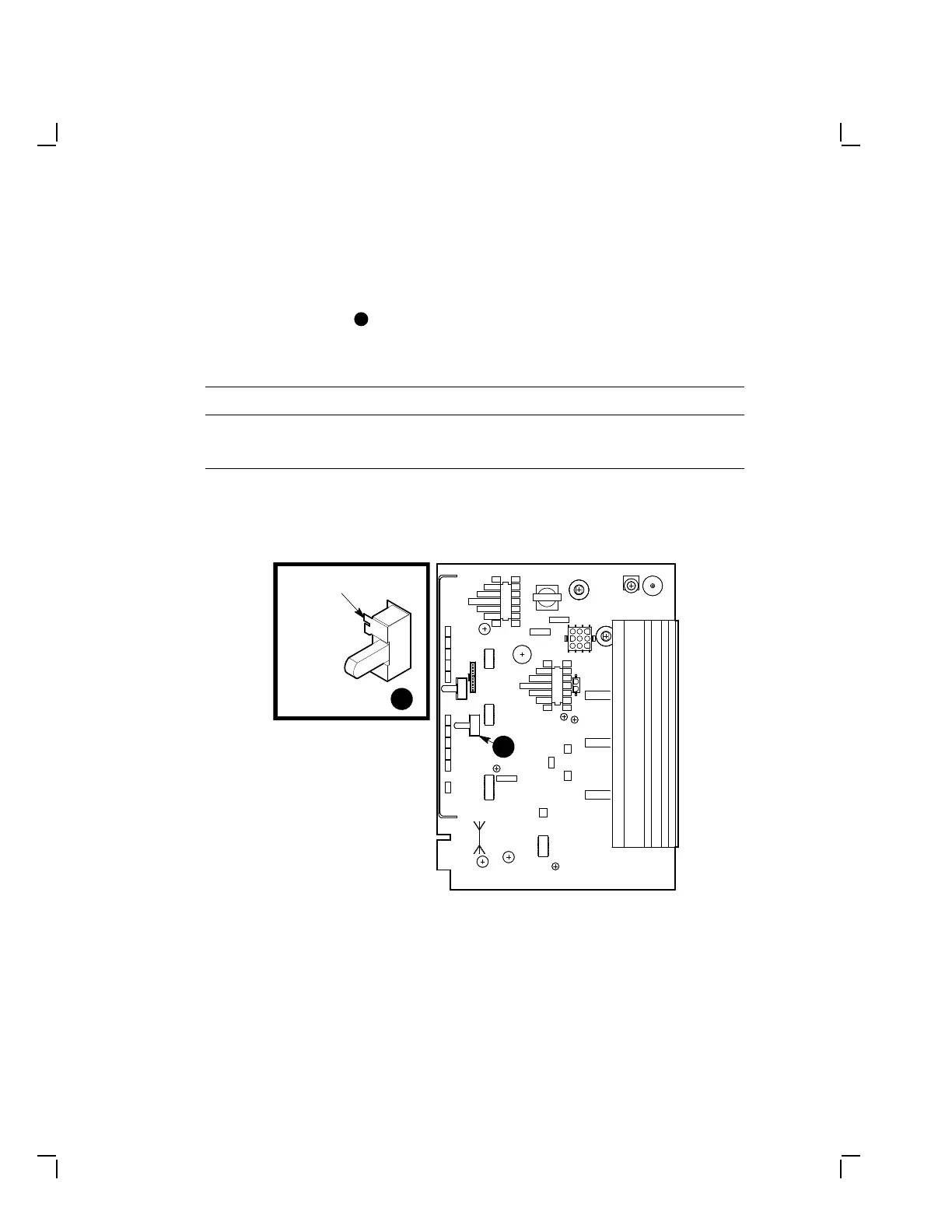
Before you replace the deflection module, make sure that the 66/72
Hz refresh switch
1
near the left side of the module (Figure 3–12)
is set correctly for your system. Check the setting on the module
you are replacing and move the switch if needed as follows:
Refresh Rate Switch Position
66 Hz Down
72 Hz Up
If the refresh rate is changed, check the power supply board
refresh jumper setting (Section 3.2.5).
MA-1027-89.DG
1
1
72 Hz
66 Hz
Deflection Module
66/72 Hz
Refresh Rate
Switch
Figure 3–12 Refresh Rate Switch on the Deflection Module
NOTE
Before replacing the deflection module, hold and guide the 4-wire,
9-pin cable with one hand and replace the module in the card
guides with the other hand.


 To Next Page