EasyManua.ls Logo

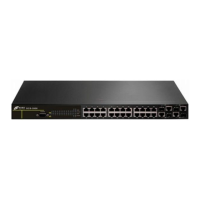
Digitalchina Networks DCS-3950 series - User Manual

Digitalchina Networks DCS-3950 series
394 pages
Print Icon
To Next Page IconTo Next Page
Loading...
Digitalchina Networks Co.,Ltd All Rights Reserved 2008_06
http://networks.digitalchina.com
D
D
C
C
S
S
-
-
3
3
9
9
5
5
0
0
s
s
e
e
r
r
i
i
e
e
s
s
E
E
t
t
h
h
e
e
r
r
n
n
e
e
t
t
S
S
w
w
i
i
t
t
c
c
h
h
M
M
a
a
n
n
u
u
a
a
l
l
V
V
e
e
r
r
s
s
i
i
o
o
n
n
1
1
.
.
4
4

Table of Contents

Questions and Answers

  • J
    Jonathan GutierrezAug 14, 2025
    How to troubleshoot SNMP server issues on Digitalchina Networks Network Router?
    • W
      Whitney WoodAug 14, 2025
      To troubleshoot SNMP issues on your Digitalchina Networks Network Router, start by pinging the connection between the switch and host using the 'ping' command. Next, use the ‘show snmp’ command to verify sent and received SNMP messages. Then, use the ‘show snmp status’ command to verify SNMP configuration information. You can also use ‘debug snmp packet’ to enable the SNMP debug function and verify debug information.
  • V
    Virginia HernandezOct 29, 2025
    Why is the SNMP server failing to run properly on my Digitalchina Networks Network Router?
    • J
      Jeffrey ChandlerOct 29, 2025
      If the SNMP server on your Digitalchina Networks Network Router isn't running correctly, there are several potential causes. First, ensure there is a good physical connection. Then, use the 'show interface' command to verify the interface and datalink layer protocol is up. Also, confirm that the SNMP Agent server function is enabled using the 'snmp-server' command. Check the secure IP for NMS with the 'snmp-server securityip' command and the community string with the 'snmp-server community' command. If using Trap, ensure it is enabled with the 'snmp-server enable traps' command and that the target host IP address and community string for Trap are correctly configured using the 'snmp-server host' command. Finally, if the RMON function is required, make sure RMON is enabled first with the 'r...

Digitalchina Networks DCS-3950 series Specifications

General IconGeneral
SeriesDCS-3950
Switching Capacity336 Gbps
Forwarding Rate252 Mpps
MAC Address Table16K
Power SupplyAC 100-240V, 50/60Hz
Operating Temperature0°C to 45°C
Storage Temperature-40°C to 70°C
Operating Humidity10% to 90% non-condensing
Storage Humidity5% to 95% non-condensing
TypeManaged Switch
Ports4x SFP
VLAN Support4K
Dimensions (W x D x H)440mm x 44mm