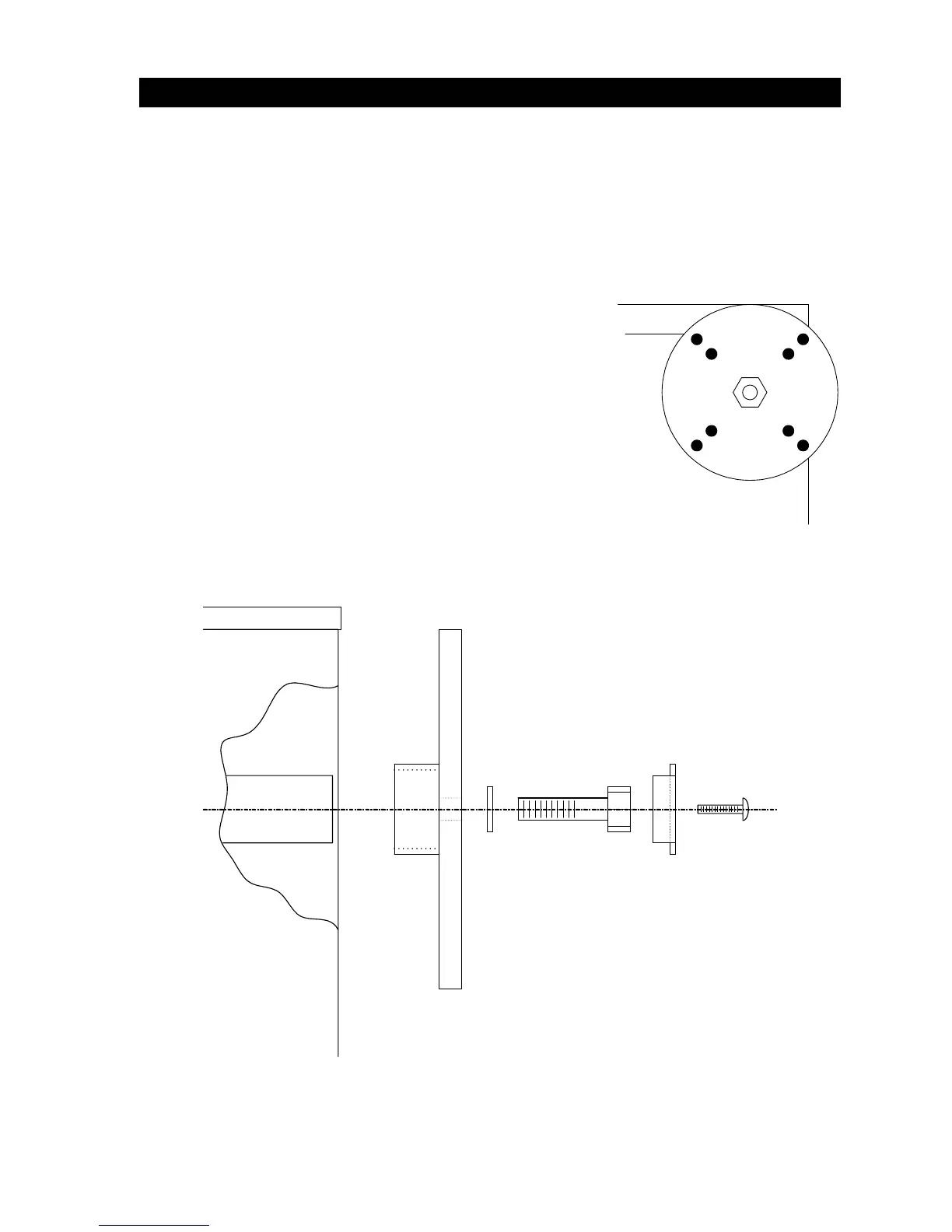
1.5 ARM MOUNTING HARDWARE INSTALLATION
The 1601 barrier gate operator is designed so that the arm can be mounted on either side of the
cabinet. The 1602 arm is attached on both sides of the operator.
1. Determine which side of the cabinet that the arm is to be mounted. Remove the hole
plug from the side of the cabinet to expose the drive shaft. Be sure that the hole plug is
in place on the opposite side of the cabinet. 1602 - Remove the hole plug from both
sides of the operator.
2. Place the arm-mounting hub on the drive shaft. Be sure that the hub is oriented in such a
way that the mounting holes for the arm plate form an
"X”. 1602 - Repeat this step to place the hub on the
opposite side.
3. Secure the mounting hub to the shaft as shown with the
hardware supplied. 1602 - Repeat this step for the hub
on each side of the operator.
4. DO NOT MOUNT THE ARM TO THE OPERATOR AT
THIS TIME! The arm will be installed after wiring is
complete so that the rotation direction of the shaft can be
checked to insure that the arm will rotate to the up
position when the operator receives an open command.
Installing the arm prior to this can cause damage to the
arm and to the operator. See section 4.1 for arm
installation instructions.
Figure 5
Bolt, Hex Head
1/2-13 x 1 1/2
Locking Plate
Screw, Phillips 10-32 x 1/2
Lock Washer
Arm Mounting Hub
Operator Housing
Figure 6
13



 To Next Page