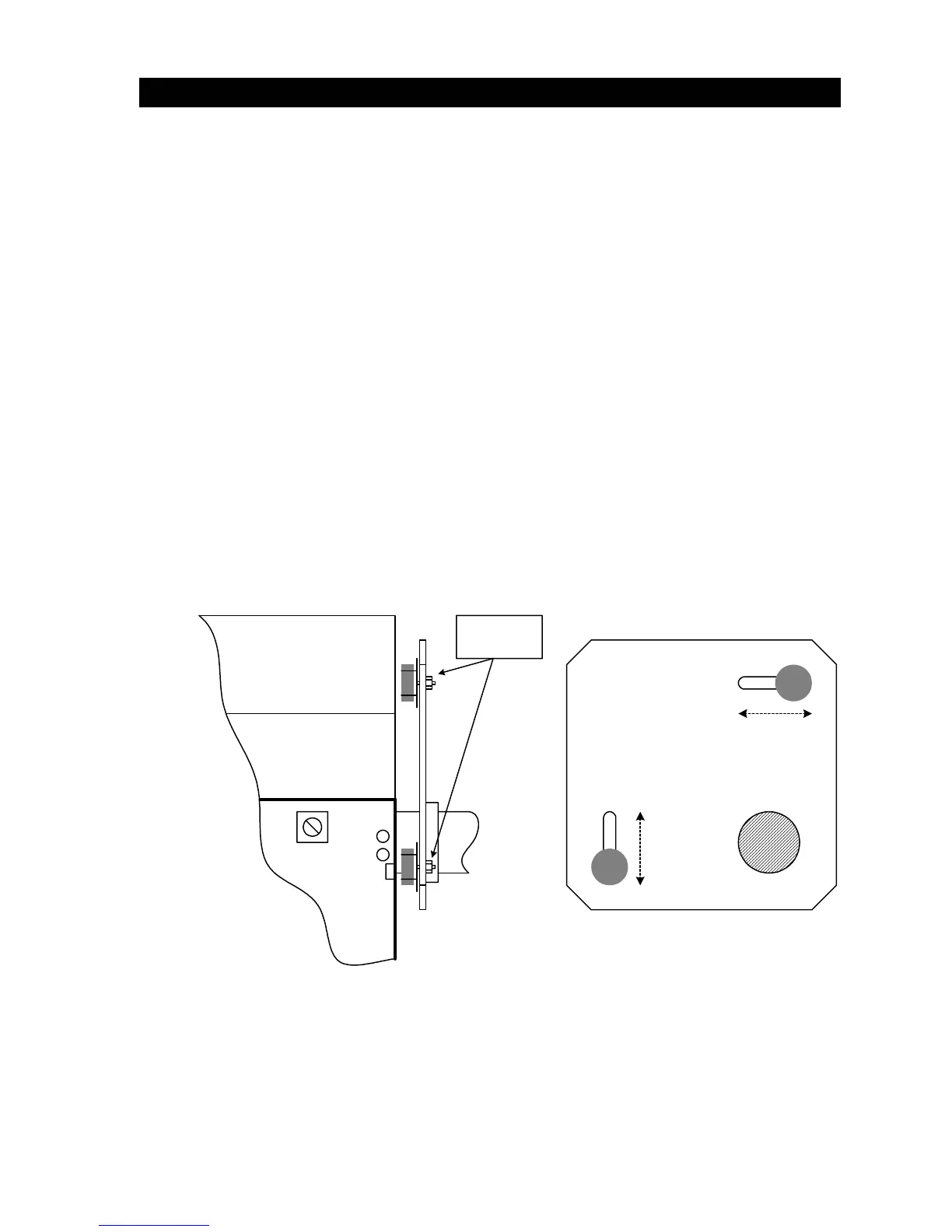
3.3 MAGNETIC LIMIT ADJUSTMENT
This barrier gate operator uses magnetic limits that are preset at the factory to rotate the arm 90°. No
adjustment of the limit magnets are be necessary when the operator is used in a normal
configuration. If it becomes necessary for the arm to rotate less than 90°, follow the steps below to
adjust the magnetic limits.
1. Adjust the magnetic limits only if it is necessary for the arm to rotate less than 90°.
Remove the barrier arm(s) from the operator prior to making any magnetic limit
adjustments.
2. Be sure that DIP-switch 3 is in the ON position. This changes the rotation of the gearbox
from 360° to 180°, and allows the magnetic limits to stop the rotation at less than 180° if
necessary. This will cause the arm to rotate less than 90°.
3. Be sure that all power to the barrier operator is turned OFF at the breaker panel.
4. Loosen the adjusting nuts on the back of the limit magnets so that they can slide in the
mounting slot.
5. Moving the magnets towards each other shortens the rotation of the output shaft. The
maximum rotation of the output shaft is 90°.
6. Tighten the adjusting nuts prior to reapplying power to the operator.
7. Check the shaft rotation by activating the UP input. To prevent possible damage to the
operator and the barrier arms, be sure that the barrier arm(s) are not installed on the
operator during these initial checks.
8. Repeat steps 3 through 6 until the desired rotation is achieved.
Magnet
Adjust Nuts
Shaft
Figure 21
31



 To Next Page