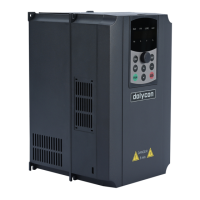
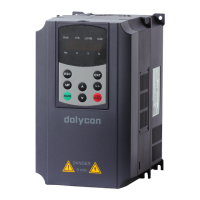
CT100 series inverters Keypad operation procedure
52
4.3 Display the parameters
4.3.1 Running state
In the running state, the inverter has a total of 19 state parameters to be selected
whether to display, including the running frequency, set frequency, bus voltage,
output current, output voltage, running speed, linear speed, output power, output
torque, input and output terminal status, PID reference, PID feedback, high
speed pulse HDI frequency, count value, PLC and multi-step speed, torque
setting, potentiometer value, AI1, AI2, motor overload percentage, inverter
overload percentage etc. The parameters can be selected by F05.08 and F05.09
in binary bit. Press the 》 key to switch to the right to display the selected
parameters, press the MF key to switch the left to display the selected
parameters.
4.3.2 Standby state
In the stop, fault and running state, a variety of status parameters can be
displayed. The parameter can be selected by F05.10 in binary bit.
In the stop state, the inverter has a total of 10 state parameters to be selected
whether to display, including the set frequency, bus voltage, input and output
terminal status, potentiometer value, AI1 , AI2, high speed pulse HDI frequency,
PID reference, PID feedback, PLC or multi-step speed etc. The parameters can
be selected by F05.10 in binary bit. Press the 》 key to switch the selected
parameters in the right and press the MF key to switch the selected parameter in
the left.
4.3.3 Fault state
In the fault state, both the fault state and the stop state will be displayed. Press
the 》 key to switch to the right to display the selected parameters, press the MF
key to switch the left to display the selected parameters.
CT series inverters provide a variety of fault information. Please refer to Fault
Tracking.
4.4 Displayed words of code displaying zone
Table 4-3 Displayed words


 To Next Page