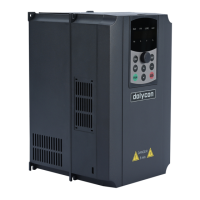
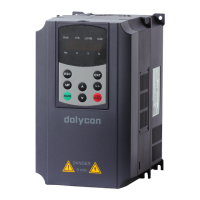
CT100 series inverters Keypad operation procedure
50
Adjust the frequency;
Adjust the torque.
Note: [1] Select the edit step to be ones, tens or hundreds via the right-shift key.
[2] See function code (F05.04) for multi-function selection.
[3] After sending a stop command, you need to run the clear command in the
current run command reference mode.
4.2 Operation procedure
4.2.1 Parameter setting
The three-level menu is:
1. Group number of function code (first-level menu);
2. Tab of function code (second-level menu);
3. Set value of function code (third-level menu).
Note: 8.8.8.8.8 is displayed initially after power on and the digital reference
frequency is displayed after initialization. When you need to modify the
parameters, press ESC to enter the first-level menu and F00 will be displayed.
Modify the function group by ︿ or ﹀ to F00-F15, press ENT to enter the
second-level menu, press ENT key again to enter the third-level menu, modify
the parameters by ︿ or ﹀ , press ENT to write into the control board and press
ESC to return.
In the third-level menu, if the bit of the parameter is not blinking, it is unmodifiable,
the reasons may be:
1) The function code is an unmodifiable parameter, such as the actual detection
parameters, fault record parameters, operating record parameters etc.
2) The function code cannot be modified in the running state.
4.2.2 Fault reset
After the inverter has fault, the inverter will inform the relevant fault information.
You can reset the inverter via the STOP/RESET key or the fault reset terminal
(F6). The inverter will be in standby mode after fault reset. If the inverter is in a
fault state and you do not reset it, the inverter cannot run and remains in the
running protection state.


 To Next Page