BASIC MAINTENANCE & TROUBLESHOOTING
EPT023558 Issue 1 February 2016 7-7
PRINT A TEST LABEL
Printing a test label performs a
test of the printer hardware. If a
satisfactory test label is printed,
you can be sure that the printer
hardware is working (the printer
communication will not be tested).
Assist blow, Vacuum and
Applicator are not activated.
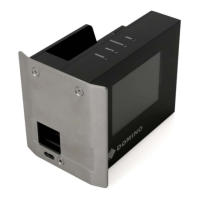
The TEST button is located on the
front of the PCU. Press the TEST
button to print a test label.
The test label will provide a
significant amount of information
about the print quality.
The test label should have an even grey appearance.
If the even grey appearance is not apparent, use the table below to
diagnose possible causes.
Test Print Result Possible Reasons
White stripes in the print direction The print head needs cleaning.
The print head has faulty dot.
White, uneven diagonal stripes Wrinkles in the ribbon
Pale print Print head is worn
White spots on the label Dust on the label or ribbon.
Unevenness in the label.
Missing ink on the ribbon.
Dirty drive roller.
Dark lines, or waves with random
distance, across the test label
Uneven feed of the label or ribbon,
may be caused by a slipping label.
Slipping can be due to uneven or
too tightly adjusted friction
clutches
Dark lines, with always the same
distance, across the test label
A drive belt, a pulley or a drive
roller (platen roller) is damaged



 To Next Page
 Loading...