Operation Section
46
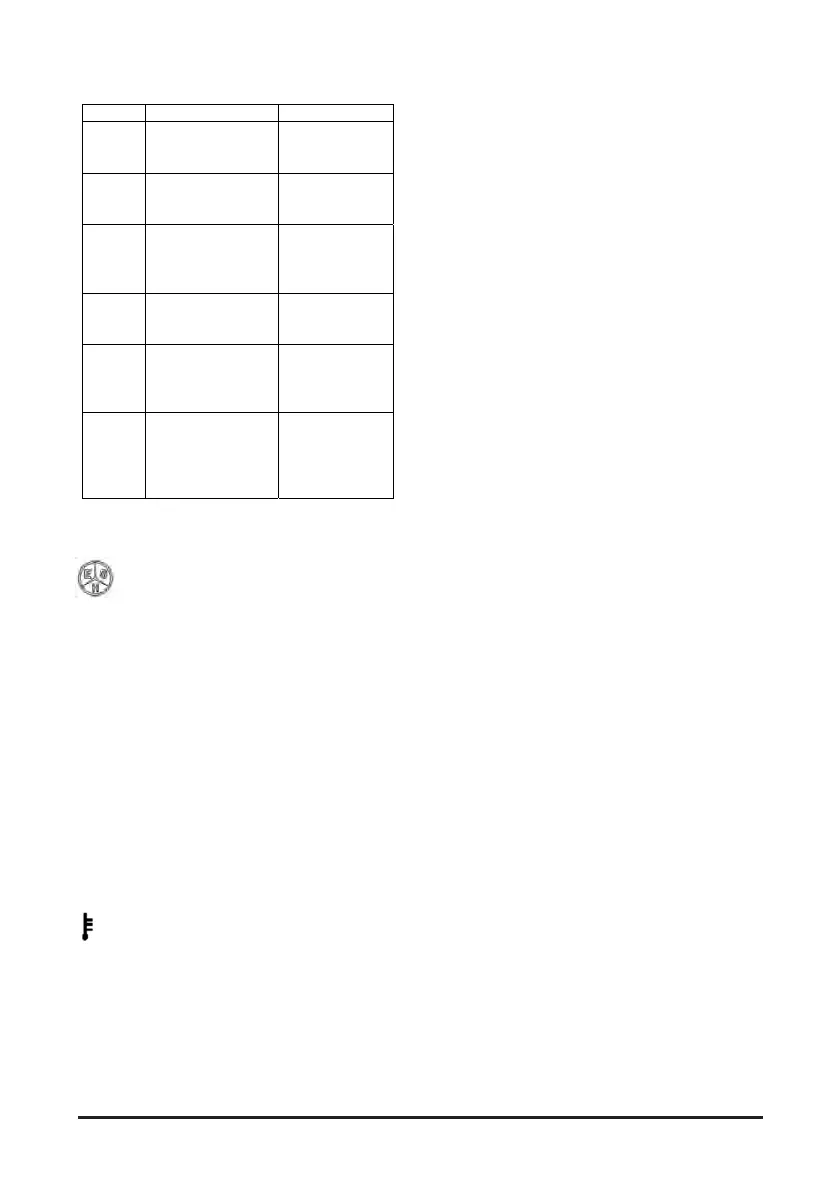
Code Description Abbreviation
AF
Forward/reverse
lever connection
open
FR UNIT
OPEN
A7
Display CAN
Communication
error
DISPLAY CAN
FAU
C7
Right side
controller CAN
communication
error
R-CONT CAN
FAU
P7
Pump CAN
Communication
error
P-CONT CAN
FAU
LL
Fingertip CAN
module
communication
error
F-KNOB CAN
FAU
EP
Temperature
difference
between right side
and left side
motors
MOTOR TEMP
FAU
Lift truck Operation Mode
Press E-S-H button to enter Economic,
Standard, or High mode.
Availability of this function can be verified in the
EASYVIEW menu.
- Pressing the E-S-H button enables switching to
the respective mode and can edit the parameter
related to a value which the driver cannot change
and suitable for the selected mode.
- E-S-H unavailable: the symbol does not appear.
- E-S-H available: the symbol shows active mode
NOTE: While the forklift is in normal operation, the
symbol indicates truck speed.
Alarm message displayed in the speedometer
column in alphanumerical code.
Refer to Table 6 for the meaning of the alarm codes.
Motor and controller overheat alarm.


 To Next Page