79
ED900 02-202008125330
dormakaba ED900 Installation Instructions – Double egress door Chapter 24
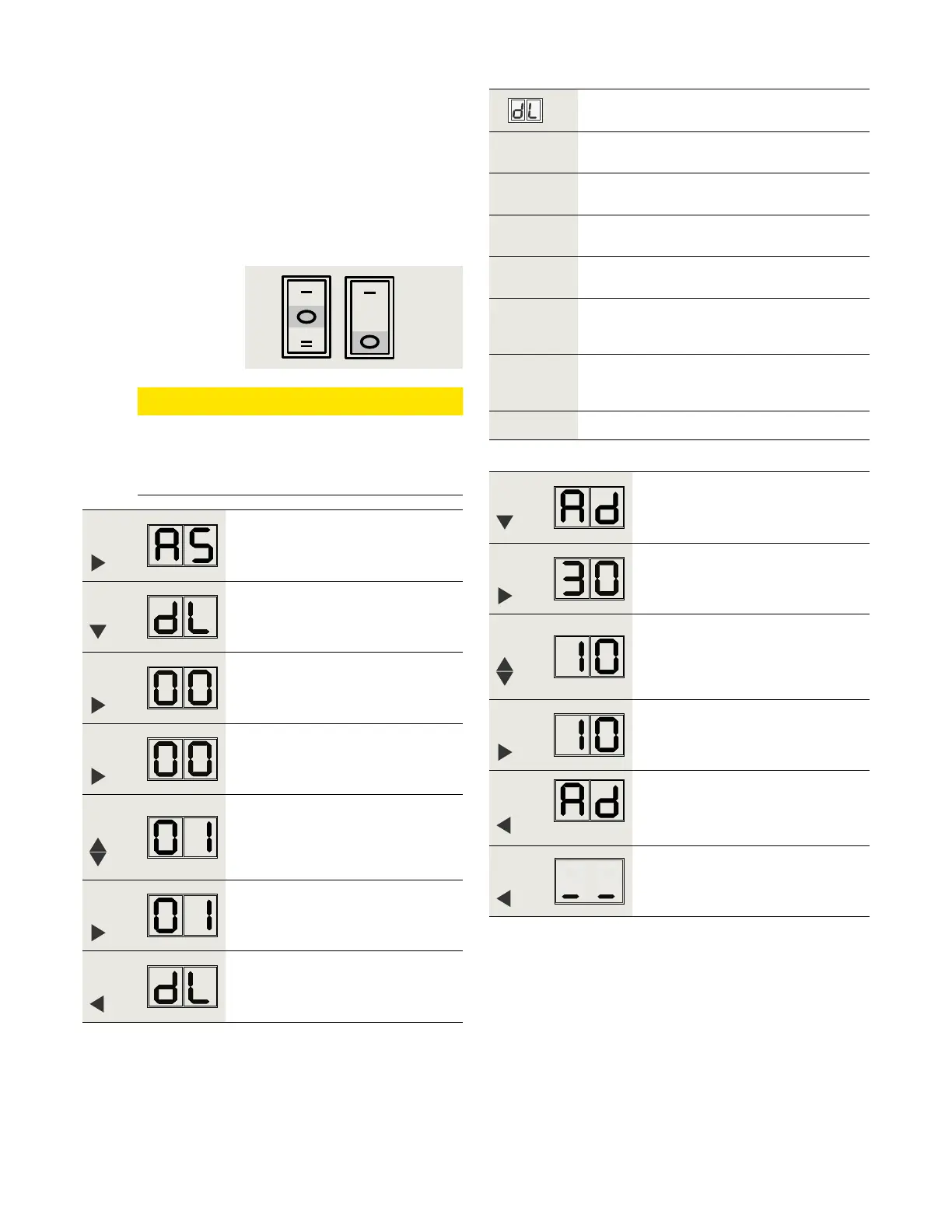
.. Active door, set parameters dL and Ad.
. Set active door program switches to CLOSE.
. Set parameters dL (door type) and Ad (caster angle )
for active door.
• Castor angle sets opening angle of active door
before inactive door starts to open.
Factory setting is °.
Step
Press
Press and hold PRG > s to enter
program mode, AS parameter
displayed.
Step
Press
Scroll to dL parameter.
Step
Press
Displays "" , factory setting.
Step
Press
"" starts flashing.
Step
Press
Scroll to select parameter value
("" as an example).
Step
Press
Saves value entered. Display stops
flashing.
Step
Press
Returns to door type parameter.
Step
Press
Scroll to Ad parameter.
Step
Press
Displays "", factory setting.
Step
Press
Scroll to select parameter value
(° as an example).
Step
Press
Saves value entered. Display stops
flashing.
Step
Press
Returns to caster angle parameter.
Step
Press
Exits program mode. Operator is ready
for operation.
Fig. 24.2.2 Program switches in
CLOSE position
Door type
Parameter
value
Parameter description
* Single door
Double door, with astragal.
Active door operator, door opens first.
Double door, with astragal.
Inactive door operator.
Double door, without astragal.
Active door operator. Both doors open
simultaneously.
Double door, without astragal.
Inactive door operator. Both doors open
simultaneously.
*
Factory setting
CAUTION
Full width cover option
Single program switch located on inactive
door.



 To Next Page