58 Instructions for use Isolette 8000 plus SW 5.n
Assembly and preparation
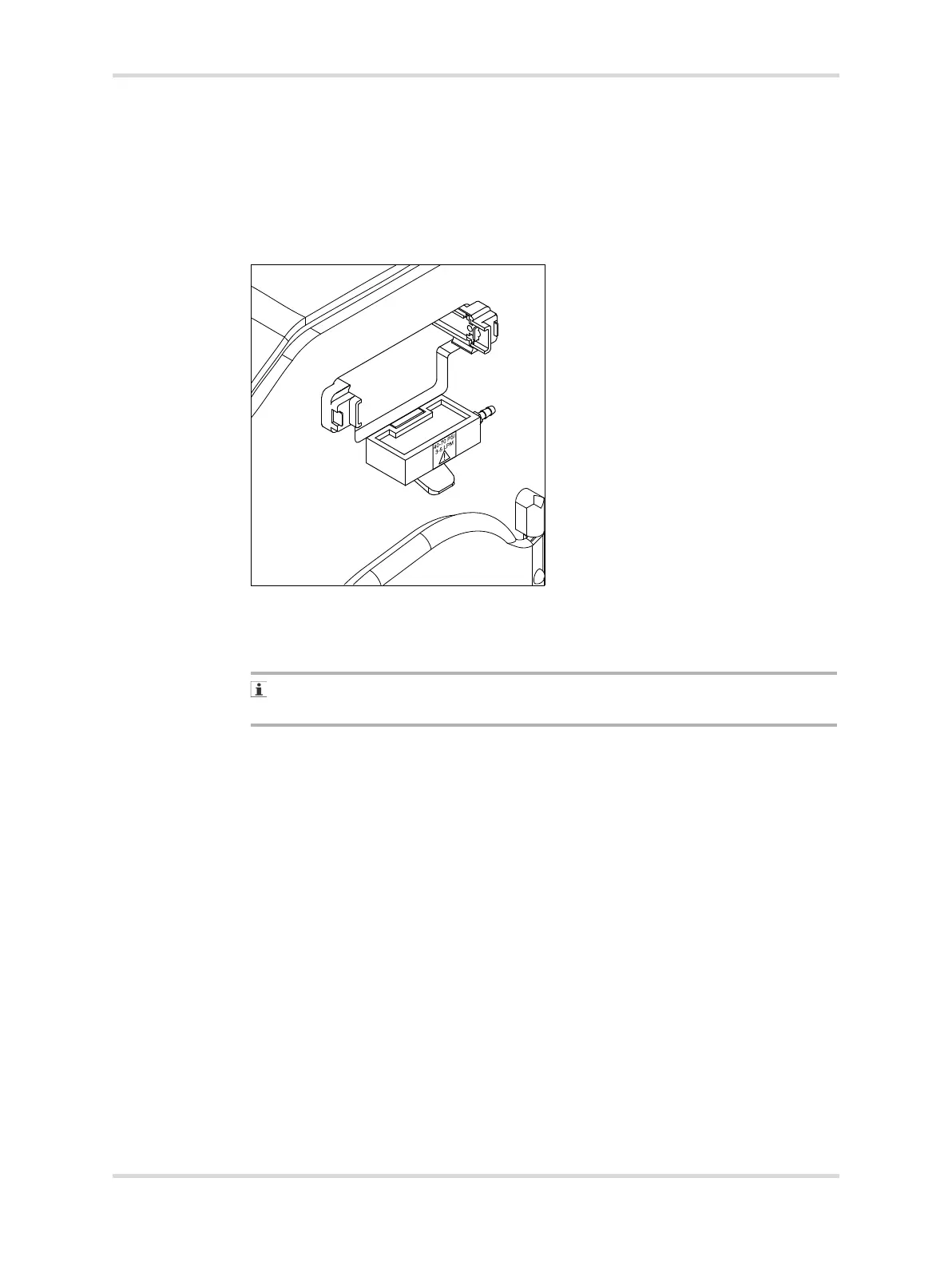
7 Mount the sensor module slide lock and 100% calibration fixture directly under
the sensor module opening on the hood assembly (B).
8 Install the 2 screws to secure the sensor module slide lock and the 100%
calibration fixture.
The brass connector (C) is facing the rear of the incubator.
The wording on the label (D) is displayed according to the illustration.
9 Close the front access panel, and rotate the locking knobs until they are fully
engaged.
10 Install the sensor module assembly in the hood assembly.
When the slide lock and 100% calibration fixture are properly installed, the slide
lock moves up and down smoothly.
11 Select the 100% calibration level (see System configuration menu on page 113).
✓ Oxygen calibration fixture is set to 100% and the installation is complete.
009














 To Next Page