Scheduler
102
8 SCHEDULER
The controller contains an inbuilt exercise run scheduler, capable of automatically starting and
stopping the set. Up to 16 scheduled start/stop sequences can be configured to repeat on a 7-day or
28-day cycle.
Scheduled runs may be on load or off load depending upon module configuration.
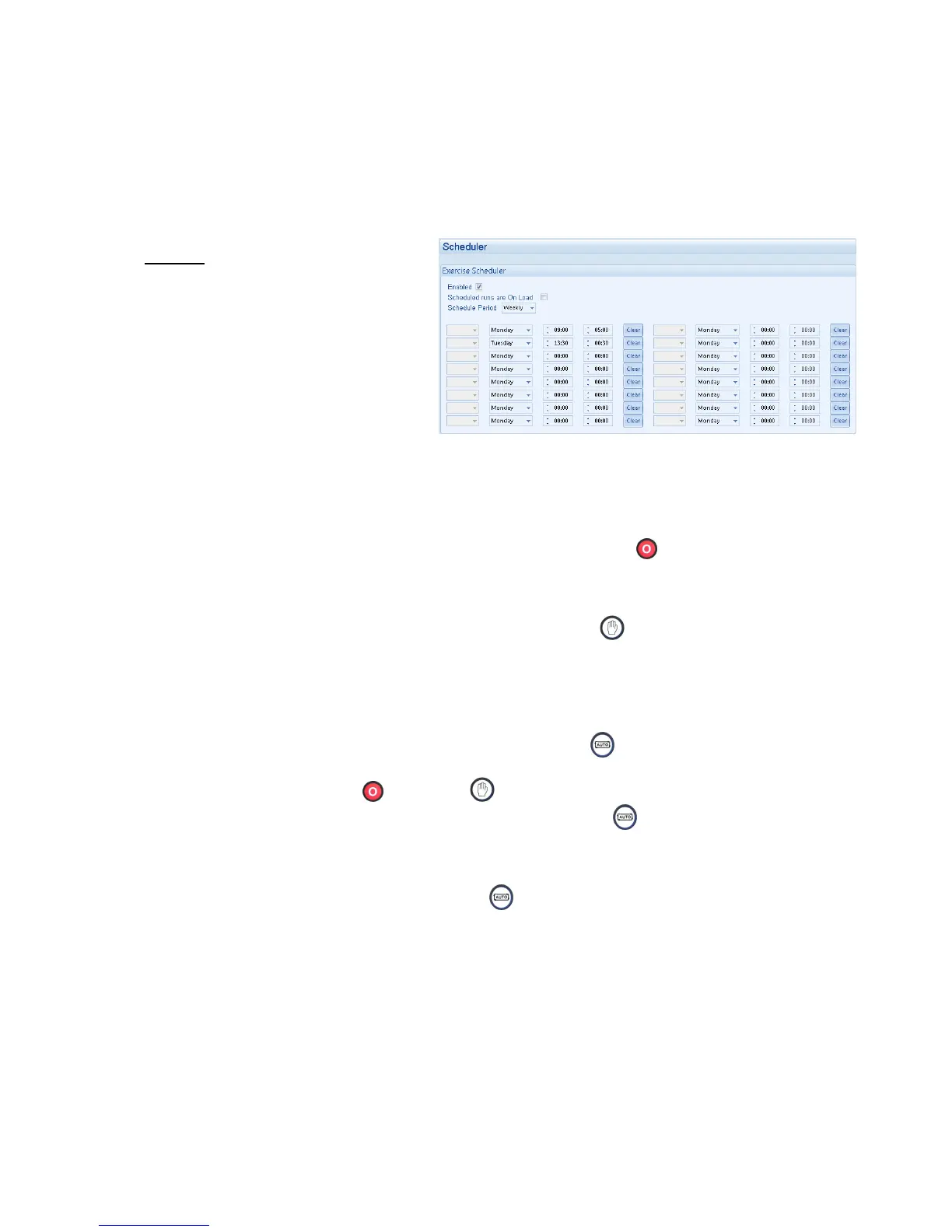
Example
Screen capture from DSE Configuration
Suite Software showing the configuration
of the Exercise Scheduler.
In this example the set will start at 09:00
on Monday and run for 5 hours, then start
at 13:30 on Tuesday and run for 30
minutes.
8.1.1 STOP MODE
• Scheduled runs will not occur when the module is in STOP/RESET
mode.
8.1.2 MANUAL MODE
• Scheduled runs will not occur when the module is in MANUAL
mode.
• Activation of a Scheduled Run ‘On Load’ when the module is operating OFF LOAD in Manual
mode will have no effect, the set continues to run OFF LOAD
8.1.3 AUTO MODE
• Scheduled runs will operate ONLY if the module is in AUTO mode with no Shutdown or
Electrical Trip alarm present.
• If the module is in STOP
or MANUAL mode when a scheduled run begins, the engine
will not be started. However, if the module is moved into AUTO mode during a scheduled
run, the engine will be called to start.
• Depending upon configuration by the system designer, an external input can be used to
inhibit a scheduled run.
• If the engine is running OFF LOAD in AUTO mode and a scheduled run configured to
‘On Load’ begins, the set is placed ON LOAD for the duration of the Schedule.


 To Next Page