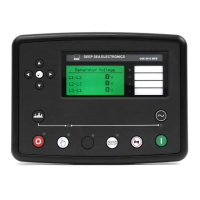
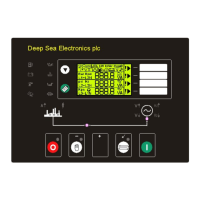
Operation
76
6.2 CONTROL PUSH-BUTTONS
Stop / Reset
This button places the module into its Stop/Reset
mode. This will clear any
alarm conditions for which the triggering criteria have been removed. If the
engine is running and the module is in Stop mode, the module will
automatically instruct the changeover device to unload the generator (‘Close
Generator’ becomes inactive (if used)). The fuel supply de-energises and the
engine comes to a standstill. Should a remote start signal be present while
operating in this mode, a remote start will not occur.
Manual
This mode allows manual control of the generator functions. Once in Manual
mode the module will respond to the start button, start the engine, and
run off load. If the engine is running off-load in the Manual
mode and a
remote start signal becomes present, the module will automatically instruct
the changeover device to place the generator on load (‘Close Generator’
becomes active (if used)). Upon removal of the remote start signal, the
generator remains on load until either selection of the ‘STOP/RESET ’ or
‘AUTO ’ modes.
For further details, please see the more detailed description of ‘Manual
operation’ elsewhere in this manual.
Test (DSE7420 only)
This button places the module into its ‘Test’ mode. This allows an on load
test of the generator.
Once in Test
mode the module will respond to the start button, start
the engine, and run on load.
For further details, please see the more detailed description of ‘Test operation’
elsewhere in this manual.
Auto
This button places the module into its ‘Automatic’ mode. This mode allows the
module to control the function of the generator automatically. The module will
monitor the remote start input and mains supply status and once a start request
is made, the set will be automatically started and placed on load.
Upon removal of the starting signal, the module will automatically transfer the
load from the generator and shut the set down observing the stop delay timer
and cooling timer as necessary. The module will then await the next start
event. For further details, please see the more detailed description of ‘Auto
operation’ elsewhere in this manual.
Mute / Lamp Test
This button silences the audible alarm if it is sounding and illuminates all of the
LEDs as a lamp test feature/
When correctly configured and fitted to a compatible engine ECU, pressing this
button in STOP/RESET
mode after pressing the START button (to
power the ECU) will cancel any “passive” alarms on the engine ECU.


 To Next Page