Viewing The Instrument Pages
65
5.4.6 RS232 SERIAL PORT
This section is included to give information about the RS232 serial port and external modem (if
connected).
The items displayed on this page will change depending upon configuration of the module. You are
referred to your system supplier for further details.
NOTE:- Factory Default settings are for the RS232 port to be enabled with no modem
connected, operating at 19200 baud, modbus slave address 10.
Example 1 – Module connected to an RS232 telephone modem.
When the module is powered up, it will send ‘initialisation strings’ to the connected modem. It is
important therefore that the modem is already powered, or is powered up at the same time as the
module. At regular intervals after power up, the modem is reset, and reinitialised, to ensure the
modem does not ‘hang up’.
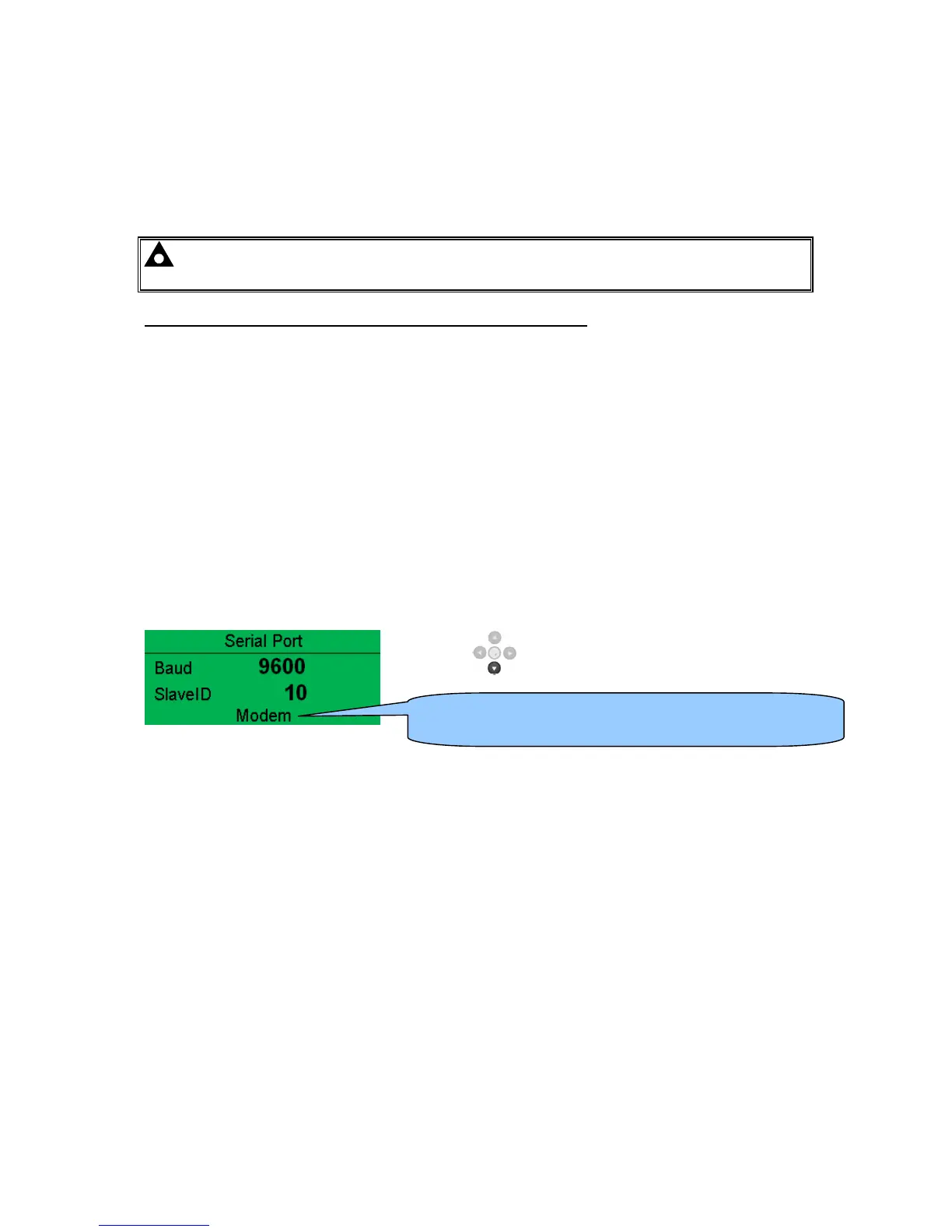
If the module does not correctly communicate with the modem, “Modem initialising’ appears on the
Serial Port instrument screen as shown overleaf.
If the module is set for “incoming calls” or for “incoming and outgoing calls”, then if the modem is
dialled, it will answer after two rings (using the factory setting ‘initialisation strings)’. Once the call is
established, all data is passed from the dialling PC and the module.
If the module is set for “outgoing calls” or for “incoming and outgoing calls”, then the module will dial
out whenever an alarm is generated. Note that not all alarms will generate a dial out; this is
dependant upon module configuration of the event log. Any item configured to appear in the event
log will cause a dial out.
Press down to view the modem status....
Indicates that a modem is configured. Shows ‘RS232’ if no
modem is configured.


 To Next Page