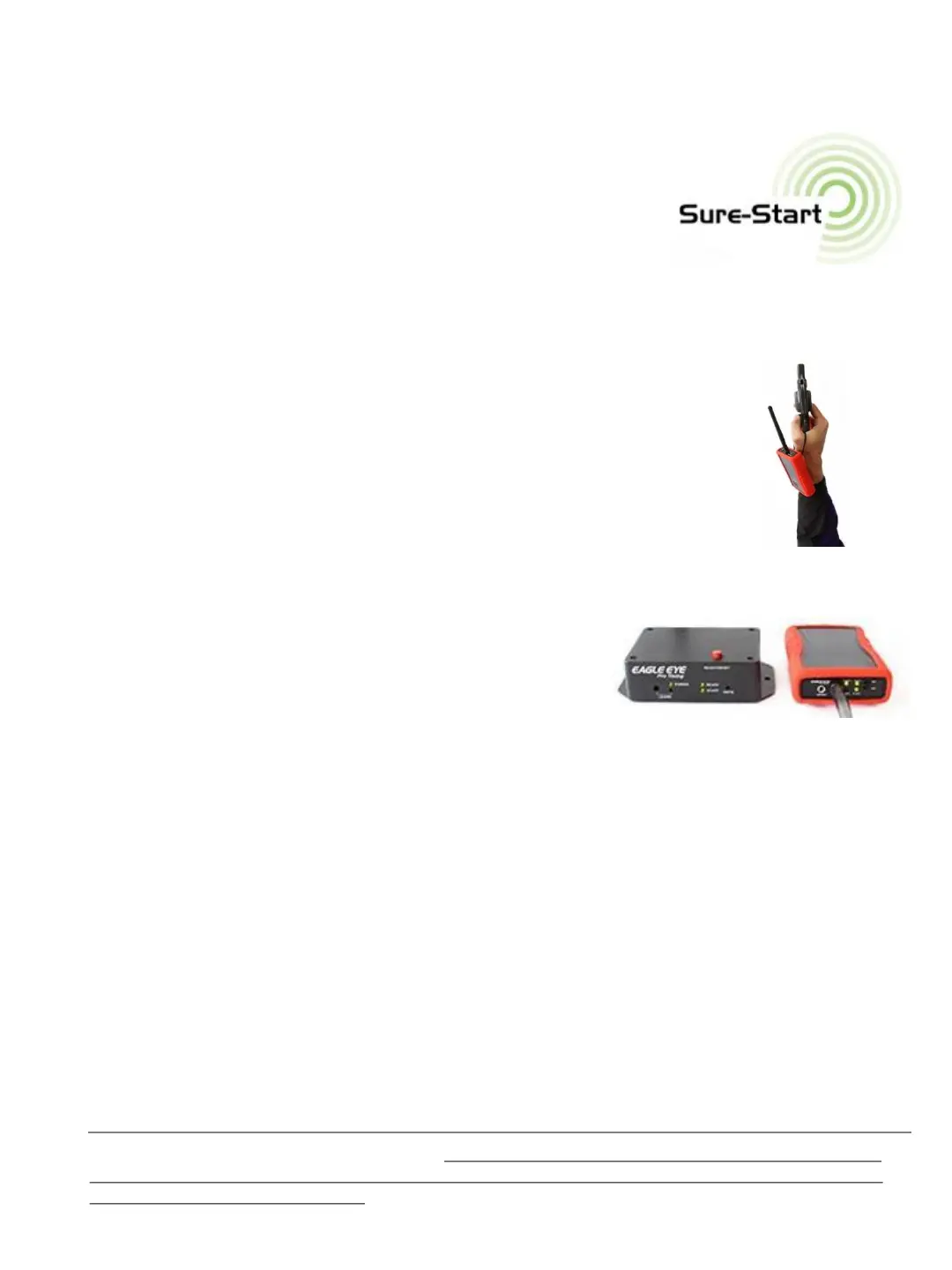
Transmitter
6. Wireless Trigger Units
The benefits of Sure-Start Technology begin as soon as both units are powered
on. Within moments, flashing lights turn solid red as the transceiver
and receiver synchronize with one another. Both units are
technically transceivers that make possible two-way communication
via a series of green and red lights that communicate the systems readiness,
effectively replacing the need for a ‘ready flag’ in the press box.
Although the LEARN pairing button is still present, it is no longer necessary to use as a pairing process (as it was
with the older blue generation 1 unit) since the wireless trigger and receiver auto-pair with one another.
Prior to each race the Starter should either:
1) HANG the transceiver from the gun hand (as shown) OR
2) HOLD the transceiver in the non-gun hand when both arms are held
outstretch and above the head (prior to and during the firing of the gun).
This option is often used when the Starter is monitoring and confirming a successful
start immediately after the gun is fired (option A below). When held in the non-gun hand,
it’s easier to tip the unit downward after firing the gun to visually confirm a green light (successful
trigger). A red light indicates a non-successful trigger and the race should immediately be recalled.
A. READY Mode Option
The READY mode allows the timing operator and Starter
to use the trigger units to communicate the same way a
flag is often used in the press box. A white flag in the press
box tells the Starter to begin the next race, while a red flag indicates the timing operator is not
ready or that a recall (upon the gun start) is needed.
Timing Operator: Presses the Ready/Reset button (on the top of the receiver) after each race to
turn the Ready light Red. The button is pressed again to turn the Ready light green once the
system is armed and ready for the next race .
Starter: The Starter monitors the transceiver and does not begin each race until the Ready light
turns green. The Starter may also choose to monitor the unit (immediately upon firing the gun) to
confirm the timing system was triggered. A red light on the unit would require an immediate recall
of the race.
B. GREEN Mode Option
The GREEN mode (or open mode) uses the Ready/Reset button ONLY when the timing
operator needs more time before the start of the next race. The timing operator DOES NOT
press the Ready/Reset button after each race but rather only when needed.
TROUBLESHOOTING: Unresponsive Date Lights: PRESS and HOLD the Ready/Reset button for three seconds if
at any time the data lights are unresponsive. This will reset the lights. You may need to turn the transceiver off
and back on to assist the reset process. A Low Battery in the transceiver may cause unresponsive data lights.
Always have a fresh high quality 9-volt battery on hand. TIP: Because of its external omni-directional antenna,
the black face of the transceiver does not need to be pointed in the direction of its receiver).
10


 To Next Page