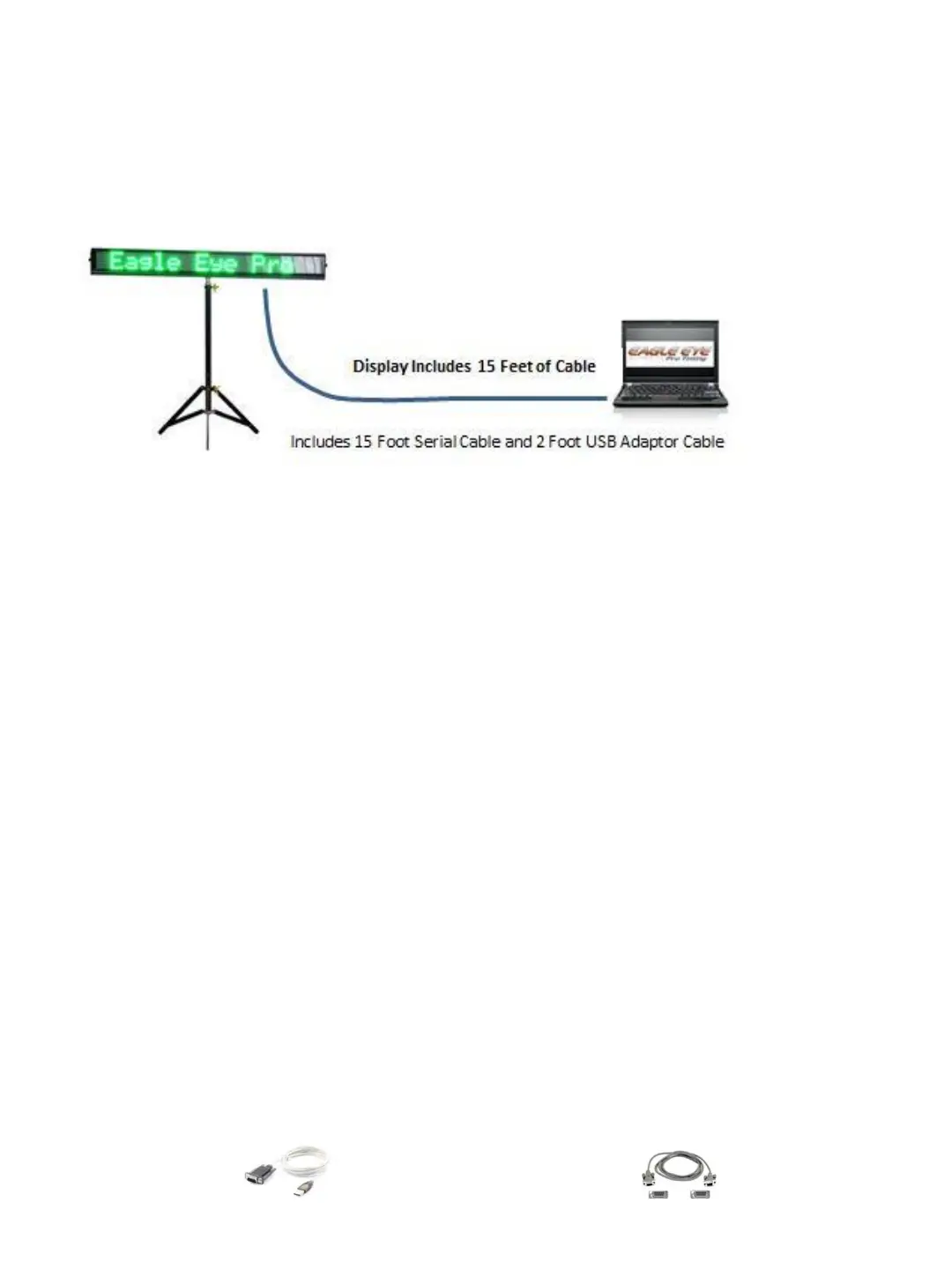
B. OPTIONAL DISPLAY
LED Scrolling Display A great display board for any size track meet!
The LED Scrolling Display shows running time and results as name, place and performance after
each race. Integrates seamlessly into the Eagle Eye Pro timing software and system.
Running clock begins immediately with starting gun while you control the display options. Set
the display mode for immediate or scrolling results. The immediate mode displays each
athlete's performance immediately as the Eagle Eye timing operator enters the lane/ hip
number. The scrolling mode places results in sequential order of finish to scroll at your defined
pace. Even choose to display a custom message to the board.
All controls are conveniently located within the Eagle Eye Pro software Results tab. Once the
initial driver is installed on your Eagle Eye computer, each operation is a simple plug-n-play
process. No external software required for operation.
1. Set-Up and Operation
1. ➔ INSTALL the included Software Driver for the Serial to USB Adaptor Cable
(shown below). This is a one-time installation. This adaptor cable is necessary to convert
the 9-pin serial cable to a USB connection.
Note: The 9-pin serial cable will not connect directly to your laptop.
2. ➔ CONNECT the Power Cord to the Display Board and PLUG into a power source.
3. ➔ CONNECT the Serial Cable to the back of the display and the other end of the Serial
cable to the USB Adaptor cable.
4. ➔ PLUG the USB Adaptor Cable into an available USB Port on the Eagle Eye computer.
5. ➔ OPEN Eagle Eye Pro software and SELECT the Race Results tab.
6. ➔ SELECT the Scoreboard Button (located at the bottom of the tab) and CHOOSE an
available Com Port * This is likely not the defaulted Com Port 3
7. ➔ The Scoreboard Display Setting menu will appear. CHOOSE your desired Options.
The best way to TEST your display connection is to Type a Message in the Text Space and
SELECT the SEND button. Your message should appear on the display immediately.
USB TO SERIAL CABLE ADAPTOR 9-PIN TO 9-PIN SERIAL CABLE
32


 To Next Page