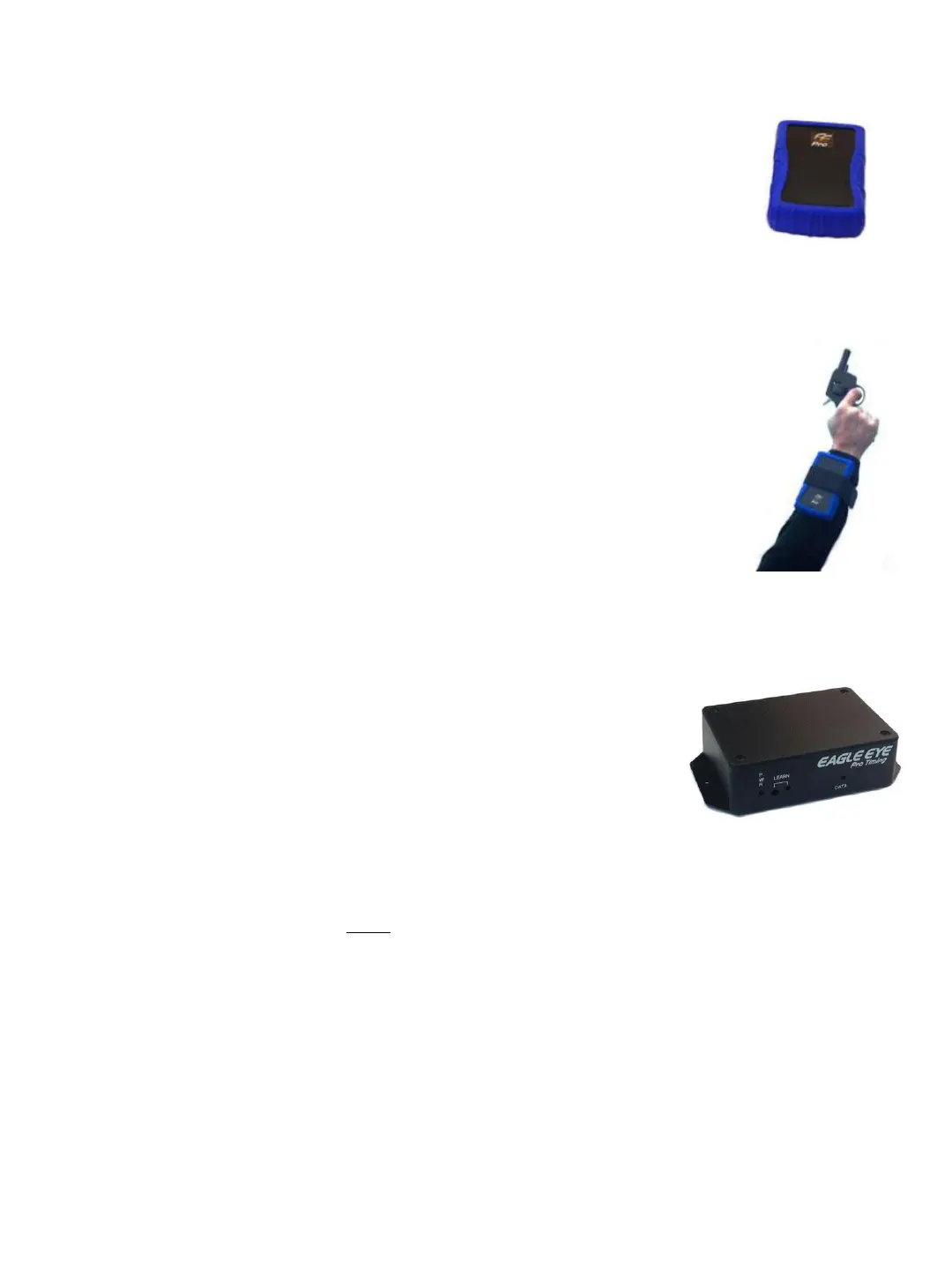
4. WIRELESS START SYSTEM (Generation 1)
The Pro timing wireless start system has been upgraded to a generation
2 ‘sure-start’ devise with two-way communication. Directions for this
device are on page 13-14.
Below are instructions on wearing, synching and triggering the wireless
start system. This system has the blue protective transmitter cover
(generation 1).
Set Up
Connection instructions can be found on page 13. Both the blue and the red
trigger unit connect to the computer via the USB audio adaptor in the same way.
Wearing the Transmitter
➔ ATTACH the Transmitter on the arm or wrist of the Starter with the included
strap. Be sure the black face of the transmitter always maintains a
clear line of sight to its receiver. The transmitter has an internal antenna and
must point in the direction of the receiver and must not be blocked. For this
reason it should not be worn on the hip of the Starter.
Synching the Receiver and Transmitter
1. ➔ TURN On the wireless transmitter and plug in the receiver unit. Once powered, red lights
on both units confirm the system is ready to synchronize.
2. ➔ PRESS the recessed LEARN button on the front of the receiver.
While the red light is illuminate, TRIGGER the transmitter
with a gun or a sharp blow directly into the recessed port on
the transmitter. Three red flashing blinks will confirm a
successful paring.
Arming and Triggering the Race Clock
ARM the system with the Ctrl-F12 ‘hotkey’ sequence on your keyboard.
35
Generation 1
Transmitter
Blue Case
TIPS
Practice Triggering: A strong, sharp blow directly into the sensor port on the transceiver will
trigger the system. A red light on both the transmitter and receiver confirm a successful
transmission. Adjusting Sensitivity: The gain on the transmitter controls the sensitivity of the
gun sensor from minimum (counter clockwise) to maximum (clockwise). The transmitter is set
at 50% gain before shipment. If the unit does not trigger reliably, adjust the gain accordingly. If
the unit is false triggering, the gain should be reduced.
Test: Be sure to test your wireless start
system prior to each track meet, adjusting gain as needed. Pay special attention to the start
locations farthest from the receiver. Position: Do not position the transceiver on the hip of the
Starter or wear in a pocket. The body may attenuate (reduce) the signal. Elevate: Do not try to
send a signal through a crowd of people on the infield, etc. Elevate the receiver if necessary. A
longer audio cable may be required (purchase from Eagle Eye or retailer such as Radio Shack,
etc.


 To Previous Page