C. DISCONTINUED PRODUCTS
1. GO Suite! FILE SHARING
The GO Suite! File sharing cable has been replaced with the USB switch or the Dropbox
method as explained on page 10, 11, 30 and 31.
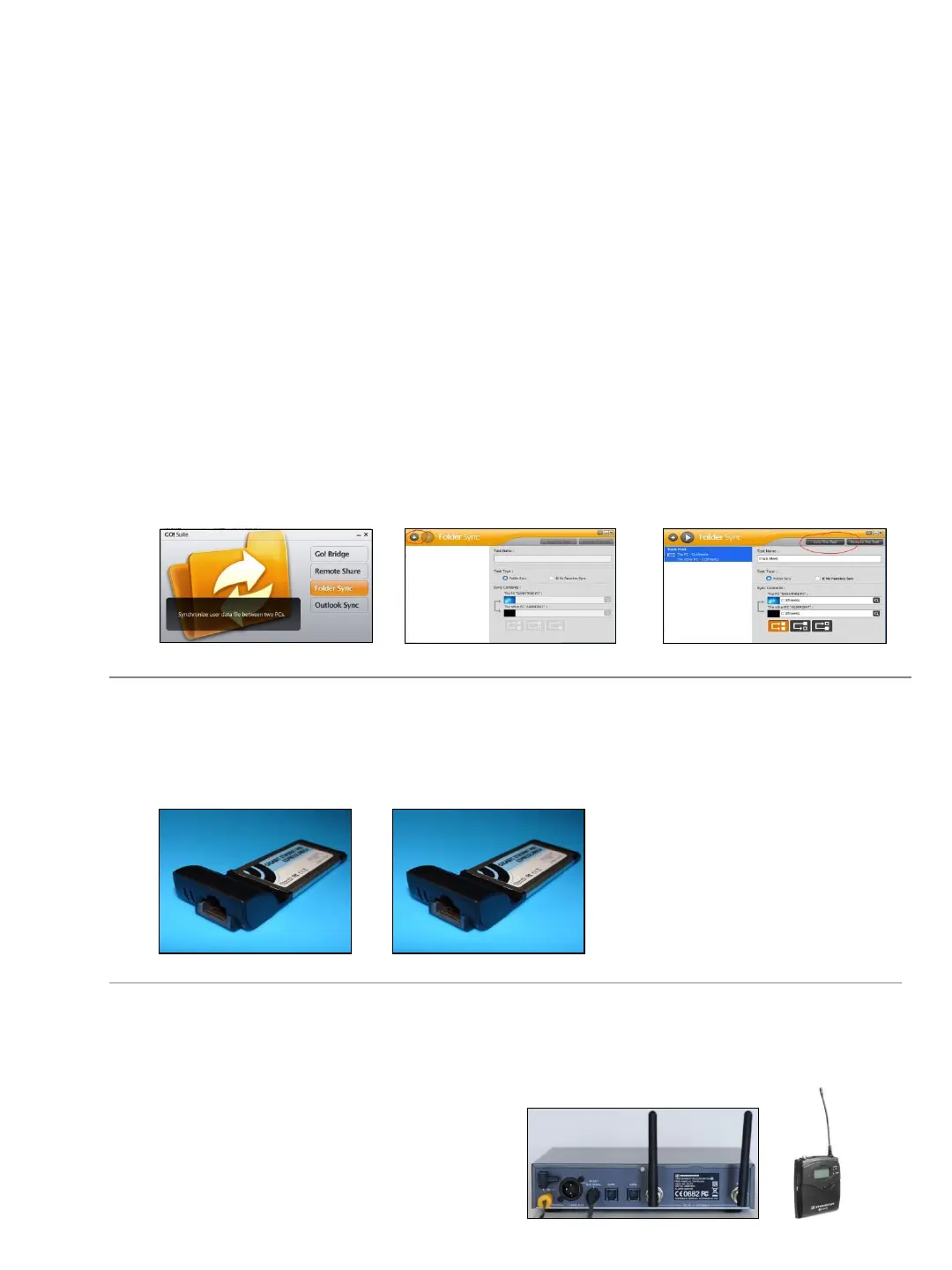
1. ➔ PLUG either end of the transfer cable into a USB port on the results computer.
2. ➔ LAUNCH the Go!Suite program on the results computer.
3. ➔ PLUG the other end of the cable into a USB port on the Eagle Eye computer.
4. ➔ CHOOSE the Folder Sync option on both computers.
5. ➔ CLICK the PLUS sign (upper left) to create a new task.
6. ➔ Name the task and navigate to the C: tfmeets folders on both computers.
7. ➔ AFTER each results file has been created on the Eagle Eye computer, the results
operator CLICKS the Sync This Task button to have the Eagle Eye results files (.lif
files) copied to the results machine.
2. EXPRESS CARD
If your Eagle Eye provided computer included an Express Card, follow the instructions
below.
3. SENNHEISER TRIGGER (Generation 1)
The original Sennheiser trigger system (transmitter and receiver) are no longer being used.
The units have been replaced with our second generation trigger
system. If you have yet to upgrade, please
contact Eagle Eye in time to receive a new
trigger before your next timing event.
INSERT the ExpressCard in the
ExpressCard slot on the side of
your computer. WAIT for the
LED lights on the ExpressCard
to begin flashing RED and
GREEN.
34


 To Next Page