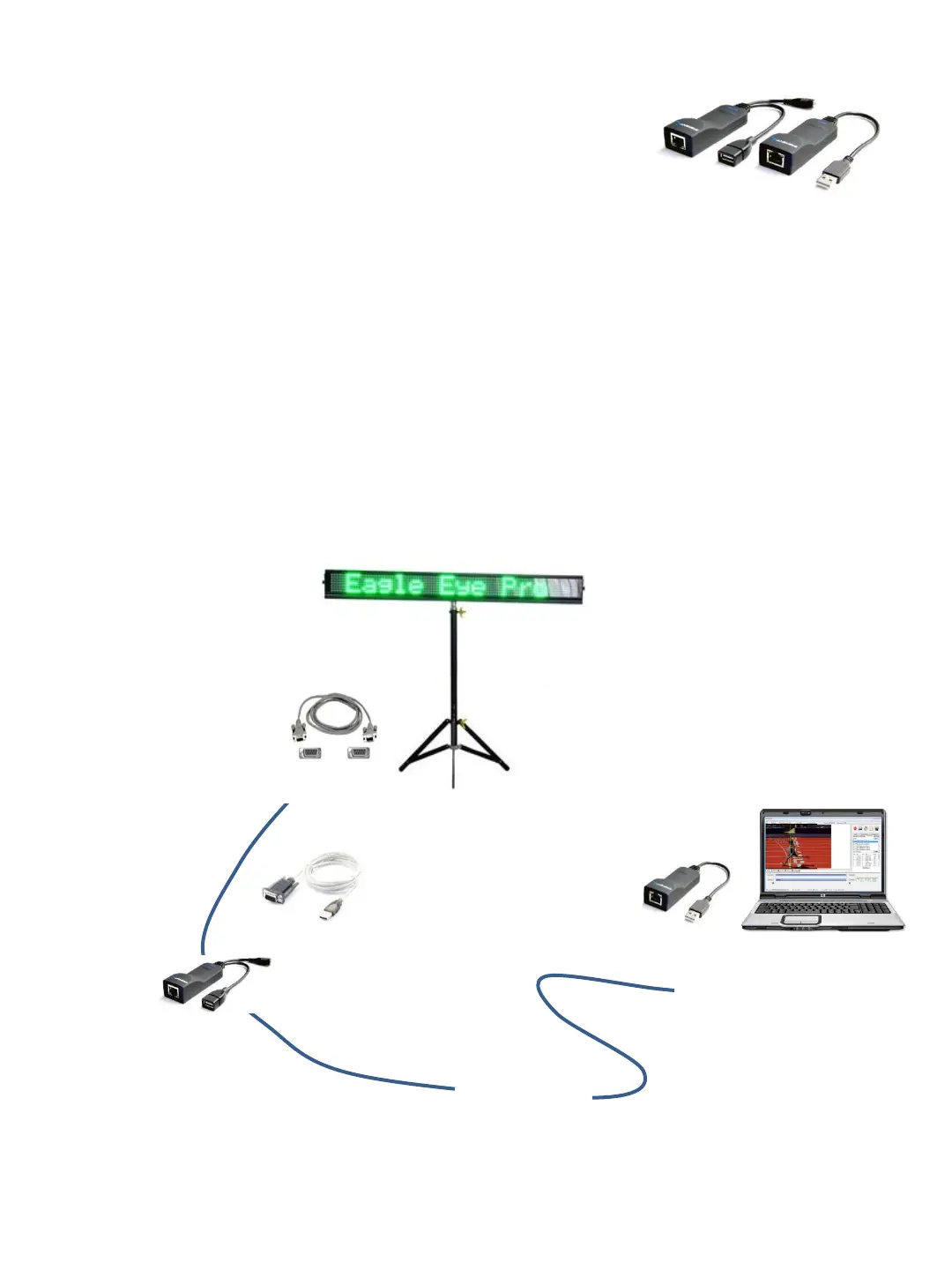
1. ➔ INSTALL the USB to Serial Cable software driver on the Eagle Eye computer as instructed.
2. ➔ INSTALL the USB Extender software driver on the Eagle Eye computer as instructed.
3. ➔ CONNECT Power to the Display Board.
4. ➔ CONNECT the 9-pin to 9-pin Serial Cable to the display board and the other end to the
USB Serial Adaptor Cable.
5. ➔ CONNECT the USB to Serial Adaptor to the USB Extender (with power).
6. ➔ CONNECT the USB Extender to the USB port on the Eagle Eye computer.
7. ➔ CONNECT the long 300 foot data cable to both USB Extenders.
2. Optional Extended Range Set-Up
The distance from the display to the Eagle Eye computer can
be extended up to 300 feet with the use of additional data
cable and USB Extenders (pictured at right).
This additional cabling is necessary to position the timing
computer in the press box and the LED display on the finish
line.
USB EXTENDER ADAPTER OVER
NETWORK CABLE (300-FT)
Eagle Eye Computer
Software drivers installed
1. USB to Serial Cable Driver and
2 USB Extender Driver
Up to 300 Feet of
Data Cable
USB Extender
USB Extender
with Power
9-Pin to 9-Pin Serial Cable
USB to Serial
Adaptor
LED Scrolling Display
33


 To Next Page