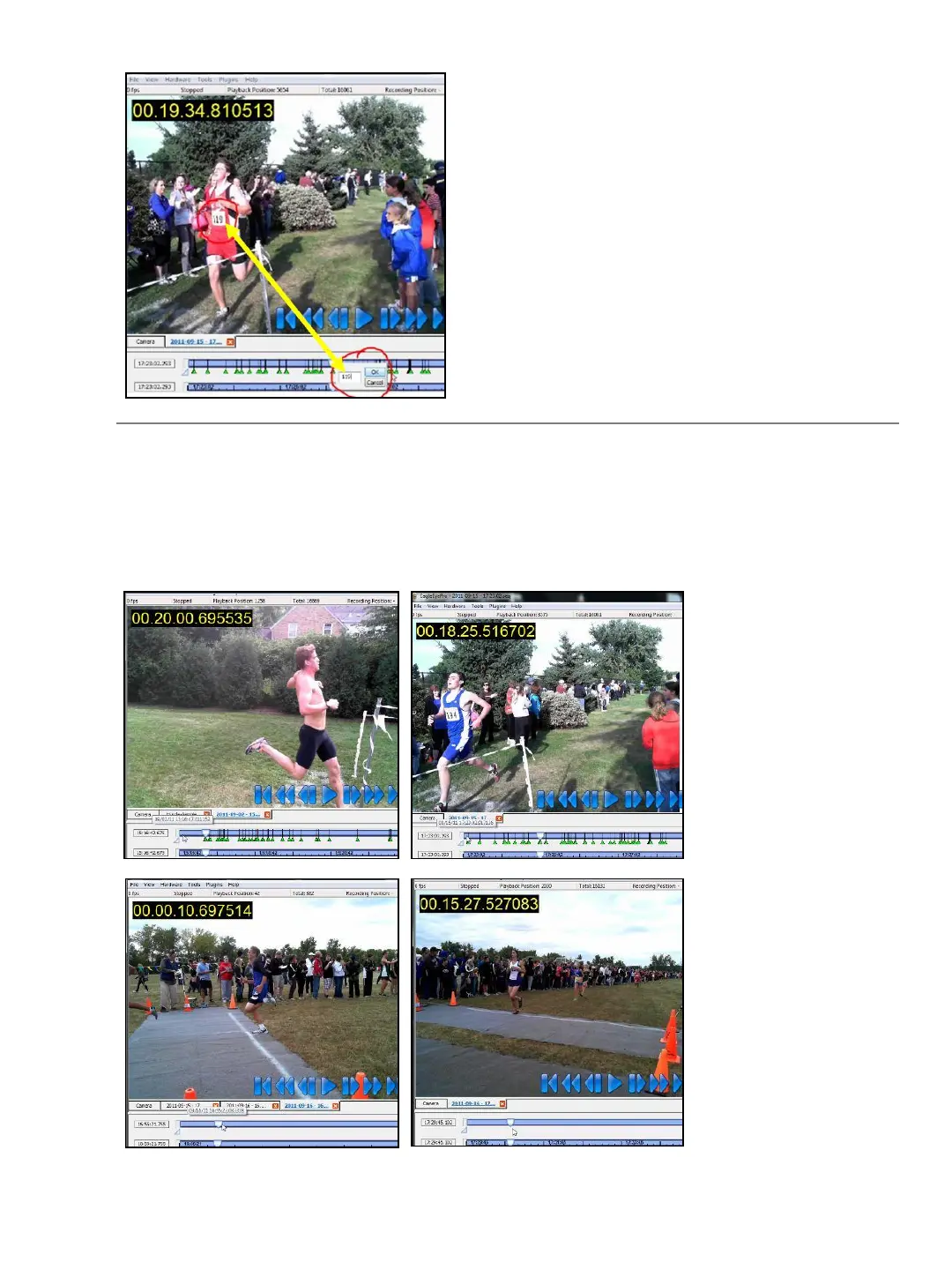
This image shows how to enter the bib number of
each finishing athlete via step 10 on the previous
page 23.
Tip: It is possible to enter two digit bib numbers by
typing the two digit number directly on the keyboard (as
is done for track and field). Be sure the timeline has
been activated by a mouse click.
Note: This is however not possible for three digit
numbers; doing so would slow down the entering of hip
numbers for track events (making the software wait for
three seconds to determine if three digits are being
entered).
2. Camera Alignment
Below are examples of camera alignment for cross country races. Depending on the role
of your Eagle Eye Pro timing/ video system, you may choose a side view or a frontal
view to assist with reading bib numbers.
The primary role of
a cross country
timing system is to
determine an
accurate order of
finish.
Since cross country
times are only
recorded to the
1/10
th
of a second
(and not to the
1/100
th
as is the
case for track) the
alignment of your
camera and it’s
angle depends on
the operators
priorities and
preference.
24


 To Next Page