117
REV30 8.4.15 TT4-8 4TNV98
INSTRUMENT PANEL - SAUER DANFOSS DISPLAY/CONTROLLER
Item Part Number Qty Description
1 A-TT8-00417 1 TT ELECTRONIC DISPLAY
2 C-TT4-00411-1 1 DASH PANEL (NO INSTRUMENTS)
3 A-TT4-00433-1 1 SPOTLIGHT TOGGLE SWITCH(OPTIONAL)
4 A-TT4-00423-2 1 HEADLIGHT SWITCH
5 A-TT4-00609 1 HEATER FAN SWITCH(OPTIONAL)
6 A-TT4-00608 1 HEATER CONTROL CABLE(OPTIONAL)
7 A-TT4-00428 1 HORN BUTTON
8 AE-OPT-0152 1 TRANS TEMP GAUGE (OPTIONAL)
9 AE-OPT-0066 1 E-STOP (OPTIONAL)
10 A-TT8-00421 1 SAUER MOUNTING KIT
11 A-TT8-00418 1 DISPLAY MOUNTING RING
M3X20 DISPLAY MOUNTING SCREW
NOTE: MUST BE INSTALLED WITH THREAD LUBRICANT
13 NVSP-14-025-SA 1 KEY SWITCH BRACKET
14 NVSP-05-005-CA 1 SEALED KEY SWITCH, 3-POSITION
14 NVSP-05-005-CB 1
SEALED KEYLESS SWITCH, 3-POSITION (OPTIONAL)
OPERATOR COMPARTMENT
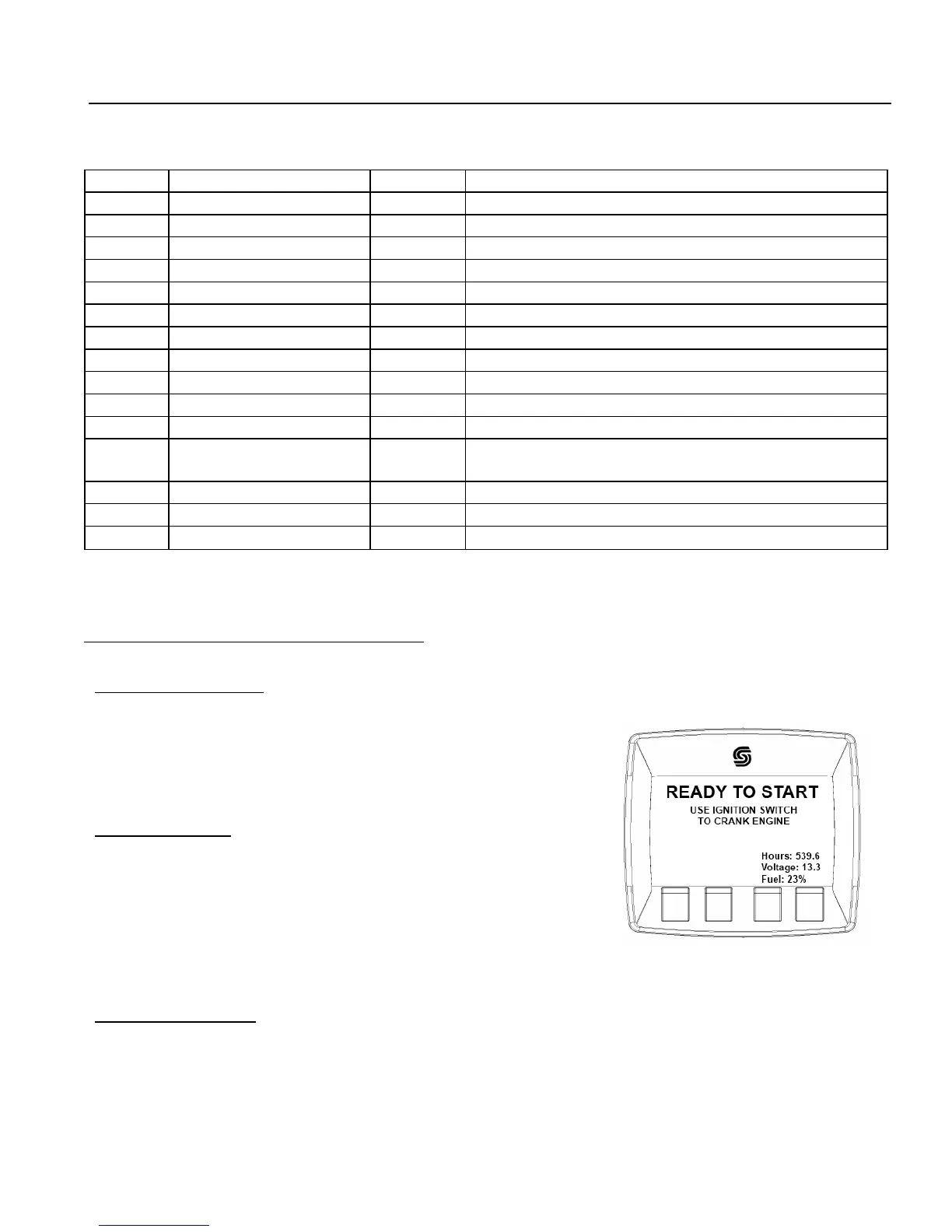
Powering up the tractor:
Verify that the transmission is in “Park” or “Neutral.”
Verify that the parking brake has been set.
Turn the ignition switch to the “ON” position.
Starting the Engine:
Once the Sauer display panel has booted up, it will prompt you to
turn the ignition switch to crank the engine.
*For cold weather operation, the display will prompt you to wait for the
engine warm-up before prompting you to crank the
engine.
Turning off the Engine:
Bring the tractor to a complete stop.
Set the parking brake.
Turn the ignition switch to the “OFF” position.
Eagle Tugs TT-series Quick Start Guide


 To Next Page