OPERATION
25364 Issue 8 March 2018 3-13
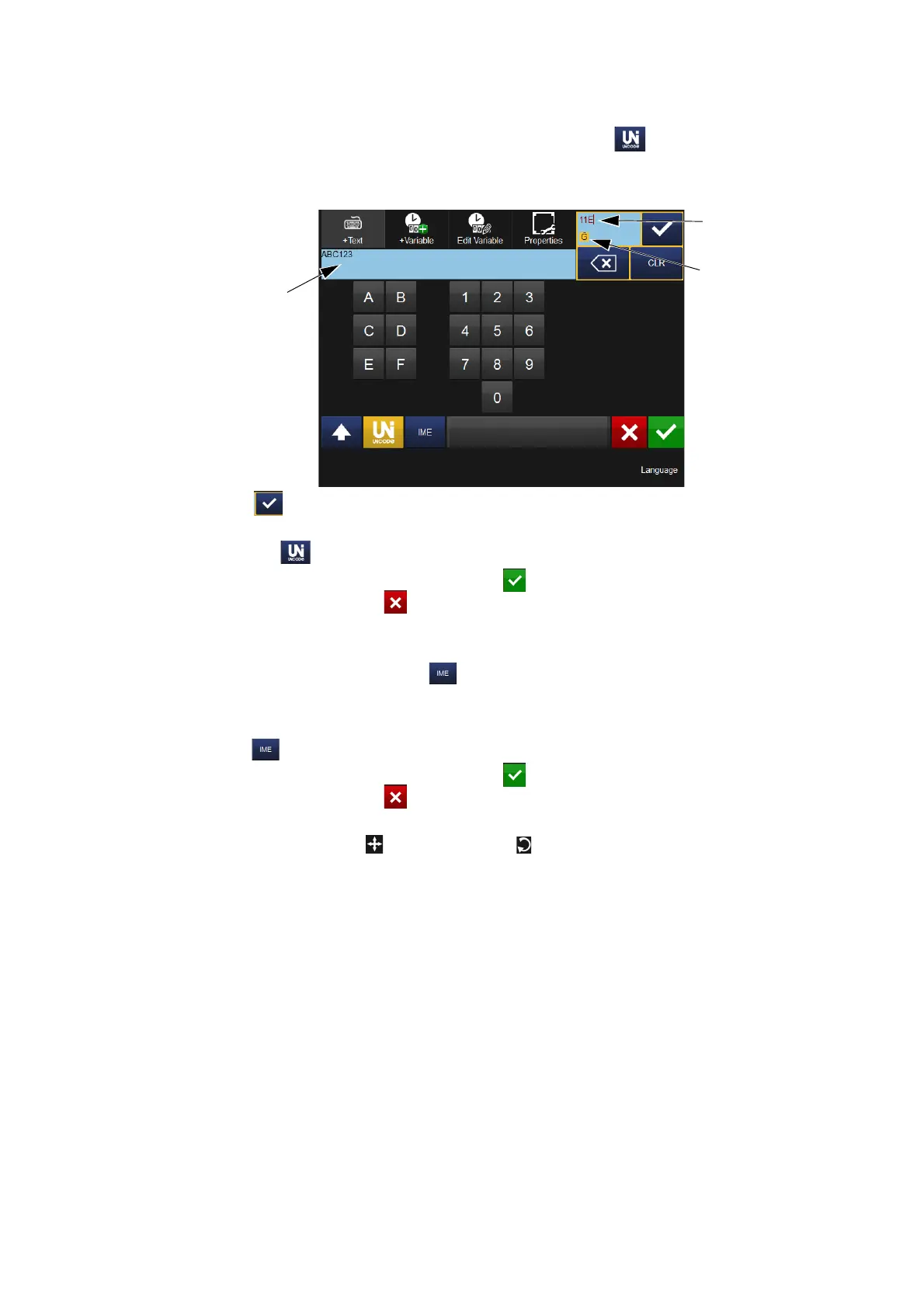
Unicode characters can be entered by selecting the Unicode button
(the button will change to amber). Enter the Unicode value - the responding
character (and value) will be displayed in the top right of the screen:
Unicode
Value
Unicode
Character
Text Area
Select to enter this character into the text area - add more Unicode
characters as required.
Select the Unicode button again to revert to the text screen.
Once all characters are added, select to include the text item in the
message. Selecting the will revert to the Add menu without adding the
text item into the message.
IME (Input Method Editor), in a similar manner to entering Unicode
characters (above), select the button to display the IME entry area (the
button will change to amber)
Enter the required characters.
Select again to revert to the text screen.
Once all characters are added, select to include the text item in the
message. Selecting the will revert to the Add menu without adding the
text item into the message.
Using the Move/Size and Rotate/Flip functions, arrange the item as
required within the message area.



 To Next Page