DESCRIPTION AND INSTALLATION
2-54 25364 Issue 8 March 2018
Test Print, Align and Calibrate -
(Compact 32d, 32c and 53c)
Go to Settings > Production Line Setup > Head Functions and select the
desired function.
For further information, see “Head Functions” on page 3-51.
Speed Profile
The Speed Profile function allows instantaneous display of the print trigger
signal alongside the substrate speed and the ribbon speed.
This allows simple and fast optimisation and fault finding on the TTO
printers.
(1) C
onnect to a printer.
(2) Ensur
e a label is loaded to print.
(3) Pre
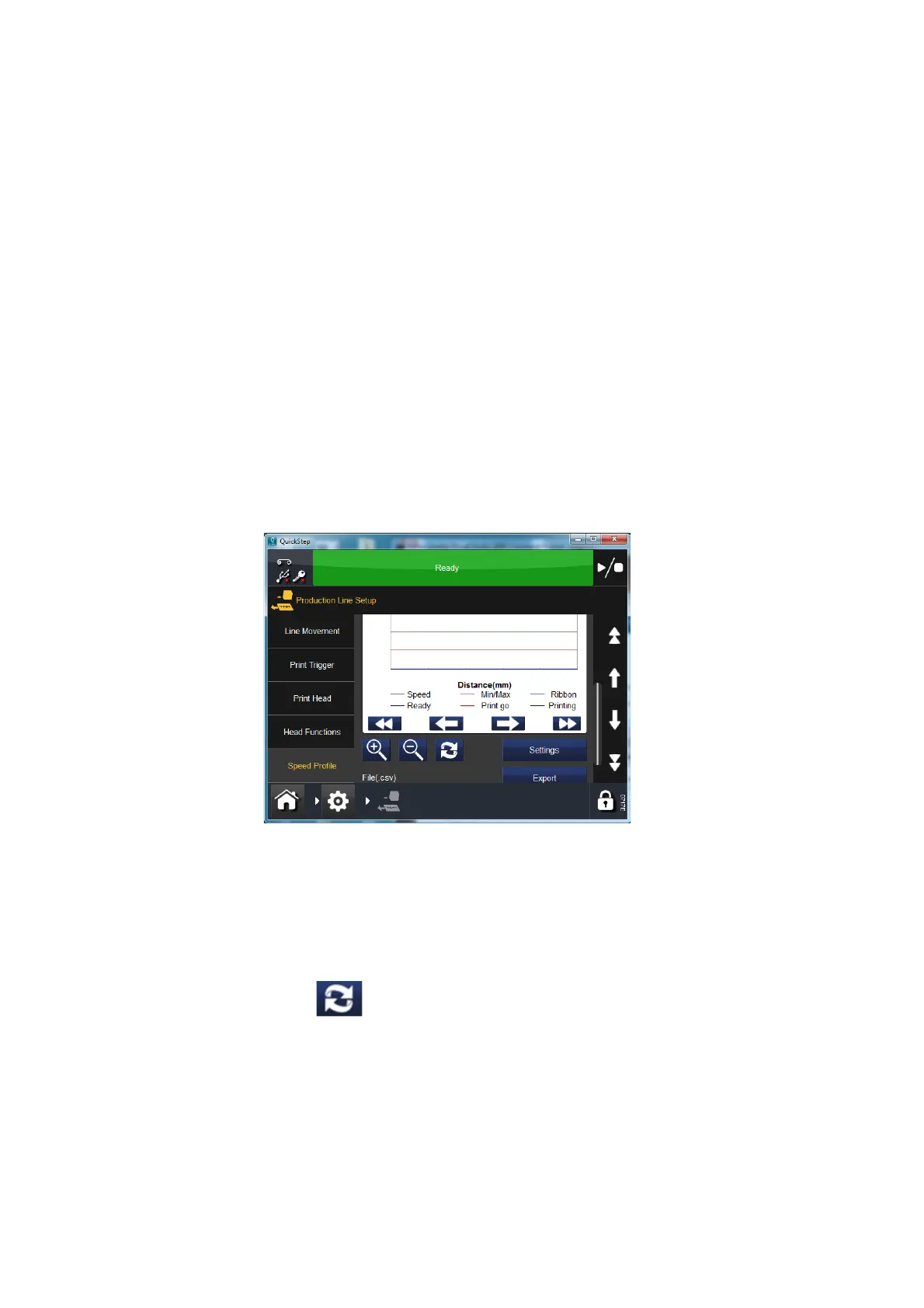
ss Home > Settings > Production Line Setup > Speed Profile
A blank graph should be visible:
The Settings button allows you to set up the following:
X-Axis: (Time or distance).
X-Axis: Sample length (in mm or ms, as selected above).
Trigger by: Either trigger on print go, or set to run until an error is raised.
Check the tick boxes to show/hide individual graphs.
(4) P
ress Refresh to activate the speed profile.
(5) W
ait while the Speed Profile is captured.
The pop up will auto dismiss and the s
peed profile graph will be displayed.



 To Next Page