OPERATION
3-12 25364 Issue 8 March 2018
Text
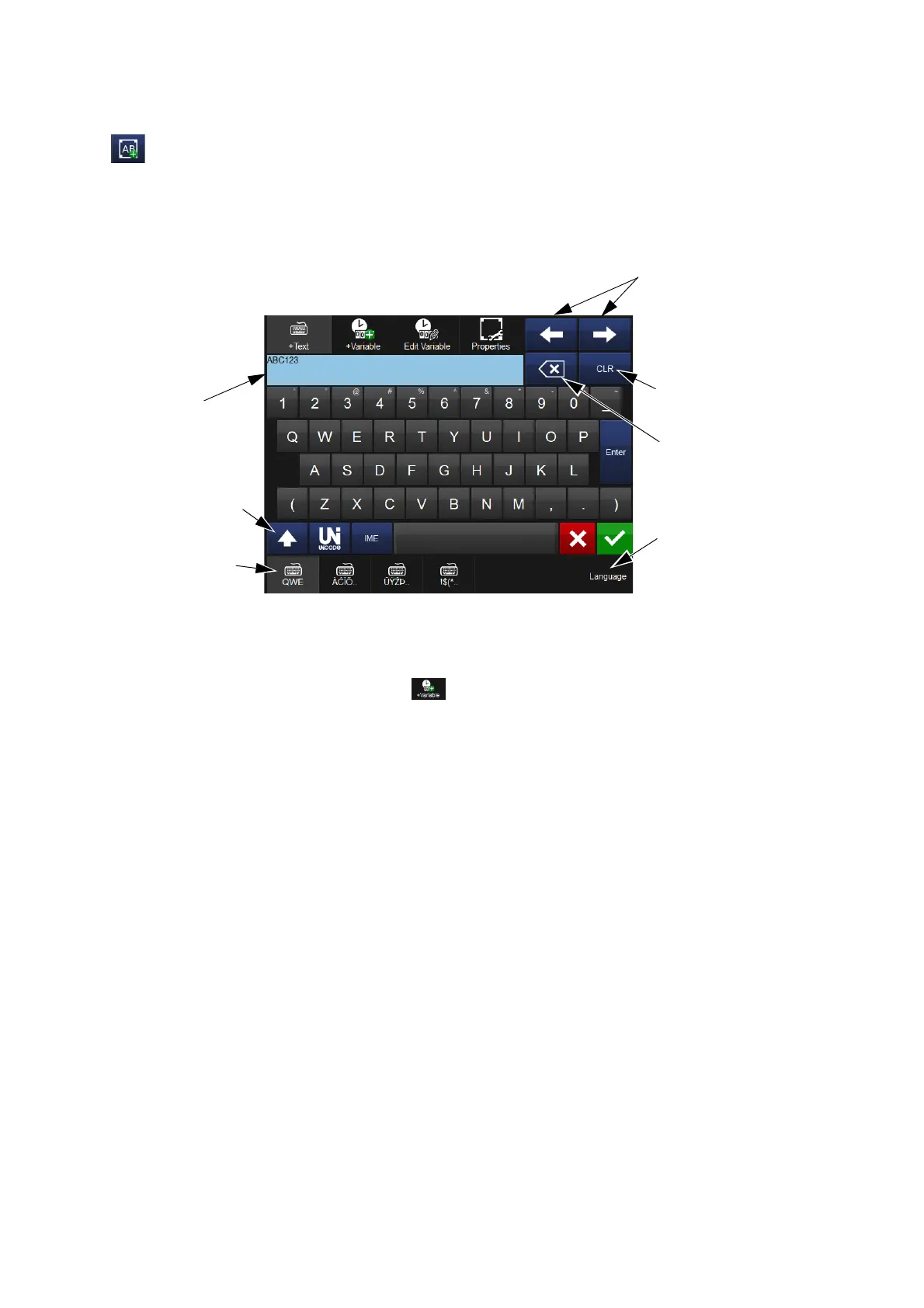
To enter text into the message, select the Add Text icon. Enter the required
text using the keyboard.
Shift,
Unicode and
IME Buttons
Text Area
Move
Cursor
within Text
Area
Alternative
Keyboard
Buttons
Select to
Display
Available
Keyboard
Languages
Clear the
Text Field
Delete
Previous
Character
To add lines of text into the message, enter text into the Text Area and
select Enter.
It is also possible to include variables, such as clock information, within a
text item. If required, select the variable button, select the variable
from the list, or create a new variable.
Alternative characters are available via the Unicode, IME or alternative
keyboard buttons at the bottom of the screen.



 To Next Page