DESCRIPTION AND INSTALLATION
2-44 25364 Issue 8 March 2018
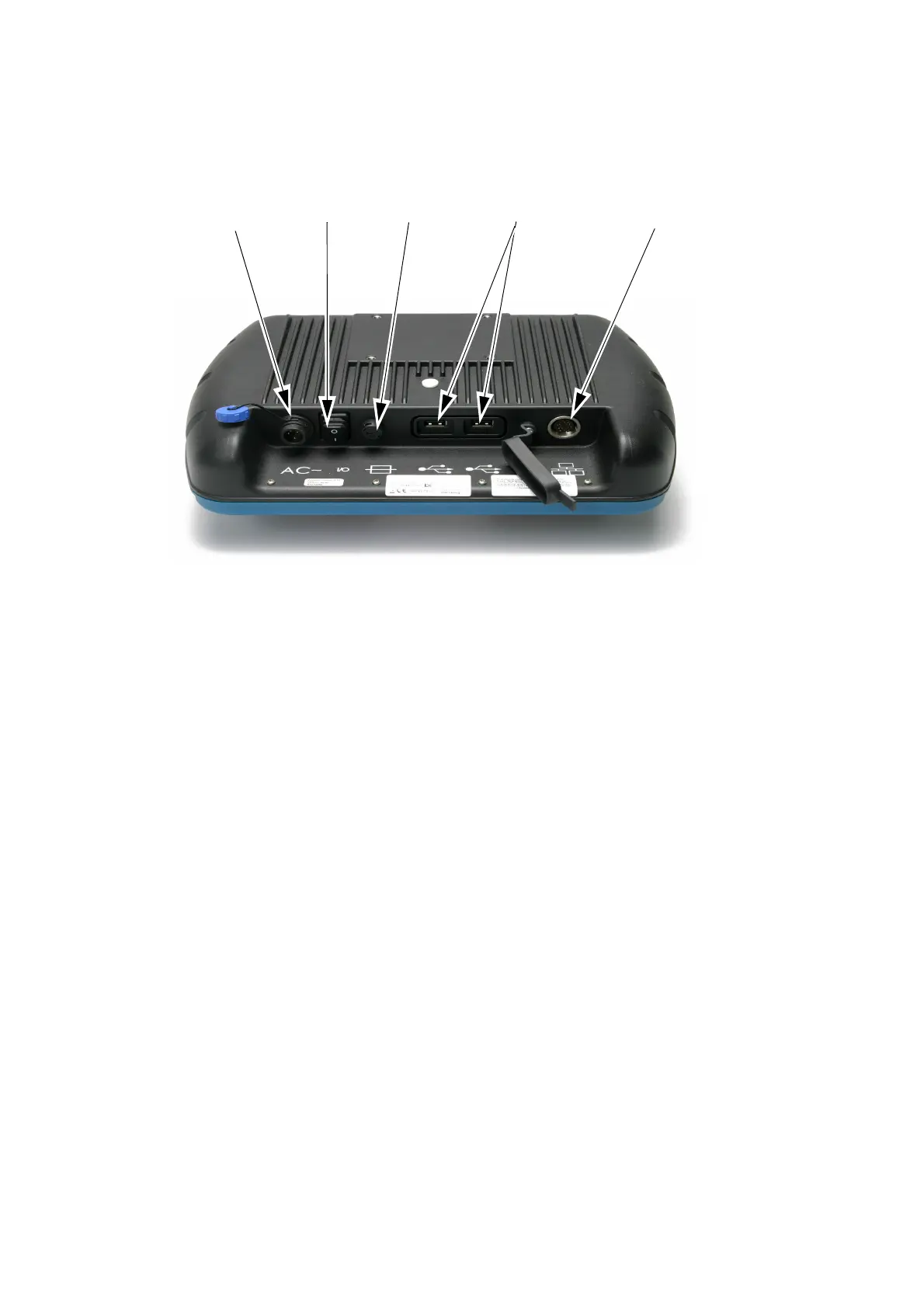
Touchscreen Rear View
Mains
Fuse
Mains
Socket
Mains
Switch
Communication
Port
USB
Ports
• Plug the crossover cable into the I/O box
• Connect the mains cable to the Touchscreen
• Connect the crossover cable to the Touchscreen
• Turn on the power to the Touchscreen
• Select the printer to connect to and log in if required
• Open the Message Store
• Highlight a design
•Press Print.



 To Next Page