DESCRIPTION AND INSTALLATION
2-52 25364 Issue 8 March 2018
Optimising the Print Head
Having mechanically installed the printer in the brackets, optimise the head
position for printing:
(1) Go to Settings > P
roduction Line Setup > Line Movement and select
either CM (Moving) or IM (Static) from the Line Movement pull-down
menu.
(a) For CM applications, set the Encoder Divide to 0. The current
r
ead-only Line Speed is updated every few seconds.
(2) F
or Compact 32d, 32c and 53c printers: Go to Settings > Production
Line Setup > Head Functions and use the Align button to
automatically set the head position to the roller. If necessary,
manually adjust the Head Position and Print Head Height parameters
to set the correct distance of 0.2-2mm between the print head and
substrate for both CM and IM.
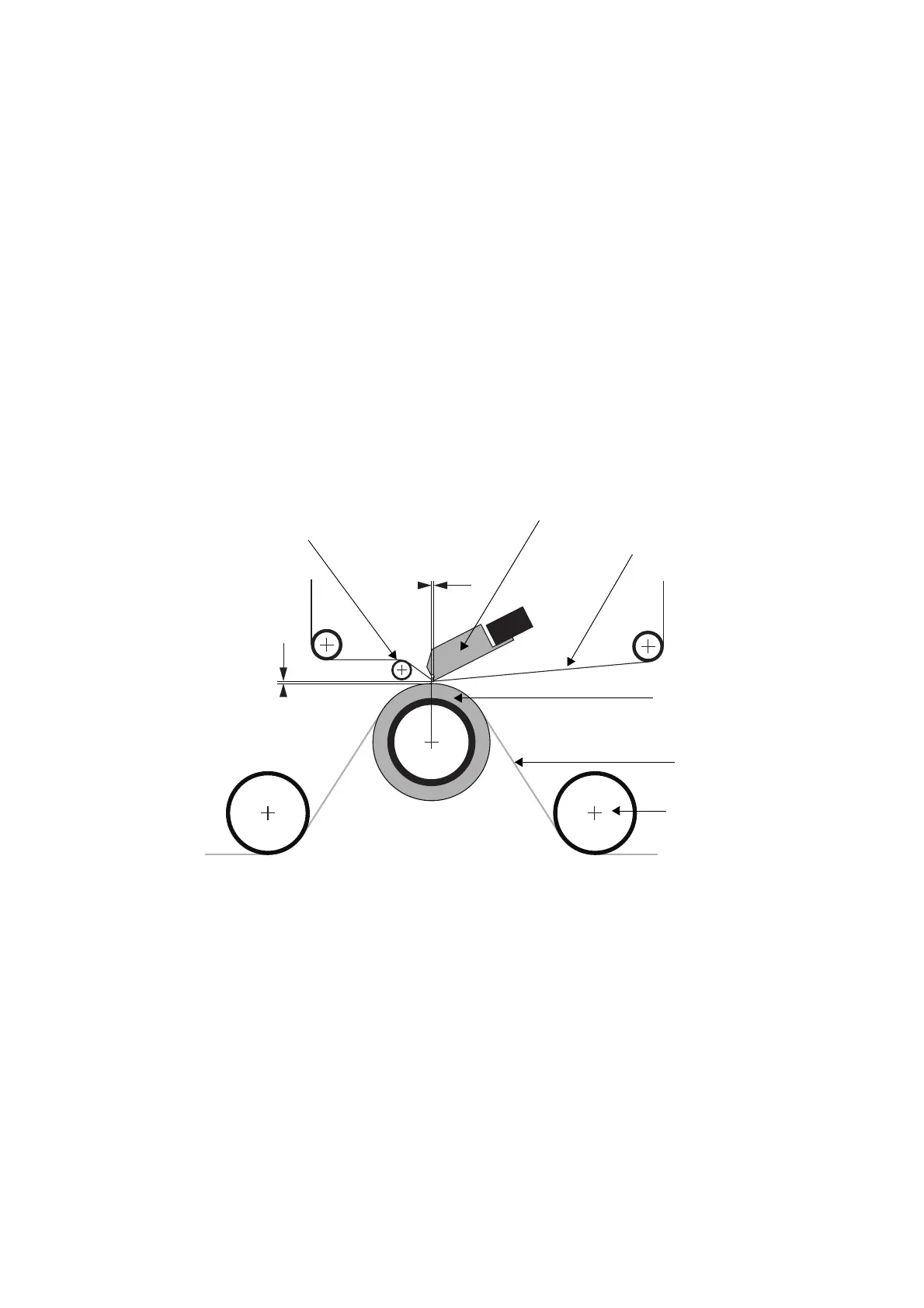
(3) Review the following CM and IM bracket mounting diagrams:
Gap 0.2 to
2.0mm
Ribbon
Print Head
Printing
Rubber
Roller
Web
Guide
Roller
Bracket Mounting - Continuous Mode (CM)
Print Head
Offset 0 to
2mm
Peel-off
Roller



 To Next Page