DESCRIPTION AND INSTALLATION
25364 Issue 8 March 2018 2-53
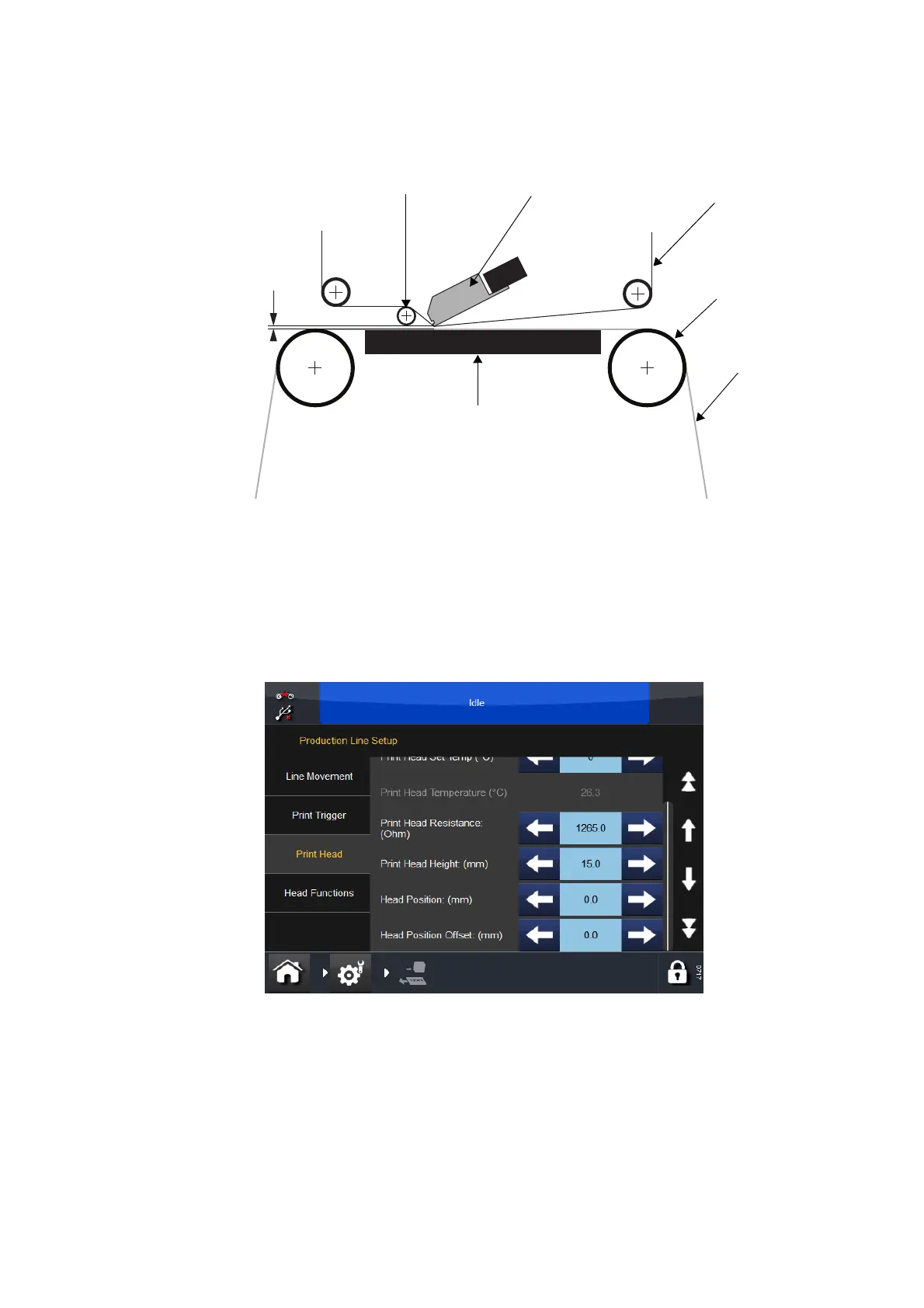
Ribbon
Platen
Guide
Roller
Print head
Web
Gap 0.2 to
2.0mm
Bracket Mounting - Intermittent Mode (IM)
Peel-off
Roller
(4) Set the Print Trigger as required at Settings > Production Line Setup >
Print Trigger. For more information, see “Print Trigger” on page 3-49.
(5) Go to Settings >
Production Line Setup > Print Head and set the
Head Position:
(a) For the CM printer type, set the Head Position so that it is above
the roller.
(b) For the IM printer type, we recommend that the horizontal print
head positi
on is set to 0.



 To Next Page