MAINTENANCE, SERVICE AND FAULT FINDING
4-8 25364 Issue 8 March 2018
Head Resistance
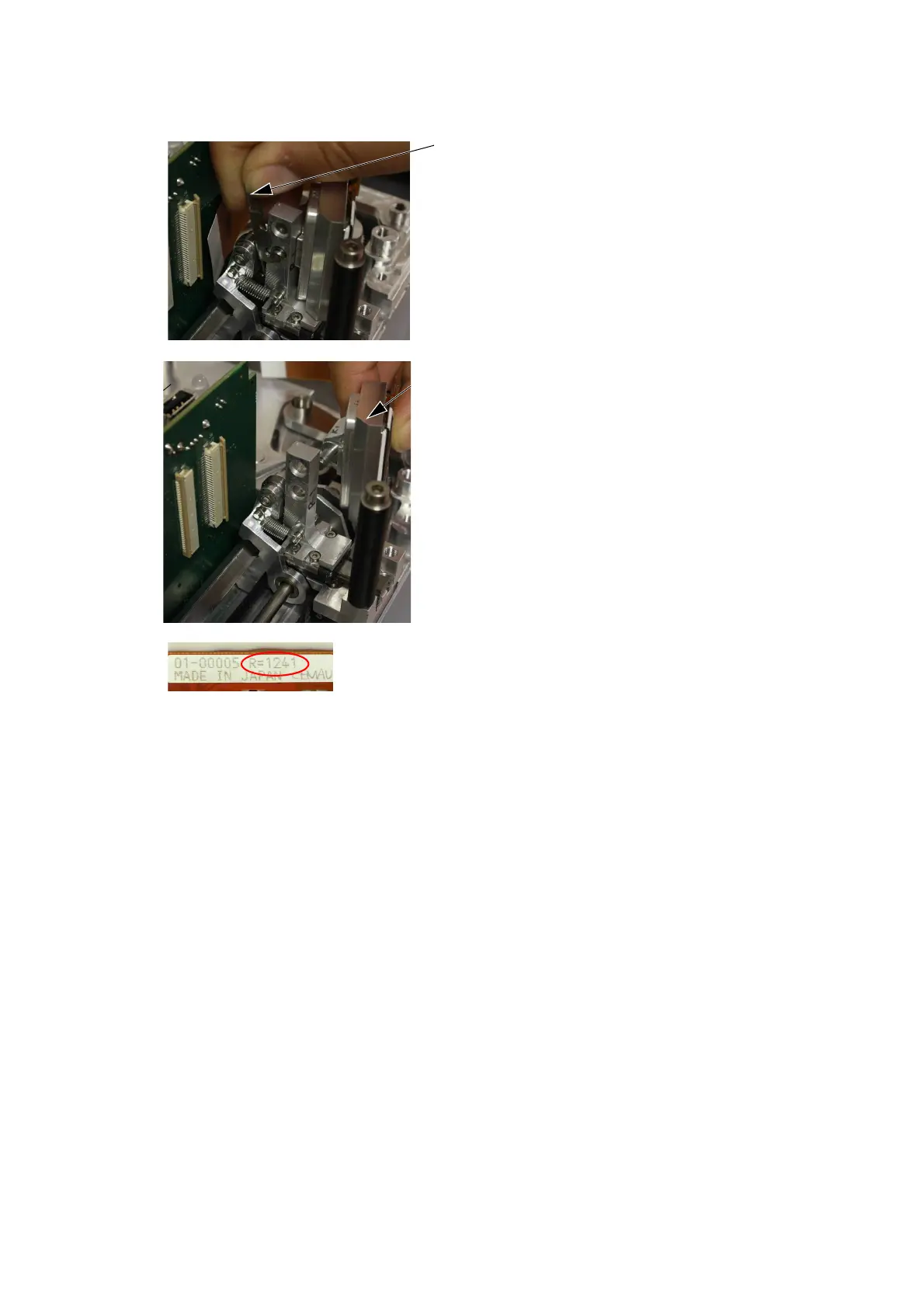
Note: The resistance of the print head varies from head to head. Each
time the print head is changed, the resistance value of the print
head must be keyed in. Print head resistance consists of four
digits (R=XXXX) and is printed on the bottom of the print head
assembly.
CAUTION: Setting an incorrect value may decrease the lifetime
of
the print head.
Move the retaining clip upwards.
Slide the old print head out.
Record the new print head
resistance value.
Slide in the new print head
assembly and fit a new retaining
clip.
Fit the head cable back into the
connector and gently close the
connector.
Turn on the printer. Go to Settings
> Production Line Setup > Print
Head and enter the ‘Print Head
Resistance’ figure recorded
earlier.



 To Next Page