MAINTENANCE, SERVICE AND FAULT FINDING
4-10 25364 Issue 8 March 2018
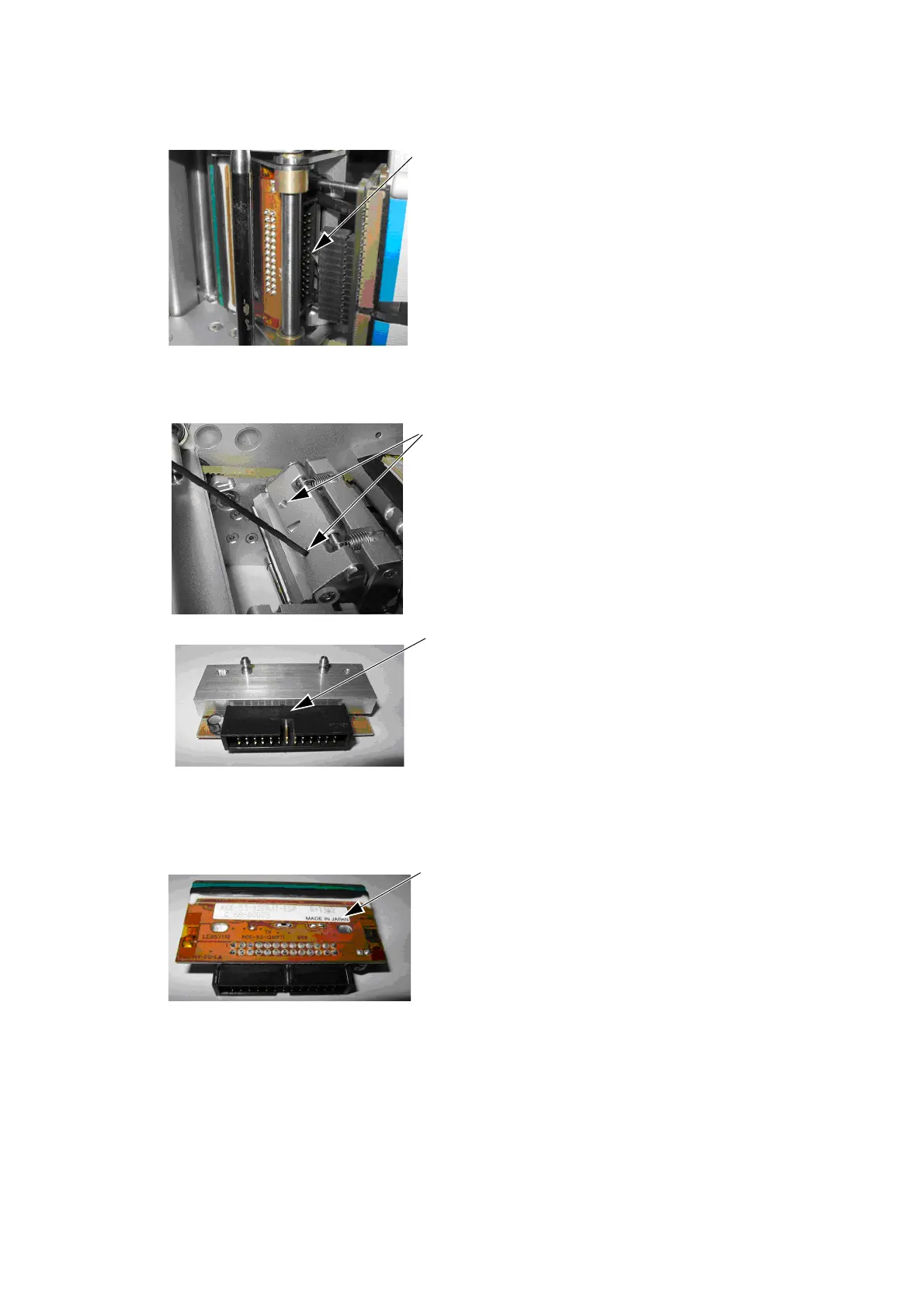
Disconnect the print head cable from
the IDC by gently pulling it off
squarely to avoid damaging or
bending the connector pins.
Using a 2mm Allen key, loosen the
grub screws sufficiently to remove
the print head assembly.
CAUTION: If the printer was in
use, th
e print head will
be hot. Use protective
clothing to avoid
burns.
New print head assembly
Note: Do not handle the new
print head assembly by
touching the printing
edge as this will result in
premature failure.
Make a note of the resistance value
pr
inted on the print head assembly.



 To Next Page