DESCRIPTION AND INSTALLATION
25364 Issue 8 March 2018 2-47
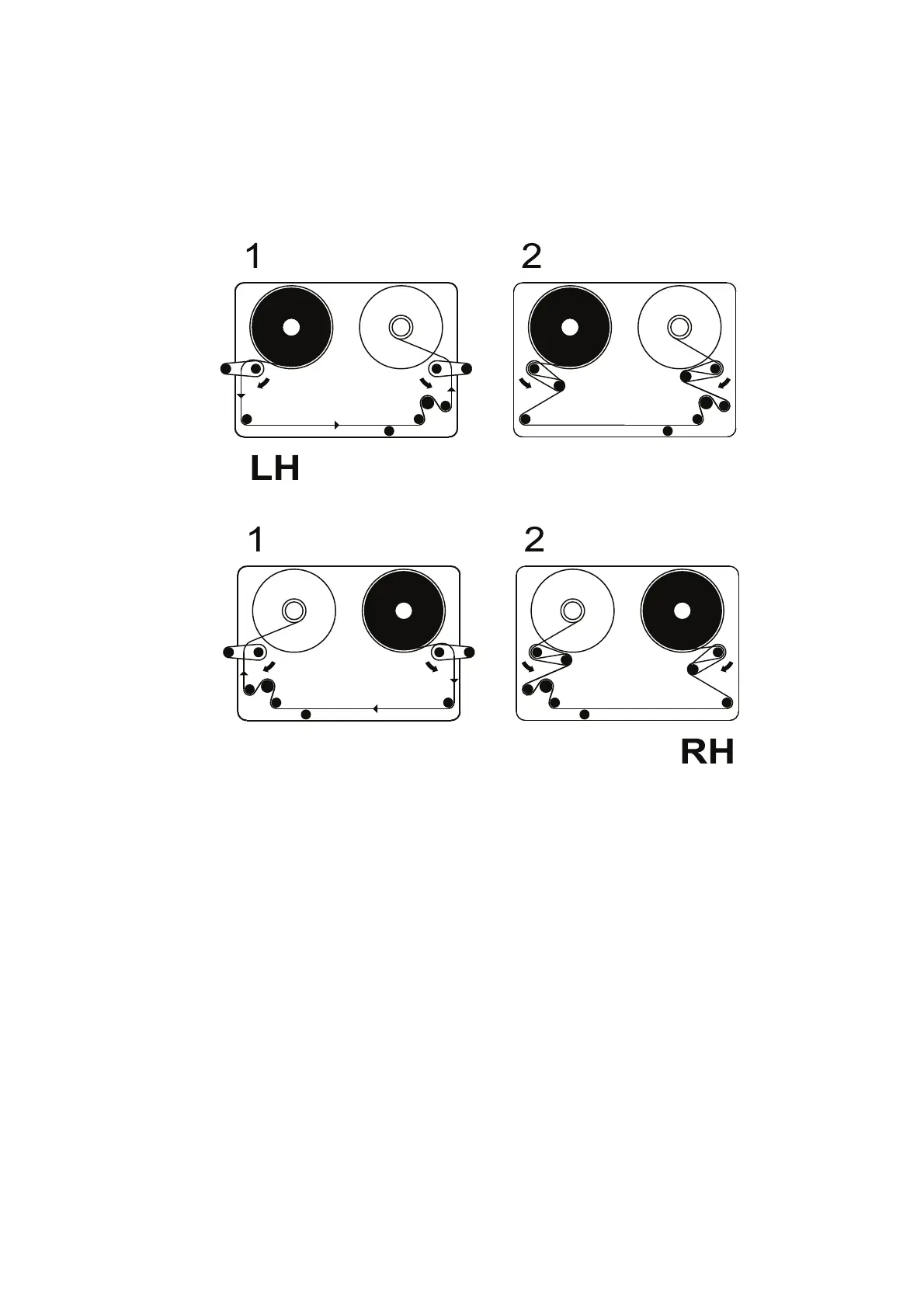
(4) The printer will be set up as either a right-hand printer or a left-hand
printer. Referring to the ribbon path diagram labels on the printer
cover or in the following diagrams, determine whether the printer is
set up for left-hand or right-hand printing and thread the ribbon
accordingly.
Compact 32d Ribbon Path - Left Hand
Compact 32d Ribbon Path - Right Hand
Note: To change the printer from left hand to right hand - or vice versa
- see “Changing Printer Configuration” on page 4-24.
(5) Wrap the ribbon around the empty ribbon core several times, taking
up any sla
ck in the ribbon path to complete the operation. Flip the
dancing arms back to the closed position.
(6) Fit the cover. Rotate the quarter-turn latch clockwise and lock it.
(7) Press the reset button. The printer initialises.



 To Next Page