P.33
PM10U
EBARA
CORPORATION
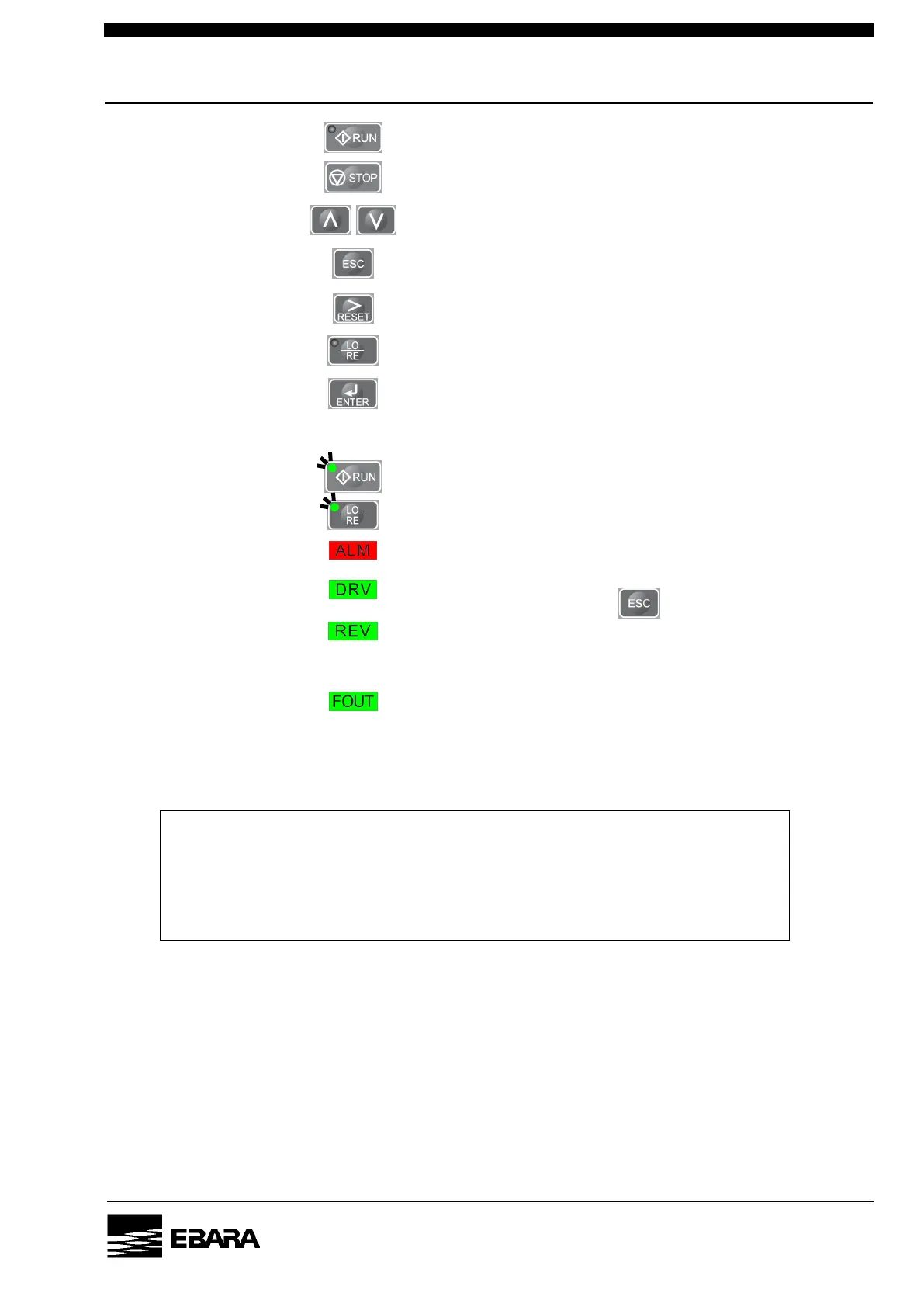
[Push button switches] Start the pump. [note 1]
Stop the pump.
Change data screen.
Return to the previous menu.
Resets a fault situation.
Switch Remote mode / Local mode.
Non-used.
[LED Lamp] Pump is running (green).
Local mode is selected (green).
ALARM condition is occurred (red).
Pump is ready.
If the lamp is turning off, push several times and turn on.
Never lit.
If the lamp is turning on, stop the pump immediately and contact
us.
Show output frequency.
[note 1] The switch works only in the Local mode.
NOTE
Do not open the connector cover. The connector is only for maintenance. Do not
connect another equipment with cable; such as LAN cable that has been on the
market. The connection may cause failure of the equipment or the pump.



 To Next Page