DUS 60 Digital Ultrasonic Diagnostic Imaging System User Manual Urology Measurements and Calculations
- 128 -
To measure RUV:
1. In the urology menu, roll the trackball to highlight RUV, and then press Set.
2. Measure threes pieces of data: RUV-L, RUV-W and RUV-H, in the method of distance
measurement.
Reference Section 6.6.3, Generic Measurements in PW Mode
3. After the three measurements, the result of RUV will be displayed in the measurement result
window.
To measure PV:
1. In the urology menu, roll the trackball to highlight PV, and then press Set.
2. Measure threes pieces of data: PV-L, PV-W and PV-H, in the method of distance
measurement.
Reference Section 6.6.3, Generic Measurements in PW Mode
3. After the three measurements, the result of RUV will be displayed in the measurement result
window.
To measure PSAD:
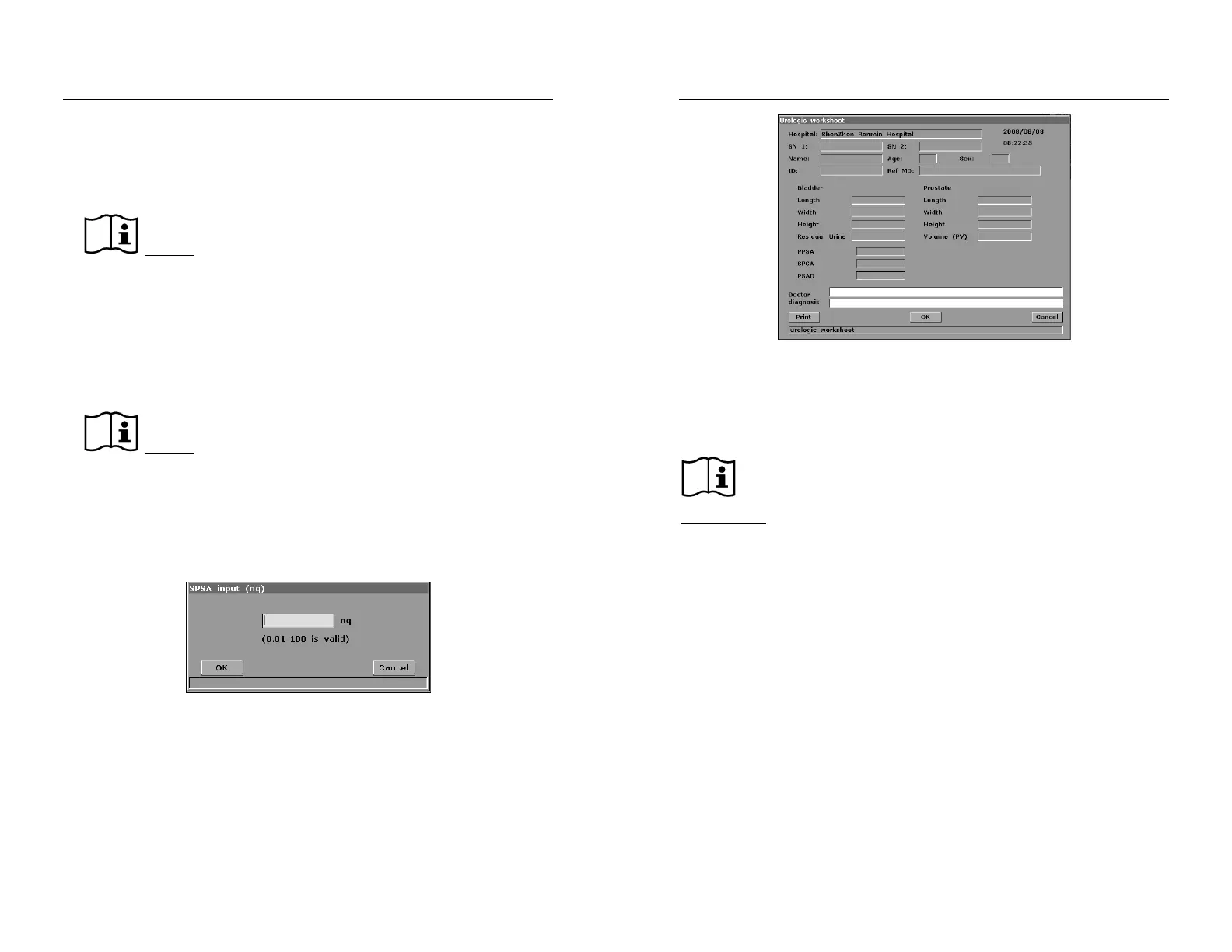
Measure PV and input SPSA. The SPSA input dialog box is as shown below. Input the SPSA with
the keyboard.
Figure 11-2 SPSA Input Dialog Box
11.2. Urologic Report
After the urologic examination, the system generates a urologic worksheet.
Roll the trackball to highlight Urol Worksheet, and press Set display Urologic Worksheet
dialog box, as shown below:
DUS 60 Digital Ultrasonic Diagnostic Imaging System User Manual Urology Measurements and Calculations
- 129 -
Figure 11-3 Urology Worksheet
The diagnosis editing column displays the cursor “І”, and you can enter diagnosis information.
To print the report:
Press Print in the Urology Worksheet.
Printing reference
Section 5.8, Printing.
11.3. Others
Select Others to enter another application measurement.


 To Next Page