MINUTEMAN 320
154
REV 13.1:2020
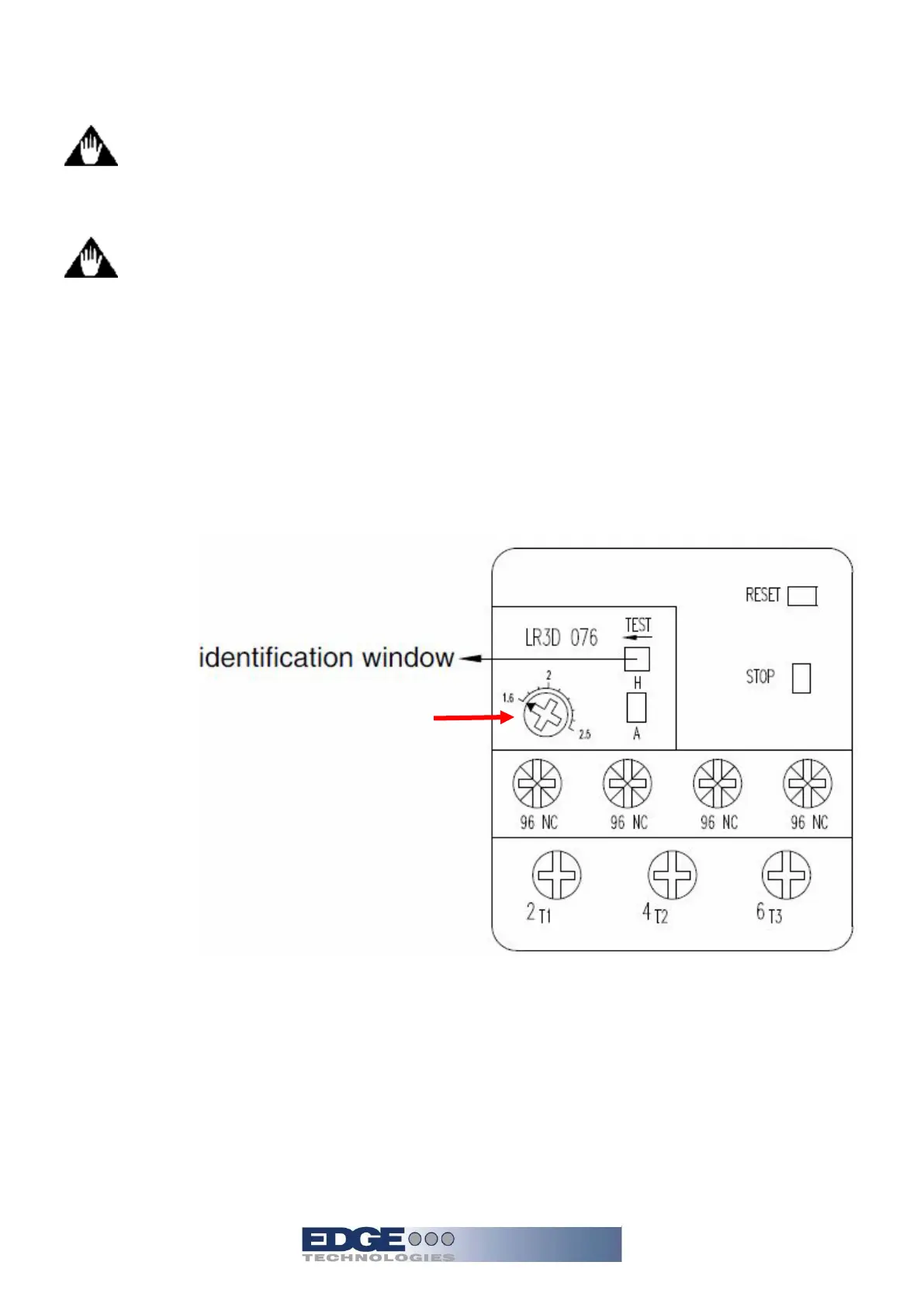
Warning do not change overload amperage settings with power on to
the bar feeder.
Warning reset the overload when power is removed.
Oil pump overload
In normal operation identification window is blue. The identification window will show “T” up
when overload is tripped. Check whether enough oil is in the oil tank or if pump has
malfunctioned. If ok, press the “Reset” button at the right corner, the identification window will
return to blue.
The current setting may be adjusted as well. Rotate the amperage pot to the desired value.
Current adjustment


 To Next Page